Mode d’emploi Aiwa XP-R207 Lecteur CD portable

Besoin d'un mode d’emploi pour votre Aiwa XP-R207 Lecteur CD portable ? Ci-dessous, vous pouvez consulter et télécharger gratuitement le mode d’emploi PDF en français. Ce produit a actuellement 1 de question fréquemment posée, 0 de commentaires et 0 votes. Si ce n'est pas le mode d’emploi que vous souhaitez, veuillez nous contacter.

Votre produit est défectueux et le mode d’emploi n’offre aucune solution ? Rendez-vous à un Repair Café pour obtenir des services de réparation gratuits.

Mode d’emploi

Loading…
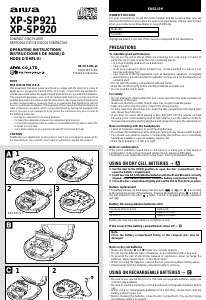
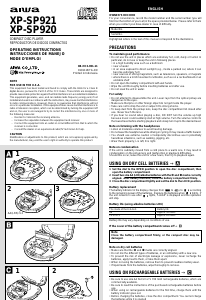
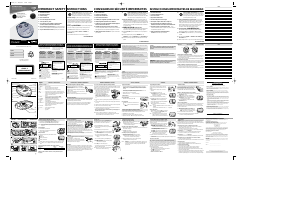
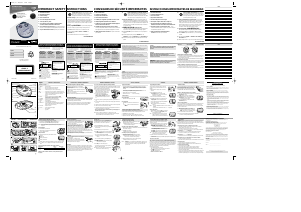
USING ON RECHARGEABLE BATTERIES C
Be sure to use size AA Ni-Cd 1.2 V 700 mAh rechargeable batteries, which are
commercially available.
Be sure to read the instructions of the purchased rechargeable batteries before
use.
When using on rechargeable batteries for the first time, charge them until the
battery indicator goes out.
Before charging the batteries, close the disc compartment. You cannot charge
the batteries while it is opened.
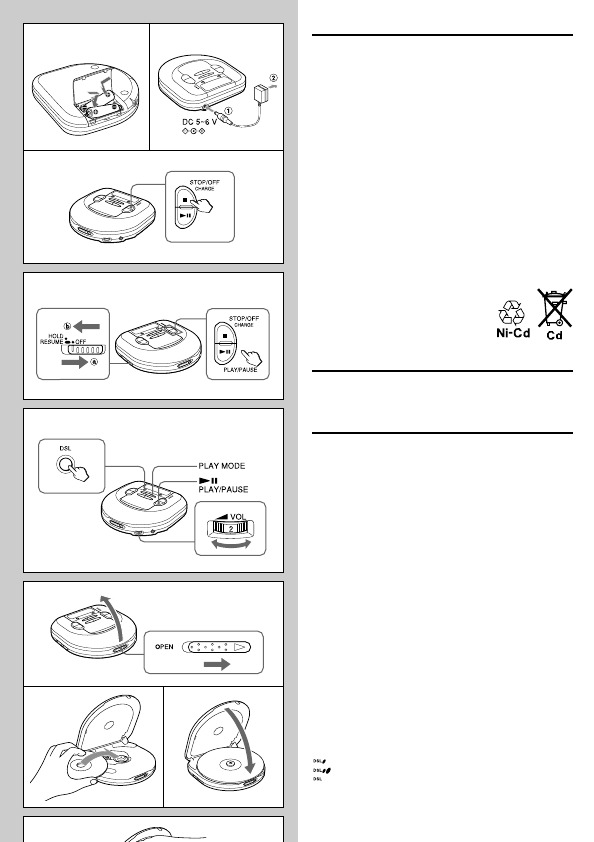
1 Insert the rechargeable batteries with the 0 and 9 marks correctly
aligned.
2 Connect the AC adaptor.
1 to DC 5 ~ 6 V jack
2 to a wall outlet
3 Keep sSTOP/OFF/CHARGE pressed for about 1 second to start charging.
“C-On” appears, and OPE/BATT indicator blinks.
When charging is completed, “C-OFF” flashes a few times, and OPE/BATT
indicator goes out.
After charging, disconnect the AC adaptor.
Time to recharge the batteries
Recharge the batteries when E (red) lights. If the unit remains in use after E
(red) lights, “Lo-bAtt” appears and the current operation stops.
To stop charging
Press sSTOP/OFF/CHARGE during charging.
ATTENTION:
The product you have purchased can be powered by
nickel cadmium batteries which is recyclable. At the
end of their useful life, under various state and local
laws, it is illegal to dispose of these batteries into your
municipal waste stream.
Please call 1-800-289-2492 for information on how to
recycle these batteries.
USING ON AC HOUSE CURRENT
Connect the supplied AC adaptor in the same way as when recharging the
batteries.
During operation on AC house current, all of OPE/BATT indicators light.
BEFORE PLAYBACK
HOLD switch D
Release the HOLD switch before playback. a
When not using the unit, set the HOLD switch to the HOLD position. b
Accidentally pressed button will not function.
If buttons are pressed when the HOLD switch is set to the HOLD position, “HOLd”
flashes in the display.
Turning on and off D
Turning the power on
Press ePLAY/PAUSE. Power is turned on and playback starts.
Note
“Err” appears on the display when you play a disc placed upside-down or a
defective disc.
Turning the power off
If no new operations are done within 30 seconds from the end of last operation,
the power is turned off automatically. (Auto power off function)
• You can turn off the power by pressing sSTOP/OFF/CHARGE before it is
automatically turned off.
Standby mode D
When an operation finishes, the unit goes into standby mode until the auto power
off function automatically turns off the power.
To enter standby mode, press ePLAY/PAUSE to start playback, then press
sSTOP/OFF/CHARGE.
Adjusting the sound E
Volume
Turn the VOL control to adjust the volume.
DSL
Press DSL repeatedly for more powerful sound and deeper bass.
: Deep bass is emphasized.
: Deep bass is strongly emphasized.
: Normal sound
Signal sound function
You can check the operation by beep sound when you press an operation button.
The signal sound function is not activated when you purchase this unit.
To use the signal sound function, press ePLAY/PAUSE while pressing PLAY
MODE while in stop mode. The beep sound is heard when you press a button.
To cancel the beep sound, repeat this procedure.
C
12
3
D
E
F
1
23
G
Télécharger mode d’emploi en Français (PDF, 1.69 MB)
(Tenez compte de l’environnement et imprimez ce manuel uniquement si c’est vraiment nécessaire)

Loading…

Évaluation

Dites-nous ce que vous pensez du Aiwa XP-R207 Lecteur CD portable en laissant une note de produit. Vous voulez partager vos expériences avec ce produit ou poser une question ? Veuillez laisser un commentaire au bas de la page.
Etes-vous satisfait du Aiwa XP-R207 Lecteur CD portable ?
Oui Non
Soyez le premier à évaluer ce produit
0 évaluations

Joignez-vous à la conversation sur ce produit

Ici, vous pouvez partager ce que vous pensez du Aiwa XP-R207 Lecteur CD portable. Si vous avez une question, lisez d’abord attentivement le mode d’emploi. La demande d’un mode d’emploi peut être effectuée en utilisant notre formulaire de contact.

En savoir plus sur ce mode d’emploi

Nous comprenons qu’il est agréable d’avoir un mode d’emploi papier pour vos Aiwa XP-R207 Lecteur CD portable. Vous pouvez toujours télécharger le mode d’emploi depuis notre site Web et l’imprimer vous-même. Si vous souhaitez disposer d’un mode d’emploi original, nous vous recommandons de contacter Aiwa. Ils pourront peut-être fournir un mode d’emploi original. Recherchez-vous le mode d’emploi de votre Aiwa XP-R207 Lecteur CD portable dans une autre langue ? Choisissez votre langue préférée sur notre page d’accueil et recherchez le numéro de modèle pour voir si nous l’avons disponible.

Caractéristiques

Marque Aiwa
Modèle XP-R207
Catégorie Lecteurs CD portable
Type de fichier PDF
Taille du fichier 1.69 MB

Tous les modes d’emploi pour Aiwa Lecteurs CD portable
Plus de modes d’emploi de Lecteurs CD portable

Foire aux questions sur Aiwa XP-R207 Lecteur CD portable

Notre équipe d’assistance recherche des informations utiles sur les produits et des réponses aux questions fréquemment posées. Si vous trouvez une inexactitude dans notre foire aux questions, veuillez nous le faire savoir en utilisant notre formulaire de contact.

Puis-je moi-même réparer des rayures sur un CD ? Vérifié

Les rayures empêchent le laser de lire le disque correctement. Lorsque les rayures ne sont que superficielles, il est possible de les réparer soi-même en polissant le disque avec un composé légèrement abrasif. Idéalement, vous utilisez un composé abrasif professionnel, mais vous pouvez également utiliser un dentifrice ordinaire. Après avoir poli le disque, il faut le laver et laisser sécher. Il existe des entreprises spécialisées qui peuvent le faire.

Cela a été utile (38) En savoir plus
Mode d’emploi Aiwa XP-R207 Lecteur CD portable

Produits connexes

Catégories associées

×
Download