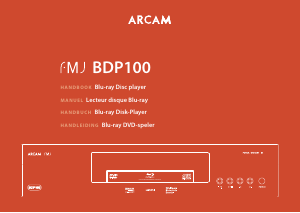
Mode d’emploi Arcam BDP300 Lecteur de blu-ray

Besoin d'un mode d’emploi pour votre Arcam BDP300 Lecteur de blu-ray ? Ci-dessous, vous pouvez consulter et télécharger gratuitement le mode d’emploi PDF en français. Ce produit a actuellement 3 questions fréquemment posées, 0 commentaires et 0 votes. Si ce n'est pas le mode d’emploi que vous souhaitez, veuillez nous contacter.

Votre produit est défectueux et le mode d’emploi n’offre aucune solution ? Rendez-vous à un Repair Café pour obtenir des services de réparation gratuits.

Mode d’emploi

Loading…
E-2
safety
guidelines
Important safety instructions
1. Read these instructions.
2. Keep these instructions.
3. Heed all warnings.
4. Follow all instructions.
5. Do not use this apparatus near water.
6. Clean only with dry cloth.
7. Do not block any ventilation openings. Install in
accordance with the manufacturer’s
instructions.
8. Do not install near any heat sources such as
radiators, heat registers, stoves, or other apparatus
(including ampliers) that produce heat.
9. Do not defeat the safety purpose of the polarized or
grounding-type plug.
A polarized plug has two blades with one wider than the
other. A grounding type plug has two blades and a third
grounding prong. e wide blade or the third prong are
provided for your safety. If the provided plug does not t
into your outlet, consult an electrician for replacement
of the obsolete outlet.
10. Protect the power cord from being walked
on or pinched particularly at plugs, convenience
receptacles, and the point where they exit from the
apparatus.
11. Only use attachments/accessories specied by the
manufacturer.
12. Use only with the cart, stand, tripod, bracket, or
table specied by the manufacturer, or sold with the
apparatus.
When a cart is used, use caution
when moving the cart/apparatus
combination to avoid injury from
tip-over.
13. Unplug this apparatus during lightning storms or
when unused for long periods of time.
14. Refer all servicing to qualied service personnel.
Servicing is required when the apparatus has been
damaged in any way, such as power-supply cord or plug
is damaged, liquid has been spilled or objects have fallen
into the apparatus, the apparatus has been exposed to
rain or moisture, does not operate normally, or has been
dropped.
15. Object or liquid entry
WARNING – Take care that objects do not fall and
liquids are not spilled into the enclosure through any
openings. e equipment shall not be exposed to
dripping or splashing. Liquid-lled objects such as vases
should not be placed on the equipment.
16. Climate
e equipment has been designed for use in moderate
climates and in domestic situations.
17. Cleaning
Unplug the unit from the mains supply before cleaning.
e case should normally only require a wipe with a
so, lint-free cloth. Do not use chemical solvents for
cleaning.
We do not advise the use of furniture cleaning sprays or
polishes as they can cause permanent white marks.
18. Power sources
Only connect the equipment to a power supply of
the type described in the operating instructions or as
marked on the equipment.
e primary method of isolating the equipment from
the mains supply is to remove the mains plug. e
equipment must be installed in a manner that makes
disconnection possible.
19. Abnormal smell
If an abnormal smell or smoke is detected from the
equipment, turn the power o immediately and unplug
the equipment from the wall outlet. Contact your dealer
and do not reconnect the equipment.
20. Damage requiring service
e equipment should be serviced by qualied service
personnel when:
A. the power-supply cord or the plug has been
damaged, or
B. objects have fallen, or liquid has spilled into the
equipment, or
C. the equipment has been exposed to rain, or
D. the equipment does not appear to operate
normally or exhibits a marked change in
performance, or
E. the equipment has been dropped or the enclosure
damaged.
WARNING - e mains plug is used as a disconnect
device, the disconnect device shall remain readily
operable.
WARNING - e batteries shall not be exposed to
excessive heat, such as sunshine or re.
CAUTION - Danger of explosion if batteries are
incorrectly replaced. Replace only with the same or
equivalent type.
Safety compliance
is equipment has been designed to meet the IEC/EN
60065 international electrical safety standard.
is device complies with Part 15 of the FCC Rules.
Operation is subject to the following two conditions:
(1) is device may not cause harmful interference, and
(2) this device must accept any interference received,
including interference that may cause undesired
operation.






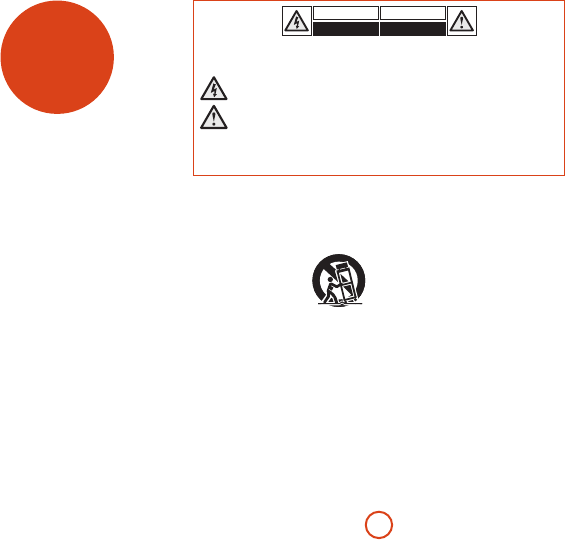
CAUTION: To reduce the risk of electric shock, do not remove cover (or back). No user serviceable parts inside. Refer
servicing to qualied service personnel.
WARNING: To reduce the risk of re or electric shock, do not expose this apparatus to rain or moisture.
e lightning ash with an arrowhead symbol within an equilateral triangle is intended to alert the user to the
presence of uninsulated ‘dangerous voltage’ within the product’s enclosure that may be of sucient magnitude to
constitute a risk of electric shock to persons.
e exclamation point within an equilateral triangle is intended to alert the user to the presence of important
operating and maintenance (servicing) instructions in the literature accompanying the product.
CAUTION: In Canada and the USA, to prevent electric shock, match the wide blade of the plug to the wide slot in the socket
and insert the plug fully into the socket.
CAUTION: Use of any controls, adjustments or procedures other than those specied herein may result in hazardous
radiation exposure.
Télécharger mode d’emploi en Français (PDF, 10.13 MB)
(Tenez compte de l’environnement et imprimez ce manuel uniquement si c’est vraiment nécessaire)

Loading…

Évaluation

Dites-nous ce que vous pensez du Arcam BDP300 Lecteur de blu-ray en laissant une note de produit. Vous voulez partager vos expériences avec ce produit ou poser une question ? Veuillez laisser un commentaire au bas de la page.
Etes-vous satisfait du Arcam BDP300 Lecteur de blu-ray ?
Oui Non
Soyez le premier à évaluer ce produit
0 évaluations

Joignez-vous à la conversation sur ce produit

Ici, vous pouvez partager ce que vous pensez du Arcam BDP300 Lecteur de blu-ray. Si vous avez une question, lisez d’abord attentivement le mode d’emploi. La demande d’un mode d’emploi peut être effectuée en utilisant notre formulaire de contact.

En savoir plus sur ce mode d’emploi

Nous comprenons qu’il est agréable d’avoir un mode d’emploi papier pour vos Arcam BDP300 Lecteur de blu-ray. Vous pouvez toujours télécharger le mode d’emploi depuis notre site Web et l’imprimer vous-même. Si vous souhaitez disposer d’un mode d’emploi original, nous vous recommandons de contacter Arcam. Ils pourront peut-être fournir un mode d’emploi original. Recherchez-vous le mode d’emploi de votre Arcam BDP300 Lecteur de blu-ray dans une autre langue ? Choisissez votre langue préférée sur notre page d’accueil et recherchez le numéro de modèle pour voir si nous l’avons disponible.

Caractéristiques

Marque Arcam
Modèle BDP300
Catégorie Lecteurs de blu-ray
Type de fichier PDF
Taille du fichier 10.13 MB

Tous les modes d’emploi pour Arcam Lecteurs de blu-ray
Plus de modes d’emploi de Lecteurs de blu-ray

Foire aux questions sur Arcam BDP300 Lecteur de blu-ray

Notre équipe d’assistance recherche des informations utiles sur les produits et des réponses aux questions fréquemment posées. Si vous trouvez une inexactitude dans notre foire aux questions, veuillez nous le faire savoir en utilisant notre formulaire de contact.

Un lecteur Blu-ray peut-il également lire des DVD ? Vérifié

Oui, la plupart des lecteurs Blu-ray sont en mesure de lire des DVD.

Cela a été utile (138) En savoir plus

Est-il important de savoir sur quel port HDMI je connecte mon lecteur Blu-ray ? Vérifié

En général, il est possible de connecter un lecteur Blu-ray à n’importe quel port HDMI. L’appareil peut alors être utilisé en sélectionnant la chaîne HDMI correspondante sur votre téléviseur.

Cela a été utile (94) En savoir plus

Puis-je moi-même réparer les rayures sur un Blu-ray ? Vérifié

Les rayures empêchent le laser de lire le disque correctement. Lorsque les rayures ne sont que superficielles, il est possible de les réparer soi-même en polissant le disque avec un composé légèrement abrasif. Idéalement, vous utilisez un composé abrasif professionnel, mais vous pouvez également utiliser un dentifrice ordinaire. Après avoir poli le disque, il faut le laver et laisser sécher. Il existe des entreprises spécialisées qui peuvent le faire.

Cela a été utile (37) En savoir plus
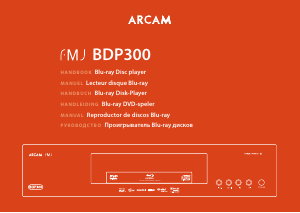
Mode d’emploi Arcam BDP300 Lecteur de blu-ray

Produits connexes

Catégories associées

×
Download