Mode d’emploi Black and Decker F2000 Fer à repasser

Besoin d'un mode d’emploi pour votre Black and Decker F2000 Fer à repasser ? Ci-dessous, vous pouvez consulter et télécharger gratuitement le mode d’emploi PDF en français. Ce produit a actuellement 4 questions fréquemment posées, 0 commentaires et 0 votes. Si ce n'est pas le mode d’emploi que vous souhaitez, veuillez nous contacter.

Votre produit est défectueux et le mode d’emploi n’offre aucune solution ? Rendez-vous à un Repair Café pour obtenir des services de réparation gratuits.

Mode d’emploi

Loading…
SPECIAL FEATURES
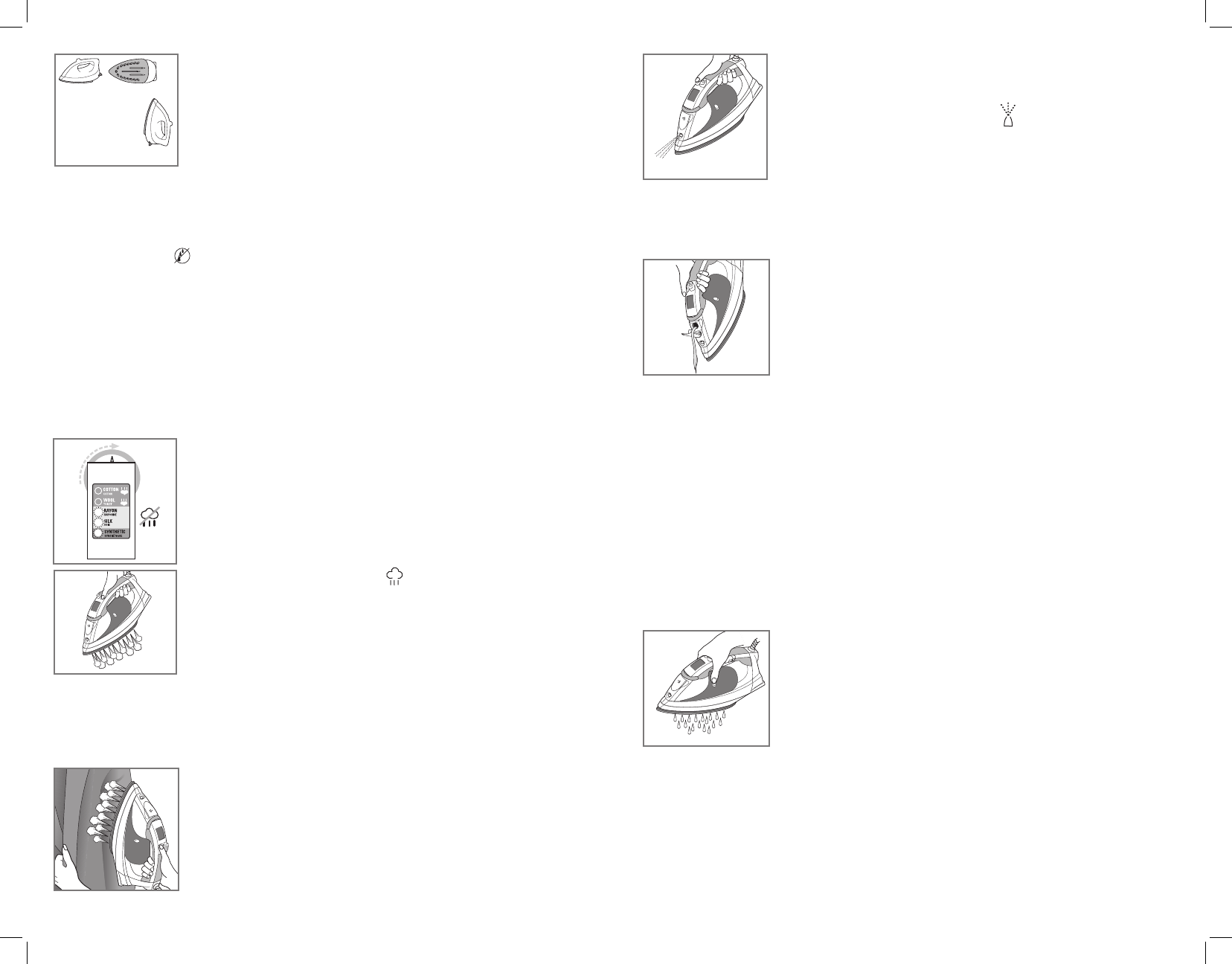
Automatic Shutoff in 3 Positions
• Your iron will automatically turn off after 30 seconds of inactivity
if left on its soleplate or on its side. If left vertically on its heel rest,
it will turn off after 8 minutes (D).
• The unit beeps six times and the LED indicator light blinks to let
you know the iron has shut off.
• Once you pick up the iron, an internal motion-sensitive detector is activated and the iron
starts heating again. You might have to move the iron or shake it gently until the LED
indicator light stops blinking.
Note: Wait for iron to reheat completely before resuming operation.
Anti-Drip System
The anti-drip system prevents water spotting at low temperatures.
IRONING WITH STEAM
Smart Steam™ Technology
The Smart Steam™ system automatically generates the right amount of steam for the fabric
type selected at high temperature settings. Once you select the temperature, the Smart
Steam™ technology detects the set temperature and adjusts the steam power accordingly.
Note: At high temperature settings, it is not necessary to hold the steam button for steam ironing.
Using steam button will provide an extra powerful burst of steam to help remove tough wrinkles.
Surge of Steam
Use to remove stubborn creases.
1. With the water tank filled to the MAX mark, set fabric selection
dial to appropriate fabric setting. Read garment's label to help you
determine fabric type.
Note: Steam is automatically turned off at Synthetic, Silk and Rayon
settings (E).
2. Select the desired fabric setting. The LED indicator light next to the fabric
type you selected blinks until it reaches the appropriate temperature.
3. Press the surge-of-steam button to generate a burst of steam
(F). For best performance, leave an interval of 5 seconds between
bursts.
Important: Always stand the iron on its heel rest when powered on
but not in use.
Vertical Steam
Use for removing wrinkles from hanging clothes and drapes.
1. Be sure the water tank is filled to the MAX mark.
2. Hang the garment to be steamed on a clothes hanger. (Curtains or drapes can be steamed
once they are hung.)
3. Turn the fabric-select dial to appropriate fabric setting. The LED
indicator light next to the fabric type you selected blinks until it
reaches the appropriate temperature.
4. Hold the iron close to, but not touching, the fabric.
5. Pull the fabric tight in your free hand and pump the surge-of-steam
button as you move the iron over the fabric (G).
Important: Always stand the iron on its heel rest when powered
on but not in use.
6
5
USING SPRAY
Use to dampen tough wrinkles at any setting.
1. Be sure the iron is filled with water.
2. On first use, pump the spray button several times (H).
IRONING WITHOUT STEAM
1. Select the Synthetic, Silk or Rayon setting to iron without steam.
The Smart Steam™ system will automatically turn off and there will
not be any steam generated.
2. To dry iron at Wool and Cotton settings, empty the water from the reservoir to prevent
steaming.
3. Plug in the iron, select desired fabric setting. The LED indicator light next to the fabric type
you selected blinks until it reaches the appropriate temperature.
EMPYTING WATER TANK (OPTIONAL)
Note: It is not necessary to empty the water after each use.
1. Unplug the iron and let it cool.
2. Open the water-fill cover.
3. To release the water, hold the iron over a sink with the tip pointing
down. Water will empty out of the water-fill opening (J).
Care and Cleaning
This product contains no user-serviceable parts. Refer service to qualified service personnel.
CLEANING OUTSIDE SURFACES
1. Make sure iron is unplugged and has cooled completely.
2. Wipe the soleplate and outer surfaces with a soft cloth dampened with water.
3. Use mild household detergent. Never use abrasives, heavy-duty cleansers, vinegar
or scouring pads that may scratch or discolor the iron.
4. After cleaning, steam iron over an old cloth to remove any residue from the steam vents.
AUTO CLEAN
®
SYSTEM
1. Fill the water tank well below the MAX line. Plug in the iron.
2. Select Cotton setting and stand the iron on its heel rest.
3. Wait for the LED indicator light to stop blinking.
4. Unplug the iron and hold over a sink with the soleplate facing down.
5. Press and hold the AUTO CLEAN
®
button. Be careful, as after
several seconds, hot water and steam will come out of the steam
vents
(K). Continue to hold the AUTO CLEAN
®
button until all the
water has emptied. If necessary, rock iron side-to-side and front-to-
back.
6. When finished, release the button, stand the iron on its heel rest
and plug it in.
7. Heat the unit for about 2 minutes to dry out any remaining water.
STORING YOUR IRON
1. Unplug the iron and allow it to cool.
2. Store vertically on its heel rest to prevent water leaking from the soleplate.
E
F
G
J
K
8 minutes
30 seconds
D
H
Télécharger mode d’emploi en Français (PDF, 2.26 MB)
(Tenez compte de l’environnement et imprimez ce manuel uniquement si c’est vraiment nécessaire)

Loading…

Évaluation

Dites-nous ce que vous pensez du Black and Decker F2000 Fer à repasser en laissant une note de produit. Vous voulez partager vos expériences avec ce produit ou poser une question ? Veuillez laisser un commentaire au bas de la page.
Etes-vous satisfait du Black and Decker F2000 Fer à repasser ?
Oui Non
Soyez le premier à évaluer ce produit
0 évaluations

Joignez-vous à la conversation sur ce produit

Ici, vous pouvez partager ce que vous pensez du Black and Decker F2000 Fer à repasser. Si vous avez une question, lisez d’abord attentivement le mode d’emploi. La demande d’un mode d’emploi peut être effectuée en utilisant notre formulaire de contact.

En savoir plus sur ce mode d’emploi

Nous comprenons qu’il est agréable d’avoir un mode d’emploi papier pour vos Black and Decker F2000 Fer à repasser. Vous pouvez toujours télécharger le mode d’emploi depuis notre site Web et l’imprimer vous-même. Si vous souhaitez disposer d’un mode d’emploi original, nous vous recommandons de contacter Black and Decker. Ils pourront peut-être fournir un mode d’emploi original. Recherchez-vous le mode d’emploi de votre Black and Decker F2000 Fer à repasser dans une autre langue ? Choisissez votre langue préférée sur notre page d’accueil et recherchez le numéro de modèle pour voir si nous l’avons disponible.

Caractéristiques

Marque Black and Decker
Modèle F2000
Catégorie Fers à repasser
Type de fichier PDF
Taille du fichier 2.26 MB

Tous les modes d’emploi pour Black and Decker Fers à repasser
Plus de modes d’emploi de Fers à repasser

Foire aux questions sur Black and Decker F2000 Fer à repasser

Notre équipe d’assistance recherche des informations utiles sur les produits et des réponses aux questions fréquemment posées. Si vous trouvez une inexactitude dans notre foire aux questions, veuillez nous le faire savoir en utilisant notre formulaire de contact.

Puis-je nettoyer le fond de mon fer à repasser avec un récureur ? Vérifié

Non, ça pourrait endommager le fond. Utilisez un chiffon humide ou une éponge douce pour le nettoyer.

Cela a été utile (424) En savoir plus

Quelles sont les différences entre un fer à vapeur et un fer à repasser ordinaire ? Vérifié

L’avantage principal d'un fer à vapeur est que la vapeur permet de défroisser plus facilement les plis. Quant à un fer à repasser ordinaire, il est bien plus léger et souvent moins cher.

Cela a été utile (346) En savoir plus

La semelle de mon fer à repasser est décolorée, puis-je encore repasser avec ? Vérifié

C’est possible, mais il y a un risque qu’il déteigne sur des vêtements de couleur claire.

Cela a été utile (287) En savoir plus

Puis-je repasser sur des boutons ? Vérifié

Non, cela endommagerait la semelle du fer et empêcherait le fer de fonctionner correctement. Ne repassez jamais sur des boutons, des fermetures éclair ou d’autres objets durs.

Cela a été utile (238) En savoir plus
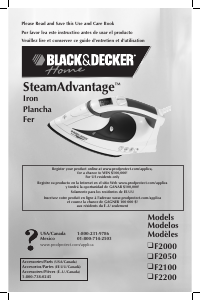
Mode d’emploi Black and Decker F2000 Fer à repasser

Produits connexes

Catégories associées

×
Download