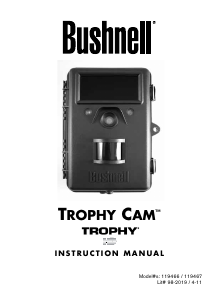
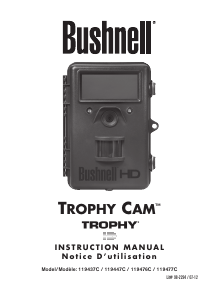
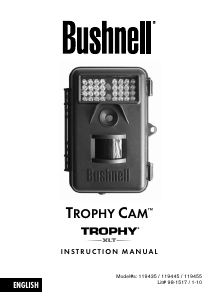
Mode d’emploi Bushnell 119445 Trophy Cam Caméscope action

Besoin d'un mode d’emploi pour votre Bushnell 119445 Trophy Cam Caméscope action ? Ci-dessous, vous pouvez consulter et télécharger gratuitement le mode d’emploi PDF en français. Ce produit a actuellement 1 de question fréquemment posée, 0 de commentaires et 0 votes. Si ce n'est pas le mode d’emploi que vous souhaitez, veuillez nous contacter.

Votre produit est défectueux et le mode d’emploi n’offre aucune solution ? Rendez-vous à un Repair Café pour obtenir des services de réparation gratuits.

Mode d’emploi

Loading…
8 9
cable (not provided) to connect the external DC power source with the power
input jack of the Trophy Cam, making sure that the polarity is correct. Note:
The power connector is a 4.0x1.7mm coaxial DC power plug with positive
“tip” (inside pin) polarity (Radio Shack P/N 274-1532 or equivalent).
If both an external power source is connected and batteries are installed, the
Trophy Cam will be powered by the external power source.
When the batteries become weak, the low-battery indicator LED will glow
blue, indicating the batteries should be changed (pg 6, “Front View”).
Inserting the SD Card
The Trophy Cams have 32MB internal memory, which can hold only about
20 photos (@ 5MP resolution). This is handy for testing and getting familiar
with the camera, but you will no doubt want to leave the camera unattended
for longer than a day, so using an SD card is recommended. Insert the SD
card (with the camera’s power switch in the OFF position) before beginning
to operate the camera. Don’t insert or remove the SD card when the power
switch is in the ON position.
The Trophy Cam uses a standard SD (Secure Digital) memory card to save
photos (in .jpg format) and/or videos (in .asf format). SD and SDHC (High
Capacity) cards up to a maximum 16GB capacity are supported. Before
inserting the SD card into the card slot after opening the camera’s front
cover, please make sure that the write-protect
switch on the side of the card is “off” (NOT in the
“Lock” position). The following describes how to
insert and remove the SD card:
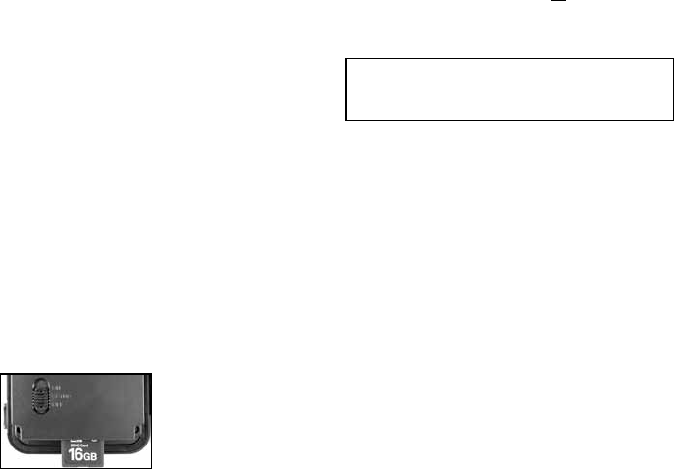
Insert the SD card into the card slot with its
label side upwards (see above). A “click” sound
indicates that the card is installed successfully. If the wrong side of the
card is facing up, you will not be able to insert it without force-there is only
one correct way to insert cards. If the SD card is not installed correctly,
the device will not display an SD card icon on the LCD in SETUP mode
(the SD card icon displayed after switching to SETUP mode will have a “lock”
symbol inside it in it if the card is locked). Formatting the SD card by using
the Trophy Cam’s “Format” parameter before using it for the first time is
recommended, especially when a card has been used in other devices
(see “Changing Menu Parameter Settings” for details).
• To take out the SD card, just gently push in the card (do not try to pull it
out without pushing in first). The card is released from the slot and ready
to be removed when you hear the click.
USING THE TROPHY CAM
Once you’ve prepared your Trophy Cam by properly installing batteries and
an SD card, you could simply take it outside, strap it to a tree, switch it on
and leave-and you might get some great photos that are exactly what you
wanted. However, we highly recommend that you first spend some additional
time indoors with this manual and your camera until you know a bit more
about what the 3-way switch and those control keys do. If nothing else, you’ll
probably want to at least set the date and time so the camera will imprint
them (or not-it’s your option) on your photos as they are taken, learn how to
set the camera to shoot video clips instead of still photos if you like, and read
some tips about mounting it on a tree.
THE OFF, ON, AND SETUP MODES
The Trophy Cam has three basic operational modes:
OFF mode: Power switch in the OFF position.
ON mode: Power switch in the ON position (LCD screen is off.)
SETUP mode: Power switch at SETUP position (LCD screen is on).
OFF Mode
The OFF mode is the “safe” mode when any actions must be taken, e.g.,
replacing the SD card or batteries, or transporting the device. You will also
WARNING
Be sure the camera’s power is switched OFF
before inserting or removing SD cards or batteries.
Télécharger mode d’emploi en Français (PDF, 0.92 MB)
(Tenez compte de l’environnement et imprimez ce manuel uniquement si c’est vraiment nécessaire)

Loading…

Évaluation

Dites-nous ce que vous pensez du Bushnell 119445 Trophy Cam Caméscope action en laissant une note de produit. Vous voulez partager vos expériences avec ce produit ou poser une question ? Veuillez laisser un commentaire au bas de la page.
Etes-vous satisfait du Bushnell 119445 Trophy Cam Caméscope action ?
Oui Non
Soyez le premier à évaluer ce produit
0 évaluations

Joignez-vous à la conversation sur ce produit

Ici, vous pouvez partager ce que vous pensez du Bushnell 119445 Trophy Cam Caméscope action. Si vous avez une question, lisez d’abord attentivement le mode d’emploi. La demande d’un mode d’emploi peut être effectuée en utilisant notre formulaire de contact.

En savoir plus sur ce mode d’emploi

Nous comprenons qu’il est agréable d’avoir un mode d’emploi papier pour vos Bushnell 119445 Trophy Cam Caméscope action. Vous pouvez toujours télécharger le mode d’emploi depuis notre site Web et l’imprimer vous-même. Si vous souhaitez disposer d’un mode d’emploi original, nous vous recommandons de contacter Bushnell. Ils pourront peut-être fournir un mode d’emploi original. Recherchez-vous le mode d’emploi de votre Bushnell 119445 Trophy Cam Caméscope action dans une autre langue ? Choisissez votre langue préférée sur notre page d’accueil et recherchez le numéro de modèle pour voir si nous l’avons disponible.

Caractéristiques

Marque Bushnell
Modèle 119445 Trophy Cam
Catégorie Caméscopes action
Type de fichier PDF
Taille du fichier 0.92 MB

Tous les modes d’emploi pour Bushnell Caméscopes action
Plus de modes d’emploi de Caméscopes action

Foire aux questions sur Bushnell 119445 Trophy Cam Caméscope action

Notre équipe d’assistance recherche des informations utiles sur les produits et des réponses aux questions fréquemment posées. Si vous trouvez une inexactitude dans notre foire aux questions, veuillez nous le faire savoir en utilisant notre formulaire de contact.

Qu'est-ce qu'un mégapixel ? Vérifié

Un mégapixel (MP) est égal à un million de pixels. Les mégapixels sont, entre autres, utilisés pour indiquer la résolution des appareils photo numériques et des caméscopes. Par exemple, un appareil photo qui produit des images de 1280 x 960 pixels a une résolution d’environ 1, 3MP. Bien qu’il existe de nombreux facteurs qui influencent la qualité d’une image, on peut dire qu’en général un nombre plus élevé de mégapixels se traduit par une meilleure image.

Cela a été utile (231) En savoir plus
Mode d’emploi Bushnell 119445 Trophy Cam Caméscope action

Produits connexes

Catégories associées

×
Download