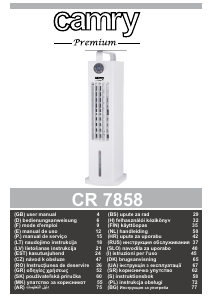
Mode d’emploi Camry CR 7858 Ventilateur

Besoin d'un mode d’emploi pour votre Camry CR 7858 Ventilateur ? Ci-dessous, vous pouvez consulter et télécharger gratuitement le mode d’emploi PDF en français. Ce produit a actuellement 2 questions fréquemment posées, 0 commentaires et 0 votes. Si ce n'est pas le mode d’emploi que vous souhaitez, veuillez nous contacter.

Votre produit est défectueux et le mode d’emploi n’offre aucune solution ? Rendez-vous à un Repair Café pour obtenir des services de réparation gratuits.

Mode d’emploi

Loading…

5
21. Do not place any objects on the device.
22. The device can be used only with properly working ventilation.
23. To provide additional protection, it is advisable to install a residual current device (RCD)
in the electric circuit with a rated residual current not exceeding 30mA. Ask an
electrician for this.
Before first use
1. It should be remembered that a high level of humidity may favor the development of biological organisms in the environment.
2. Do not get wet the device or wet the area around the device. If moisture appears, reduce the efficiency of the humidifying function.
3. Do not allow absorbent materials such as carpets, curtains, tablecloths to get wet.
4. Never leave water in the tank when the device is not in use.
5. During filling and cleaning, disconnect the device from the mains.
6. Clean the device and water tank before using it again.
• WARNING: When the water is not replaced and the tank is not properly cleaned every 3 days, microorganisms that may be present in
the water or in the environment where the device is used or stored may develop in the water tank and be blown out to the
surroundings. This can cause a very serious health risk.
• WARNING: Every three days, empty the water tank and top up with clean water. Before refilling, clean the tank with fresh tap water or
using detergents. Remove any scale, deposits or film that has formed on the sides of the tank and on the interior surfaces. After
washing, wipe all surfaces dry.
DESCALING
1.Perform the descaling procedure in accordance with the instructions of the descaling agent specified by the manufacturer.
2.Use descaling agents intended for this purpose.
3. Carry out the descaling procedure at least every 3 months.
4. Descaling only the water tank with the device turned off.
PRODUCT DESCRIPTION – TOWER AIR COOLER CR7858 – picture A
1. Handle 2. Control panel
3. Air outlet 4. Base
5. Filter 6. Screw
7. Cover with net 8. Water tank
9. Power cord 10. Water level indicator
11. Pump 12. Plastic containers
13. Water tank lock 14. Remote control
15. Brackets
Remote control & Control panel – picture B
A – power button B – speed button
C – oscillation button C1 - oscillation function indicator
E – timer button F - wet cooling button
F1 – wet cooling function indicator
USING THE DEVICE
A noticeable reduction in the temperature of the outlet air occurs after putting into the water tank (8) the plastic containers (12) attached
to the product. The plastic containers should be previously frozen in the freezer for few hours. It is recommended to fill the plastic
container (12) with cold tap water and do not exceed MAX level marked on the plastic container. The content of plastic container is
prohibited to edible. Keep away from children.
1. Place the unit on a dry, flat surface.
2. Rotate to flat position the water tank lock (13) and pull out a little the water tank (8) from the back of the device. Use the jug to pour
clear, cold water, be careful not to exceed the maximum level. You can pour water w/o pulling out the water tank completely. To remove
water tank completely, look at picture E. First remove the pump (11) by releasing the two black brackets (15) and pull out the water tank
(8). After water pouring, turn the water tank lock (13) to horizontal position. Do not tilt the device after pouring the water to water tank. Do
not remove water tank while the device is plug in power supply.
3. Connect the plug to power supply, the device is in standby mode. The LCD display showing ambient room temperature is illuminated.
Now can be used control panel (2) or remote control (14) to operate the device (figure B).
Turn on the device using the power button (A). The device starts working in middle speed. Press the button (A) again to switch it back to
standby mode.
4. The button (B) allows you to change the speed of the fan. The following speeds can be selected: fast, medium and slow. The
corresponding icons on the panel will light up.
5. The wet cooling button (F) lowers the temperature of the air by running the water pump. Press the button (F) only when water level
exceed MIN in the water tank. Additionally, a set of two plastic containers (12) is attached. Plastic containers (12) should be filled by cold,
tap water and do not exceed maximum level. Next, put them on several hours inside the freezer. Then put one or both of containers into
Télécharger mode d’emploi en Français (PDF, 3.37 MB)
(Tenez compte de l’environnement et imprimez ce manuel uniquement si c’est vraiment nécessaire)

Loading…

Évaluation

Dites-nous ce que vous pensez du Camry CR 7858 Ventilateur en laissant une note de produit. Vous voulez partager vos expériences avec ce produit ou poser une question ? Veuillez laisser un commentaire au bas de la page.
Etes-vous satisfait du Camry CR 7858 Ventilateur ?
Oui Non
Soyez le premier à évaluer ce produit
0 évaluations

Joignez-vous à la conversation sur ce produit

Ici, vous pouvez partager ce que vous pensez du Camry CR 7858 Ventilateur. Si vous avez une question, lisez d’abord attentivement le mode d’emploi. La demande d’un mode d’emploi peut être effectuée en utilisant notre formulaire de contact.

En savoir plus sur ce mode d’emploi

Nous comprenons qu’il est agréable d’avoir un mode d’emploi papier pour vos Camry CR 7858 Ventilateur. Vous pouvez toujours télécharger le mode d’emploi depuis notre site Web et l’imprimer vous-même. Si vous souhaitez disposer d’un mode d’emploi original, nous vous recommandons de contacter Camry. Ils pourront peut-être fournir un mode d’emploi original. Recherchez-vous le mode d’emploi de votre Camry CR 7858 Ventilateur dans une autre langue ? Choisissez votre langue préférée sur notre page d’accueil et recherchez le numéro de modèle pour voir si nous l’avons disponible.

Caractéristiques

Marque Camry
Modèle CR 7858
Catégorie Ventilateurs
Type de fichier PDF
Taille du fichier 3.37 MB

Tous les modes d’emploi pour Camry Ventilateurs
Plus de modes d’emploi de Ventilateurs

Foire aux questions sur Camry CR 7858 Ventilateur

Notre équipe d’assistance recherche des informations utiles sur les produits et des réponses aux questions fréquemment posées. Si vous trouvez une inexactitude dans notre foire aux questions, veuillez nous le faire savoir en utilisant notre formulaire de contact.

Un ventilateur peut-il influencer la température de la pièce ? Vérifié

Non, un ventilateur ne fait que déplacer l'air, ce qui assure un effet de refroidissement sur la peau.

Cela a été utile (228) En savoir plus

Quel est le meilleur endroit pour un placer un ventilateur ? Vérifié

S'il y a une source d'air froid, comme un climatiseur, vous pouvez utiliser un ventilateur pour mieux et davantage distribuer cet air froid. Si seul le ventilateur est utilisé, il est conseillé de l'installer à hauteur de la tête. La tête est l’une des parties du corps qui transpire le plus et l’air en mouvement aide à dissiper la chaleur. Cela procure un effet de refroidissement maximal.

Cela a été utile (226) En savoir plus
Mode d’emploi Camry CR 7858 Ventilateur

Produits connexes

Catégories associées

×
Download