
Anzahl der Walzen: 2 Hot Rollers
Max. Durchlassbreite (mm): 230 / A4
Vorheizzeit (min): 2-3
Folientaschendicke (micron): 250 (2x125)
Mit Anti Blokierung Schalter
Rodillos: 2 Rodillos caliente
Ancho máximo de plastificado: 230 / A4
Tiempo de esoera (min.): 2-3
Grosor máximo fundas (micras): 250 (2x125)
Sistema Antibloqueo
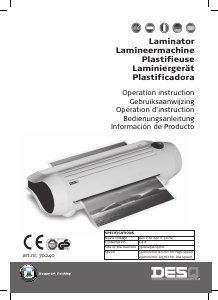
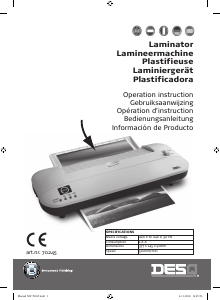
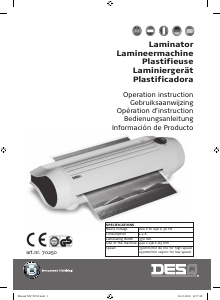
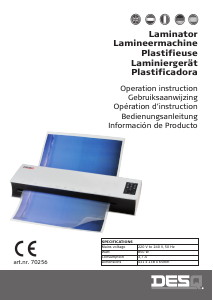
Operation instruction
OPERATION INSTRUCTION
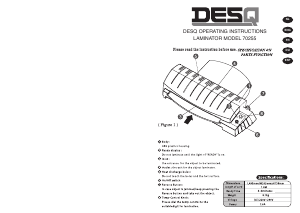
1. Connect power cord to appropriate power source. Make sure that the hot/cold button (5) is set correctly. Rotate the
switch (4) into the desired micron setting (80-125). For cold lamination, ALWAYS place switch (4) to 125 mic. Choose 125
micron when laminating with 100 micron pouches.
2. When the laminator reaches laminating temperature, the indicator READY (3) becomes green.
3. Centre the item to be laminated into a laminating pouch (Figure 2), so that the borders are even on all the sides.
The suggested margin between the content and the sealed edge is no larger than 3 mm;
the suggested margin in the left, right, and the open end is larger than 3 mm (Figure 3).
4. The material that is to be laminated, is not allowed to be thicker than 0.5 mm including the film.
5. Insert the pouch with the item, sealed-edge first, straight into the laminator inlet (1). Hold the pouch until the machine
pulls it in.
6. The laminated item will automatically exit the outlet (2) of the pouch laminator. After the pouch has stopped moving,
the pouch can be removed.
7. If you finish the laminating, move the switch (4) to “off” position.
PRECAUTION
1. If the laminator is turned on and has not been used for more than an hour, excessive heat may have
created in the machine. To avoid overheating and its consequent inferior laminating result, insert a piece
of copy paper into the machine to remove the excessive heat before your formal laminating.
2. As soon as the lamination of the picture is finished, remove the laminated picture immediately to prevent the pouch from
curling due to overheating.
3. If white spots appear on the laminated pictures, it means the temperature is not high enough. Turn the front end behind
and insert the picture into the machine to laminate one more time.
4. The picture has to be laminated on both sides. One side lamination is prohibited to prevent film from being rolled into
the machine.
5. DO NOT insert the open end of the pouch into the machine to prevent it from being rolled into the machine.
6. There are vent holes in the bottom of the laminators. Make sure the holes are not fully covered when
the machine is operated to avoid overheating.
7. It is recommended to switch off the machine for 30 minutes, after it has been operating for a period of approximately
2 hours.
8. Only activate the pouch thickness switch when the appliance is switched on.
CARE AND MAINTENANCE
1. If the pouch is rolled into the laminator or break down, send your machine to your servicepoint for repairing. DO NOT
open the housing of the machine.
2. Unplug the machine while it is being wiped. Clean the machine with a slighly moist, soft cloth. Do not use a wet cloth or
any caustic or abrasive cleaning agents while doing so.
IMPORTANT SAFEGUARD
1. The unit is intended for indoor use only.
2. Do not drop the machine or put any object on top of it to avoid the housing to break. If it happens, unplug the laminator.
3. The pouch laminator must be connected to a supply voltage corresponding to the electrical rating of the machine as
indicated.
4. Children have to be attended by adults while using the machine; to protect the children from being burnt of shocked.
5. If the laminator smells burning, unplug the machine immediately and contact the service representative.
6. Unplug the laminator before it is moved, or when it is not in use for an extended period of time. When using the
laminator for an extended time, turn off the machine for an hour for every other eight hours.
7. Do not place the laminator near a heat generating object like furnaces or radiators.
8. The machine and the power cord should be away from water to avoid electrical shock.
9. Place unit on a secure, stable area to prevent the machine falling and possibly causing personal injury and damage to the
unit.
10. If the supply cord is damaged, it must be replaced by the manufacturer or its Service Agent or similarly qualified person
in order to avoid a hazard.
SOLVING A JAM
Turn the power of the laminator by turning the switch (4) to ABS. Let the machine cool down briefly (for hot laminating).
Hold the switch firmly on ABS mode with one hand and pull out the film completely from the machine’s insert or outlet
opening with the other hand.


Joignez-vous à la conversation sur ce produit
Ici, vous pouvez partager ce que vous pensez du Desq 70240 Plastifieuse. Si vous avez une question, lisez d’abord attentivement le mode d’emploi. La demande d’un mode d’emploi peut être effectuée en utilisant notre formulaire de contact.