
INSTRUCTION MANUAL
DEWALT Industrial Tool Co., 701 East Joppa Road, Towson, MD 21286
(JULY14) Part No. 79002845 Copyright © 2014 D
EWALT
DW0851
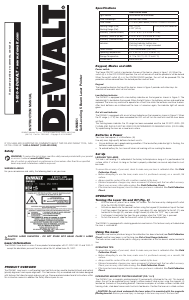
Self-Leveling 5 Beam Laser Pointer
IF YOU HAVE ANY QUESTIONS OR COMMENTS ABOUT THIS OR ANY DEWALT TOOL, CALL
US TOLL FREE AT: 1-800-4-D
EWALT (1-800-433-9258).
Safety
WARNING: To reduce the risk of injury, read the safety manual provided with your product
or access it online at www.DeWALT.com.
Use of controls or adjustments or performance of procedures other than those specifi ed
herein may result in hazardous radiation exposure.
WARNING LABELS
For your convenience and safety, the following label is on your laser.
CAUTION: LASER RADIATION - DO NOT STARE INTO BEAM. CLASS 2 LASER
PRODUCT.
Laser Information
The DW0851 laser level is a class 2 laser product and complies with 21 CFR 1040.10 and 1040.11
except for deviations pursuant to laser notice No. 50, dated June 24, 2007.
PRODUCT OVERVIEW
The DW0851 laser level is a self-leveling laser tool that can be used for horizontal (level) and vertical
(plumb) alignment and square alignment. This tool comes fully assembled and has been designed
with features that allow for quick and easy set-up. Please read and understand all instructions within
this instruction manual in addition the Safety Manual prior to use.
Specifications
SPECIFICATIONS
Light Source Semiconductor laser diode
Laser Wavelength 630–680 nm visible
Laser Power <1.0 mW (each beam) CLASS 2 LASER PRODUCT
Working Range (Line)
Working Range (Dot)
±30' (10 m)
±100' (30 m)
±165'(50m) with detector
Accuracy* (Horizontal dots) ± 3/16" @ 50' (± 4.5 mm @ 15 m)
Accuracy* (Vertical up dot) ± 3/16" @ 50' (± 4.5 mm @ 15 m)
Accuracy* (Horizontal line) ± 1/8" @ 50' (± 3.0mm @ 15 m)
Indicators Flashing Indicator: battery low
Flashing Laser: tilt range exceeded
Power Source 3 AA size batteries (4.5V DC)
Operating Temperature 20 °F to 120 °F (-10 °C to 50 °C)
Storage Temperature -5 °F to 140 °F (-20 °C to 60 °C)
Environmental Water resistant
Keypad, Modes and LED.
Power switch.
The Power ON/OFF switch is located on the rear of the tool as shown in figure 1 (A). When the
switch (A) is in the OFF/LOCKED position, the unit will remain off and the pendulum will be locked
When the on/off switch (A) is in the ON/UNLOCKED position, the unit will be powered ON, the
pendulum will be released from the locked position and self level.
Keypad.
The keypad located on the top of the tool as shown in figure 2 provides activation keys for
selection of laser dots and / or line function.
Low Battery Indicator.
The DW0851 is equipped with a low battery indicator on the keypad as shown in Figure 2. The
indicator light is located on the keypad. When the light flashes, the batteries are low and need to be
replaced. The laser may continue to operate for a short time while the batteries continue to drain.
After fresh batteries are installed and the laser is turned on again, the indicator light will remain
green.
Out of Level Indicator
The DW0851 is equipped with an out of level indicator on the keypad as shown in Figure 2. When
the tilt range (> 4° tilt) has been exceeded the LED will will turn on and falsh and the laser beam
will flash.
The flashing beam indicates the tilt range has been exceeded and the tool IS NOT LEVEL (OR
PLUMB) AND SHOULD NOT BE USED FOR DETERMINING OR MARKING LEVEL (OR PLUMB).
Try repositioning the laser on a more level surface.
Batteries & Power
Your laser tool requires 3 x AA batteries. (B)
Use only new, high-quality batteries for best results.
• Ensure batteries are in good working condition. If the low battery indicator light is flashing, the
batteries need replacement.
• To extend battery life, turn laser off when not working with or marking the beam.
Set Up
LEVELING THE LASER
This tool is self-leveling. It is calibrated at the factory to find plumb as long as it is positioned on flat
surface within 4° of level. As long as the tool is properly calibrated, no manual adjustments must
be made.
To ensure the accuracy of your work, check to make sure your laser is calibrated often. See Field
Calibration Check.
• Before attempting to use the laser, make sure it is positioned securely, on a smooth, flat
surface.
• Always mark the center of the dot or pattern created by the laser.
• Extreme temperature changes may cause movement of internal parts that can affect accuracy.
Check your accuracy often while working. See Field Calibration Check.
• If the laser has been dropped, check to make sure your laser is calibrated. See Field Calibration
Check.
OPERATION
Turning the Laser On and Off (Fig. 3)
• With the laser off, place it on a stable, flat surface. Turn the laser on by sliding on/off switch
(A) to the ON/UNLOCKED position.
• Activate or deactivate the desired function using the keypad (C) located on top of the tool.
It will then project five beams; one up (D), one down (E), one horizontal to the left, (F), one
horizontal to the right (G), and one straight ahead (H) when the "DOT" key is pressed.
• It will project a horizontal line from the rear window when the "LINE" key is pressed.
• To turn the laser off, slide the the on/off switch (A) to the locked position.
The DW0851 is equipped with a locking pendulum mechanism. This feature is only activated when
the laser is switched off.
Using the Laser
The beams are level or plumb as long as the calibration has been checked (see Field Calibration
Check) and the laser beam is not flashing (see Out of level Range Indicator).
The tool can be used to transfer points using any combination of the five beams and/or horizontal
line.
OPERATING TIPS
To ensure the accuracy of your work, check to make sure your laser is calibrated often. See Field
Calibration Check.
• Before attempting to use the laser, make sure it is positioned securely, on a smooth, flat
surface.
• Always mark the center of the dot or pattern created by the laser.
• Extreme temperature changes may cause movement of internal parts that can affect accuracy.
Check your accuracy often while working. See Field Calibration Check.
• If the laser has been dropped, check to make sure your laser is calibrated. See Field Calibration
Check.
INTEGRATED MAGNETIC PIVOTING BRACKET (FIG. 1 & 3)
The DW0851 has a magnetic pivoting bracket (I) permanently attached to the unit. This bracket
allows the unit to be mounted to any upright surface made of steel or iron using the magnets (J)
located on the back of the pivoting bracket. Common examples of suitable surfaces include steel
framing studs, steel door frames and structural steel beams. Position the laser on a stable surface.
CAUTION: Do not stand underneath the laser when it is mounted with the magnetic
pivoting bracket. Serious personal injury or damage to the laser may result if the laser falls.
If you have questions or comments, contact us.
1-800-4-DEWALT • www.dewalt.com





Joignez-vous à la conversation sur ce produit
Ici, vous pouvez partager ce que vous pensez du DeWalt DW0851 Laser ligne. Si vous avez une question, lisez d’abord attentivement le mode d’emploi. La demande d’un mode d’emploi peut être effectuée en utilisant notre formulaire de contact.