Mode d’emploi Excalibur 404-2 Ordinateur d'échecs

Besoin d'un mode d’emploi pour votre Excalibur 404-2 Ordinateur d'échecs ? Ci-dessous, vous pouvez consulter et télécharger gratuitement le mode d’emploi PDF en français. Ce produit a actuellement 0 questions fréquemment posées, 0 commentaires et a 1 vote avec une note moyenne du produit de 0/100. Si ce n'est pas le mode d’emploi que vous souhaitez, veuillez nous contacter.

Votre produit est défectueux et le mode d’emploi n’offre aucune solution ? Rendez-vous à un Repair Café pour obtenir des services de réparation gratuits.

Mode d’emploi

Loading…

IMPORTANT NOTE:
When you are in check, you have
very few moves. If you find you
can’t select the move you want to
make, look for the ‘+’ check sign.
You probably forgot you are in
check.
or pawn you wish to move. You'll
hear a beep and the piece wil flash.
If you hear an error buzz and the
piece does not flash, that piece
cannot legally move anywhere. If
you change your mind and want to
move a different piece, simply
press the From square again to
cancel the move.
Now gently press on the center of
the square you want to move it To.
You'll hear a beep, letting you know
your move has been registered.
After you make your move, Touch
Chess will reply with its move auto-
matically. You’ll see the piece flash
on its From square and move to its
To square. Throughout the game,
the display at the top keeps track of
the move number and the elapsed
time for each move.
Special Touch Areas
Features are controlled by four spe-
cial areas above the chess board
and six Function keys. The four
function areas are:
THREAT AREA
If the Threat Warning Indicator (!) is
on, pressing the center of this area
will flash the threatening move on
the chess board.
COLOR AREA
Press this area during Setup mode
to change the color of the side to
move.
SCORE AREA
Press the center of this area to
change between displaying the
number of the current move to dis-
playing the position score.
Pressing it again will return the dis-
play to the move number. The scor-
ing totals the following values:
Pawns–1, Knights–3, Bishops–3,
Rooks–5, and Queen–9.
CLOCK AREA
Your Touch Chess normally shows
the time taken for each move.
Press the center of this area to
instead show the total game time.
Press again to return to move time.
Function Keys
There are more special features
than there are keys, so each key
has two labels. The label below a
key shows the primary function of
the key. The label above a key
shows its secondary function.
2
Télécharger mode d’emploi en Français (PDF, 1.23 MB)
(Tenez compte de l’environnement et imprimez ce manuel uniquement si c’est vraiment nécessaire)

Loading…

Évaluation

Dites-nous ce que vous pensez du Excalibur 404-2 Ordinateur d'échecs en laissant une note de produit. Vous voulez partager vos expériences avec ce produit ou poser une question ? Veuillez laisser un commentaire au bas de la page.
Etes-vous satisfait du Excalibur 404-2 Ordinateur d'échecs ?
Oui Non
0%
100%
1 évaluation

Joignez-vous à la conversation sur ce produit

Ici, vous pouvez partager ce que vous pensez du Excalibur 404-2 Ordinateur d'échecs. Si vous avez une question, lisez d’abord attentivement le mode d’emploi. La demande d’un mode d’emploi peut être effectuée en utilisant notre formulaire de contact.

En savoir plus sur ce mode d’emploi

Nous comprenons qu’il est agréable d’avoir un mode d’emploi papier pour vos Excalibur 404-2 Ordinateur d'échecs. Vous pouvez toujours télécharger le mode d’emploi depuis notre site Web et l’imprimer vous-même. Si vous souhaitez disposer d’un mode d’emploi original, nous vous recommandons de contacter Excalibur. Ils pourront peut-être fournir un mode d’emploi original. Recherchez-vous le mode d’emploi de votre Excalibur 404-2 Ordinateur d'échecs dans une autre langue ? Choisissez votre langue préférée sur notre page d’accueil et recherchez le numéro de modèle pour voir si nous l’avons disponible.

Caractéristiques

Marque Excalibur
Modèle 404-2
Catégorie Ordinateurs d'échecs
Type de fichier PDF
Taille du fichier 1.23 MB

Tous les modes d’emploi pour Excalibur Ordinateurs d'échecs
Plus de modes d’emploi de Ordinateurs d'échecs
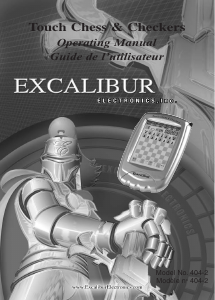
Mode d’emploi Excalibur 404-2 Ordinateur d'échecs

Produits connexes

Catégories associées

×
Download