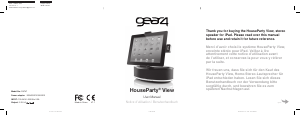
Mode d’emploi Gear4 HousePart Rise 2 Wireless Station d’accueil

Besoin d'un mode d’emploi pour votre Gear4 HousePart Rise 2 Wireless Station d’accueil ? Ci-dessous, vous pouvez consulter et télécharger gratuitement le mode d’emploi PDF en français. Ce produit a actuellement 0 questions fréquemment posées, 0 commentaires et 0 votes. Si ce n'est pas le mode d’emploi que vous souhaitez, veuillez nous contacter.

Votre produit est défectueux et le mode d’emploi n’offre aucune solution ? Rendez-vous à un Repair Café pour obtenir des services de réparation gratuits.

Mode d’emploi

Loading…
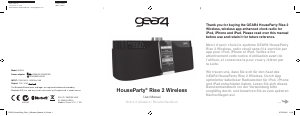
2 GEAR4 | HouseParty Rise 2 Wireless | User Manual
HouseParty Rise 2 Wireless Please read before use.
Product features:
Wireless app-enhanced clock radio
Ultimate Bluetooth audio with aptX
®
and AAC
12 / 24 hour clock with alarm
Sleep countdown timer
Dimmable LED display
2 programmable alarms
FM radio with programmable presets
Volume & snooze control dial
Charges iPod / iPhone / iPad
Line-in port for use with other music players
Charge a second device via the USB port
Wireless app-enhanced:
Smarter than your average speaker, free app
available from the App Store;
Use your iPod touch, iPhone or iPad to
control the speaker, wirelessly. Simply pair
your device with the speaker via Bluetooth
and launch the Smartlink Wireless app.
Stream music wirelessly from the iPod touch,
iPhone or iPad in your hand over Bluetooth,
without having to dock. You can do this from
the music library on your device or through
the SmartLink Wireless app.
Auto-tune and save your favourite FM
stations wirelessly from the app.
Auto-sync time and alarms between your
iPhone and the speaker. Dim both screens
using swipe gestures on the clock display.
You can also do this wirelessly when
connected via Bluetooth.
Note: GEAR4 SmartLink Wireless app and
Bluetooth connectivity require iPod touch (3rd
and 4th generation only), iPhone 4S, iPhone 4,
iPhone 3GS, iPad (3rd generation), iPad 2 or
iPad with iOS 5.0 or higher. App screens correct
at time of print.
Getting started:
Plug the power cable into the back of the unit
and then into the mains supply.
Install the coin-cell battery in the battery
compartment on the bottom of the unit. This
battery prevents the clock settings from being
lost in the event of a loss of power.
To activate the speaker, press the power
button (
).
Note: When docking your iPod touch, iPhone
or iPad to HouseParty Rise 2 Wireless for the
first time, your device will display a notification
that your accessory requires an application. Tap
OK to go to the App Store download page and
PG533_HouseParty_Rise_2_Wireless_Manual_V1.6.indd 2 27/07/2012 11:16
Télécharger mode d’emploi en Français (PDF, 1.45 MB)
(Tenez compte de l’environnement et imprimez ce manuel uniquement si c’est vraiment nécessaire)

Loading…

Évaluation

Dites-nous ce que vous pensez du Gear4 HousePart Rise 2 Wireless Station d’accueil en laissant une note de produit. Vous voulez partager vos expériences avec ce produit ou poser une question ? Veuillez laisser un commentaire au bas de la page.
Etes-vous satisfait du Gear4 HousePart Rise 2 Wireless Station d’accueil ?
Oui Non
Soyez le premier à évaluer ce produit
0 évaluations

Joignez-vous à la conversation sur ce produit

Ici, vous pouvez partager ce que vous pensez du Gear4 HousePart Rise 2 Wireless Station d’accueil. Si vous avez une question, lisez d’abord attentivement le mode d’emploi. La demande d’un mode d’emploi peut être effectuée en utilisant notre formulaire de contact.

En savoir plus sur ce mode d’emploi

Nous comprenons qu’il est agréable d’avoir un mode d’emploi papier pour vos Gear4 HousePart Rise 2 Wireless Station d’accueil. Vous pouvez toujours télécharger le mode d’emploi depuis notre site Web et l’imprimer vous-même. Si vous souhaitez disposer d’un mode d’emploi original, nous vous recommandons de contacter Gear4. Ils pourront peut-être fournir un mode d’emploi original. Recherchez-vous le mode d’emploi de votre Gear4 HousePart Rise 2 Wireless Station d’accueil dans une autre langue ? Choisissez votre langue préférée sur notre page d’accueil et recherchez le numéro de modèle pour voir si nous l’avons disponible.

Caractéristiques

Marque Gear4
Modèle HousePart Rise 2 Wireless
Catégorie Stations d’accueil
Type de fichier PDF
Taille du fichier 1.45 MB

Tous les modes d’emploi pour Gear4 Stations d’accueil
Plus de modes d’emploi de Stations d’accueil
Mode d’emploi Gear4 HousePart Rise 2 Wireless Station d’accueil

Produits connexes

Catégories associées

×
Download