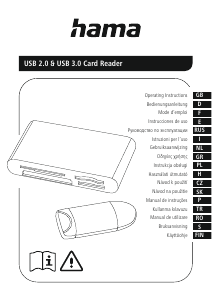
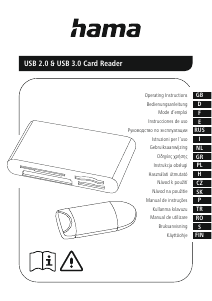
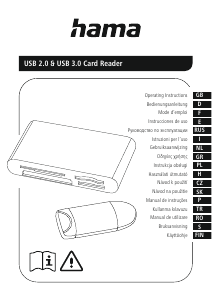
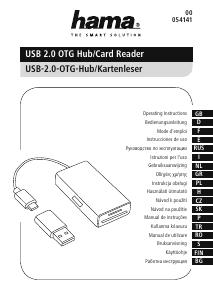
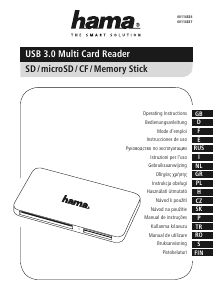
Mode d’emploi Hama 00200128 Lecteur de cartes

Besoin d'un mode d’emploi pour votre Hama 00200128 Lecteur de cartes ? Ci-dessous, vous pouvez consulter et télécharger gratuitement le mode d’emploi PDF en français. Ce produit a actuellement 2 questions fréquemment posées, 0 commentaires et 0 votes. Si ce n'est pas le mode d’emploi que vous souhaitez, veuillez nous contacter.

Votre produit est défectueux et le mode d’emploi n’offre aucune solution ? Rendez-vous à un Repair Café pour obtenir des services de réparation gratuits.

Mode d’emploi

Loading…
2
G Operating instructions
Thank you for choosing a Hama product.
Take your time and read the following instructions and information
completely. Please keep these instructions in a safe place for
future reference. If you sell the device, please pass these operating
instructions on to the new owner.
1. Explanation of Warning Symbols and Notes
Warning
This symbol is used to indicate safety instructions or to draw your
attention to specic hazards and risks.
Note
This symbol is used to indicate additional information or important
notes.
2. Safety Instructions
The product is intended for private, non-commercial use only.
Protect the product from dirt, moisture and overheating and use it in
dry rooms only.
Do not use the product in the immediate vicinity of heaters or other
heat sources or in direct sunlight.
Do not drop the product and do not expose it to any major shocks.
Do not attempt to service or repair the product yourself. Leave any
and all service work to qualied experts.
Do not open the device or continue to operate it if it becomes
damaged.
Dispose of packaging material immediately according to locally
applicable regulations.
Do not modify the product in any way. Doing so voids the warranty.
Keep this product, as all electrical products, out of the reach of
children!
3. System Requirements
The Card Reader supports the following operating systems:
Windows 11/10/8/7/Vista/XP
Mac OS 10.x or higher
4. Product Features
Note
You will nd a list of the supported card formats on the packaging
or at www.hama.com (enter the item number in the search).
Please refer to the packaging or our homepage www.hama.
com (enter the item number in the search) to know whether
the card reader supports UHS-I, UHS-II (SD / microSD) or UDMA
(CompactFlash).
The maximum data transfer rate is achieved when both the card
and the card reader support UHS-I, UHS-II or UDMA.
Please refer to the packaging or our homepage www.hama.com
(enter the item number in the search) to know whether the card
reader supports data exchange directly from memory card to
memory card.
5. Getting started
Note Compatibility
USB 3.1/3.0 card readers are downward compatible with USB 2.0.
No additional drivers are needed. The installation runs
automatically.
Plug your memory card into the appropriate slot of the Card Reader.
Connect the Card Reader to an available USB port on your terminal
device.
You can now run the data transfer between your terminal device and
the memory card.
Warning Data Loss
Ensure that the data transfer is done before you remove a memory
card from your Card Reader.
Always use the eject function of your operating system before
you remove a memory card from your Card Reader or disconnect
your Card Reader (with inserted memory card) from your terminal
device.
Data loss can´t be excluded at disregard!
Under no circumstance does Hama GmbH & Co KG accept liability
for loss of data stored on data storage media.
6. Care and Maintenance
Only clean this product with a slightly damp, lint-free cloth and do not
use aggressive cleaning agents. Make sure that water does not get into
the product.
7. Exclusion of Warranty
Hama GmbH & Co KG assumes no liability and provides no warranty for
damage resulting from improper installation/mounting, improper use of
the product or from failure to observe the operating instructions and/
or safety notes.
Télécharger mode d’emploi en Français (PDF, 0.32 MB)
(Tenez compte de l’environnement et imprimez ce manuel uniquement si c’est vraiment nécessaire)

Loading…

Évaluation

Dites-nous ce que vous pensez du Hama 00200128 Lecteur de cartes en laissant une note de produit. Vous voulez partager vos expériences avec ce produit ou poser une question ? Veuillez laisser un commentaire au bas de la page.
Etes-vous satisfait du Hama 00200128 Lecteur de cartes ?
Oui Non
Soyez le premier à évaluer ce produit
0 évaluations

Joignez-vous à la conversation sur ce produit

Ici, vous pouvez partager ce que vous pensez du Hama 00200128 Lecteur de cartes. Si vous avez une question, lisez d’abord attentivement le mode d’emploi. La demande d’un mode d’emploi peut être effectuée en utilisant notre formulaire de contact.

En savoir plus sur ce mode d’emploi

Nous comprenons qu’il est agréable d’avoir un mode d’emploi papier pour vos Hama 00200128 Lecteur de cartes. Vous pouvez toujours télécharger le mode d’emploi depuis notre site Web et l’imprimer vous-même. Si vous souhaitez disposer d’un mode d’emploi original, nous vous recommandons de contacter Hama. Ils pourront peut-être fournir un mode d’emploi original. Recherchez-vous le mode d’emploi de votre Hama 00200128 Lecteur de cartes dans une autre langue ? Choisissez votre langue préférée sur notre page d’accueil et recherchez le numéro de modèle pour voir si nous l’avons disponible.

Caractéristiques

Marque Hama
Modèle 00200128
Catégorie Lecteurs de cartes
Type de fichier PDF
Taille du fichier 0.32 MB

Tous les modes d’emploi pour Hama Lecteurs de cartes
Plus de modes d’emploi de Lecteurs de cartes

Foire aux questions sur Hama 00200128 Lecteur de cartes

Notre équipe d’assistance recherche des informations utiles sur les produits et des réponses aux questions fréquemment posées. Si vous trouvez une inexactitude dans notre foire aux questions, veuillez nous le faire savoir en utilisant notre formulaire de contact.

Que signifie SD ? Vérifié

SD réfère à Secure Digital. Les cartes SD sont le support de stockage standard pour de nombreux appareils photo numériques.

Cela a été utile (60) En savoir plus

Que signifie USB ? Vérifié

USB signifie Universal Serial Bus. C'est une norme de connexion utilisée pour connecter des périphériques à un ordinateur.

Cela a été utile (19) En savoir plus
Mode d’emploi Hama 00200128 Lecteur de cartes

Produits connexes

Catégories associées

×
Download