
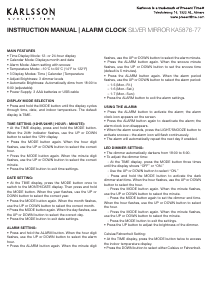
INSTRUCTION MANUAL | ALARM CLOCK SILVER MIRROR KA5876-77
MAIN FEATURES
• Time Display Mode: 12- or 24-hour display
• Calendar Mode: Displays month and date
• Alarm Mode: Alarm setting with snooze
• Temperature Mode: –10°C to 50°C (14°F to 122°F)
• 3 Display Modes: Time | Calendar | Temperature
• Adjust Brightness: 3 dimmer levels
• Automatic Brightness: Automatically dims from 18:00 to
6:00 (adjustable)
• Power Supply: 3 AAA batteries or USB cable
DISPLAY MODE SELECTION
• Press and hold the MODE button until the display cycles
through time, date, and indoor temperature. The default
display is TIME.
TIME SETTING (12HR/24HR | HOUR - MINUTE):
• At the TIME display, press and hold the MODE button.
When the 24Hr indicator ashes, use the UP or DOWN
button to select the 12Hr display.
• Press the MODE button again. When the hour digit
ashes, use the UP or DOWN button to select the correct
hour.
• Press the MODE button again. When the minute digit
ashes, use the UP or DOWN button to select the correct
minute.
• Press the MODE button to exit time settings.
DATE SETTING:
• At the TIME display, press the MODE button once to
switch to the MONTH/DATE display. Then press and hold
the MODE button. When the year ashes, use the UP or
DOWN button to select the correct year.
• Press the MODE button again. When the month ashes,
use the UP or DOWN button to select the correct month.
• Press the MODE button again. When the day ashes, use
the UP or DOWN button to select the correct day.
• Press the MODE button to exit date settings.
ALARM SETTING:
• Press and hold the ALARM button. When the hour digit
ashes, use the UP or DOWN button to select the alarm
hour.
• Press the ALARM button again. When the minute digit
ashes, use the UP or DOWN button to select the alarm minute.
• Press the ALARM button again. When the snooze minute
ashes, use the UP or DOWN button to set the snooze time
(default is 5 minutes).
• Press the ALARM button again. When the alarm period
ashes, use the UP or DOWN button to select the alarm period:
– 1-5 (Mon.-Fri.)
– 1-6 (Mon.-Sat.)
– 1-7 (Mon.-Sun.)
• Press the ALARM button to exit the alarm settings.
USING THE ALARM:
• Press the ALARM button to activate the alarm; the alarm
clock icon appears on the screen.
• Press the ALARM button again to deactivate the alarm; the
alarm clock icon disappears.
• When the alarm sounds, press the LIGHT/SNOOZE button to
activate snooze—the alarm icon will ash continuously.
• The alarm will automatically repeat the next day if enabled.
LED DIMMER SETTING:
• The dimmer automatically darkens from 18:00 to 6:00.
• To adjust the dimmer time:
- At the TIME display, press the MODE button three times
until the display shows “OFF” or “ON.”
- Use the UP or DOWN button to select “ON.”
- Press and hold the MODE button to activate the dark
dimmer start time. When the hour ashes, use the UP or DOWN
button to select the hour.
- Press the MODE button again. When the minute ashes,
use the UP or DOWN button to select the minute.
- Press the MODE button again to set the dimmer end time.
When the hour ashes, use the UP or DOWN button to select
the hour.
- Press the MODE button again. When the minute ashes,
use the UP or DOWN button to select the minute.
- Press the MODE button to exit the settings.
• Press the UP button to adjust the brightness of the dimmer.
Celsius/Fahrenheit Setting:
• At the TIME display, press the MODE button twice to access
the indoor temperature display.
• Press the DOWN button to select either Celsius or Fahrenheit.


Joignez-vous à la conversation sur ce produit
Ici, vous pouvez partager ce que vous pensez du Karlsson KA5876WG Réveil. Si vous avez une question, lisez d’abord attentivement le mode d’emploi. La demande d’un mode d’emploi peut être effectuée en utilisant notre formulaire de contact.