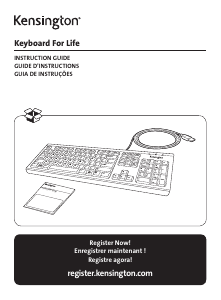
Mode d’emploi Kensington K72357 Advance Fit Clavier

Besoin d'un mode d’emploi pour votre Kensington K72357 Advance Fit Clavier ? Ci-dessous, vous pouvez consulter et télécharger gratuitement le mode d’emploi PDF en français. Ce produit a actuellement 2 questions fréquemment posées, 0 commentaires et 0 votes. Si ce n'est pas le mode d’emploi que vous souhaitez, veuillez nous contacter.

Votre produit est défectueux et le mode d’emploi n’offre aucune solution ? Rendez-vous à un Repair Café pour obtenir des services de réparation gratuits.

Mode d’emploi

Loading…

4 5
Common Troubleshooting Steps
If your keyboard is not working properly, follow these steps one at a time, and then retry your device.
You can stop when your device begins working correctly again.
1. Shut down and restart your computer.
2. If possible, test the keyboard with another computer.
Technical Support
Technical support is available to all registered users of Kensington products. Technical Support
contact information can be found on the back page of this manual.
Web Support
You may find the answer to your problem in the Frequently Asked Questions (FAQ) section of the
Support area on the Kensington Website: www.support.kensington.com.
Telephone Support
There is no charge for technical support except long-distance charges where applicable. Please visit
www.kensington.com for telephone support hours.
Please note the following when calling support:
Call from a phone where you have access to your device.
Be prepared to provide the following information:
Name, address, and telephone number
Name of the Kensington product
Make and model of your computer
System software and version
Symptoms of the problem and what led to them
FEDERAL COMMUNICATIONS COMMISSION RADIO FREQUENCY INTERFERENCE STATEMENT
This device has been tested and found to comply with the limits for a Class B digital device, pursuant to Part 15 of the FCC Rules. These
limits are designed to provide reasonable protection against harmful interference in a residential installation. This equipment generates,
uses. and can radiate radio frequency energy and, if not installed and used in accordance with the instructions, may cause harmful
interference to radio communications.
However, there is no guarantee that interference will not occur in a particular installation. If this equipment causes harmful interference
to radio or television reception, which can be determined by turning the equipment off and on, the user is encouraged to try to correct
the interference by one or more of the following measures:
Reorient or relocate the receiving antenna.
Increase the separation between the equipment and receiver.
Connect the equipment into an outlet on a circuit different from that to which the receiver is connected.
Consult the dealer or an experienced radio/TV technician for help.
MODIFICATIONS: Modifications not expressly approved by Kensington may void the user’s authority to operate the device under FCC
regulations and must not be made.
SHIELDED CABLES: In order to meet FCC requirements, all connections to equipment using a Kensington input device should be made
using only the shielded cables.
FCC DECLARATION OF CONFORMITY COMPLIANCE STATEMENT
This product complies with Part 15 of the FCC rules. Operation is subject to the following two conditions: (1) This device may not cause
harmful interference, and (2) This device must accept any interference received, including interference that may cause undesired
operation. As defined in Section 2.909 of the FCC Rules, the responsible party for this device is Kensington Computer Product Group,
1500 Fashion Island Blvd, 3rd Floor, San Mateo, CA 94404, USA.
CE DECLARATION OF CONFORMITY
Kensington declares that this product is in compliance with the essential requirements and other relevant provisions of applicable EC
directives.
For Europe, a copy of the Declaration of Conformity for this product may be obtained by clicking on the Compliance Documentation link
at www.support.kensington.com.
INDUSTRY CANADA CONFORMITY
This Class [B] digital apparatus complies with Canadian ICES-003
SAFETY AND USAGE GUIDELINES
1. In the absence of proper operation and if customer-initiated troubleshooting is unsuccessful, switch off device and contact
Kensington technical support: www.kensington.com.
2. Do not disassemble product or expose it to liquid, humidity, moisture, or temperatures outside the specified operating ranges of
0° C (32° F) to 40° C (104° F).
3. If your product is exposed to out-of-range temperatures, switch it off and allow temperature to return to the normal
operating range.
THE FOLLOWING INFORMATION IS ONLY FOR EU-MEMBER STATES:
The use of the symbol indicates that this product may not be treated as household waste. By ensuring this product is disposed of
correctly, you will help prevent potential negative consequences for the environment and human health, which could otherwise
be caused by inappropriate waste handling of this product. For more detailed information about recycling of this product, please
contact your local city office, your household waste disposal service or the shop where you purchased the product.
Kensington and the ACCO name and design are registered trademarks of ACCO Brands. The Kensington Promise is a service mark
of ACCO Brands. Pro Fit is a trademark of ACCO Brands. Windows is a registered trademark of Microsoft Corporation in the U.S. and/or
other countries. All other registered and unregistered trademarks are the property of their respective owners.
© 2015 Kensington Computer Products Group, a division of ACCO Brands. Any unauthorized copying, duplicating, or other reproduction
of the contents hereof is prohibited without written consent from Kensington Computer Products Group. All rights reserved. 06/15
Télécharger mode d’emploi en Français (PDF, 3.66 MB)
(Tenez compte de l’environnement et imprimez ce manuel uniquement si c’est vraiment nécessaire)

Loading…

Évaluation

Dites-nous ce que vous pensez du Kensington K72357 Advance Fit Clavier en laissant une note de produit. Vous voulez partager vos expériences avec ce produit ou poser une question ? Veuillez laisser un commentaire au bas de la page.
Etes-vous satisfait du Kensington K72357 Advance Fit Clavier ?
Oui Non
Soyez le premier à évaluer ce produit
0 évaluations

Joignez-vous à la conversation sur ce produit

Ici, vous pouvez partager ce que vous pensez du Kensington K72357 Advance Fit Clavier. Si vous avez une question, lisez d’abord attentivement le mode d’emploi. La demande d’un mode d’emploi peut être effectuée en utilisant notre formulaire de contact.

En savoir plus sur ce mode d’emploi

Nous comprenons qu’il est agréable d’avoir un mode d’emploi papier pour vos Kensington K72357 Advance Fit Clavier. Vous pouvez toujours télécharger le mode d’emploi depuis notre site Web et l’imprimer vous-même. Si vous souhaitez disposer d’un mode d’emploi original, nous vous recommandons de contacter Kensington. Ils pourront peut-être fournir un mode d’emploi original. Recherchez-vous le mode d’emploi de votre Kensington K72357 Advance Fit Clavier dans une autre langue ? Choisissez votre langue préférée sur notre page d’accueil et recherchez le numéro de modèle pour voir si nous l’avons disponible.

Caractéristiques

Marque Kensington
Modèle K72357 Advance Fit
Catégorie Claviers
Type de fichier PDF
Taille du fichier 3.66 MB

Tous les modes d’emploi pour Kensington Claviers
Plus de modes d’emploi de Claviers

Foire aux questions sur Kensington K72357 Advance Fit Clavier

Notre équipe d’assistance recherche des informations utiles sur les produits et des réponses aux questions fréquemment posées. Si vous trouvez une inexactitude dans notre foire aux questions, veuillez nous le faire savoir en utilisant notre formulaire de contact.

Les lettres sur le clavier ne sont pas dans les endroits auxquels je suis habitué, pourquoi est-ce que c’est ainsi ? Vérifié

La plupart des claviers utilisent une disposition QWERTY, représentant les six premières lettres du clavier. Cependant, il existe différentes configurations de clavier, correspondant aux besoins spécifiques d’une langue donnée. Il est également possible que les touches du clavier aient été permutées. Surtout avec des claviers plus anciens, c’est facile à faire.

Cela a été utile (1361) En savoir plus

Quelle est la meilleure façon de nettoyer mon clavier ? Vérifié

N'insérez jamais d'objets entre les bords des touches, car cela fera surtout entrer de la saleté, ce qui risque d'endommager le clavier. Il vaut mieux nettoyer le clavier à l'air comprimé tout en tenant le clavier à l'envers. Le haut des touches peut être nettoyé avec un chiffon légèrement humide.

Cela a été utile (203) En savoir plus
Mode d’emploi Kensington K72357 Advance Fit Clavier

Produits connexes

Catégories associées

×
Download