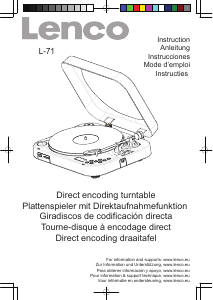
Mode d’emploi Lenco L-71 Platine

Besoin d'un mode d’emploi pour votre Lenco L-71 Platine ? Ci-dessous, vous pouvez consulter et télécharger gratuitement le mode d’emploi PDF en français. Ce produit a actuellement 1 question fréquemment posée, 0 commentaires et a 1 vote avec une note moyenne du produit de 0/100. Si ce n'est pas le mode d’emploi que vous souhaitez, veuillez nous contacter.

Votre produit est défectueux et le mode d’emploi n’offre aucune solution ? Rendez-vous à un Repair Café pour obtenir des services de réparation gratuits.

Mode d’emploi

Loading…
PHONO ENCODING
1. Insert the USB flash disk or SD card into appropriate slot(18)/(19).
2. Slide the OFF/USB/PH selector(13) to “PH” function, “PHONO” is displayed on the LCD display
3. select and playback at phono for the track which will be assigned to the encoded sounds on the USB flash disk
or SD card.
4. Press once the “REC” button(10), the LCD display shows “USB” flashing/ “CARD” flashing. The encoding will starting
after 10 seconds and shows “PHONO” with flashing words “USB” / “CARD” lower left corner of the LCD display.
NOTED: Press twice the “REC” button(10) directly, the encoding will starting immediately.
5. To stop encoding, press “STOP/SD” button(15).
Re-mark: Do not interrupt during the phono recording process until completed. Otherwise,recording function
cannot be performed.
PLAYBACK OF MP3/WMA SONGS VIA USB FLASH DISK OR SD CARD STORAGE MEDIA
1. Insert the USB flash disk or SD card into appropriate slot(18)/(19).
2. Slide the OFF/USB/PH selector(13) to “USB” function, the unit will automatically read the total folders and the number
of the total tracks.
3. Playback will start by pressing “PLAY/PAUSE” button(16). playback starts with the first track, the LCD display shows
the current track number and the song “WMA” or “MP3” format .
4. To interrupt playback, press “PLAY/PAUSE” button(16). the time elapsed indicator will flash.
5. To resume playback, press the “PLAY/PAUSE” button(16) again.
6. To stop playback, press stop by using the “STOP/SD” button(15).
TRACK SKIP
“SKIP - DN” button(14) - press once to return to the beginning of the current track. press again quickly to back up
another track.
“SKIP - UP” button(12) - press once to skip to the next track. press again to move forward another track.
“F - UP” button(9) - allow you to switch between the folder while the playback, hold either “SKIP - DN”(14) or
“SKIP - UP”(12) button to audibly search the current track in the desired direction.
ID3 Tag Support - allowing you to conveniently view the artist name and the title of the track currently being played.
To enable ID3 functions by press the “ID3/PROG” button(8) during the playback mode,
the “ID3 ON” is displayed on the LCD display.
To cancel ID3 functions by press the “ID3/PROG” button(8) again.
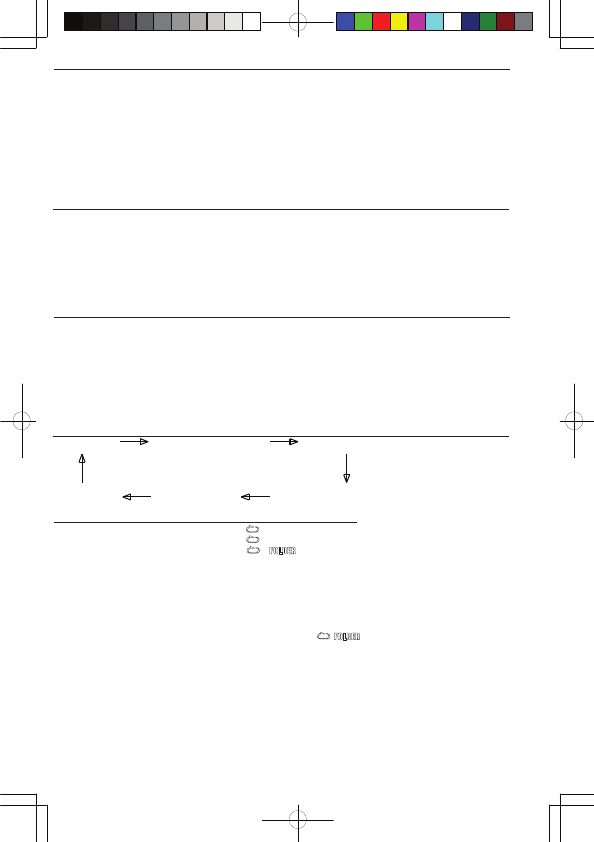
REPEAT/INTRO/RANDOM MODE
(1) REPEAT 1 (2) REPEAT ALL TRACKS (3) REPEAT 1 FOLDER
(6) OFF MODE (5) RANDOM (4) INTRO PLAY
PLAY MODE INDICATOR ON LCD DISPLAY
REPEAT SINGLE TRACK
REPEAT ALL TRACKS ALL
RELEAT SINGLE FOLDER
INTRO PLAY MODE INTRO
RANDON MODE RANDOM
OFF MODE -------------------
REPEAT PLAY
1. When the playback, if you desire to repeat the same track only, press the “MODE” button(11) on the unit .
2. To repeat all disc, press the “MODE” button(11) twice and the “ALL” display will light up.
3. To repeat folder, press the “MODE” button(11) thrice and the “ ”display will light up.
4. To cancel repeat play, press the “STOP/SD” button(15) or press the “MODE” button(11) repeatedly until the repeat
indicator disappears.
INTRO PLAY
Introduce all songs by playing 10 seconds of each track.
1. Either in stop or playback mode, press the “MODE” button(11) four times, the “INTRO” indicator will light up..
2. To cancel intro play, press the “STOP/SD” button(15) or press the “MODE” button(11) repeatedly until the intro indicator
disappears.
RANDOM PLAY
1. Either in stop or playback mode press the “MODE” button(11) five times, the “RANDOM” indicator will light up.
2. In the stop mode, press the “PLAY/PAUSE” button(16) to start playing. the tracks will be played randomly.
3. To cancel random play, press the “STOP/SD” button(15) once again until the “RANDOM” indicator disappears.
E - 2
Télécharger mode d’emploi en Français (PDF, 3.97 MB)
(Tenez compte de l’environnement et imprimez ce manuel uniquement si c’est vraiment nécessaire)

Loading…

Évaluation

Dites-nous ce que vous pensez du Lenco L-71 Platine en laissant une note de produit. Vous voulez partager vos expériences avec ce produit ou poser une question ? Veuillez laisser un commentaire au bas de la page.
Etes-vous satisfait du Lenco L-71 Platine ?
Oui Non
0%
100%
1 évaluation

Joignez-vous à la conversation sur ce produit

Ici, vous pouvez partager ce que vous pensez du Lenco L-71 Platine. Si vous avez une question, lisez d’abord attentivement le mode d’emploi. La demande d’un mode d’emploi peut être effectuée en utilisant notre formulaire de contact.

En savoir plus sur ce mode d’emploi

Nous comprenons qu’il est agréable d’avoir un mode d’emploi papier pour vos Lenco L-71 Platine. Vous pouvez toujours télécharger le mode d’emploi depuis notre site Web et l’imprimer vous-même. Si vous souhaitez disposer d’un mode d’emploi original, nous vous recommandons de contacter Lenco. Ils pourront peut-être fournir un mode d’emploi original. Recherchez-vous le mode d’emploi de votre Lenco L-71 Platine dans une autre langue ? Choisissez votre langue préférée sur notre page d’accueil et recherchez le numéro de modèle pour voir si nous l’avons disponible.

Caractéristiques

Marque Lenco
Modèle L-71
Catégorie Platines
Type de fichier PDF
Taille du fichier 3.97 MB

Tous les modes d’emploi pour Lenco Platines
Plus de modes d’emploi de Platines

Foire aux questions sur Lenco L-71 Platine

Notre équipe d’assistance recherche des informations utiles sur les produits et des réponses aux questions fréquemment posées. Si vous trouvez une inexactitude dans notre foire aux questions, veuillez nous le faire savoir en utilisant notre formulaire de contact.

Quand dois-je remplacer l’aiguille de mon tourne-disque ? Vérifié

En général, une aiguille a une durée de vie de 500 à 2 000 heures en lecture, en fonction de sa qualité. Si vous achetez un tourne-disque d’occasion, remplacez toujours l’aiguille par précaution. Le non-remplacement d’une aiguille à temps risquera d’endommager les disques.

Cela a été utile (336) En savoir plus
Mode d’emploi Lenco L-71 Platine

Produits connexes

Catégories associées

×
Download