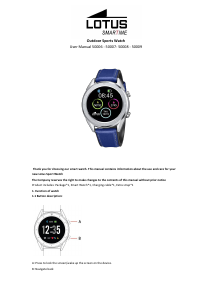
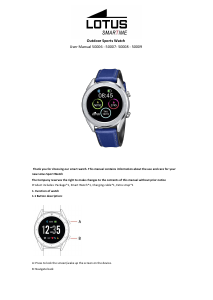
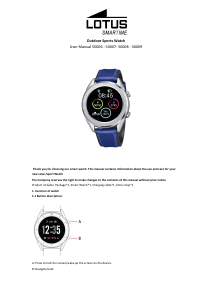
Mode d’emploi Lotus 50009 Outdoor Montre connectée

Besoin d'un mode d’emploi pour votre Lotus 50009 Outdoor Montre connectée ? Ci-dessous, vous pouvez consulter et télécharger gratuitement le mode d’emploi PDF en français. Ce produit a actuellement 0 questions fréquemment posées, 1 commentaire et 2 votes avec une note moyenne du produit de 0/100. Si ce n'est pas le mode d’emploi que vous souhaitez, veuillez nous contacter.

Votre produit est défectueux et le mode d’emploi n’offre aucune solution ? Rendez-vous à un Repair Café pour obtenir des services de réparation gratuits.

Mode d’emploi

Loading…
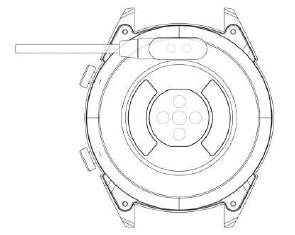
1.2 Charging instructions:
Magnetic charging is as shown below.
*Only charge the watch in the way shown. Incorrect charging may damage the watch.
1.3 Watch Face in standby mode:
1) Swipe right to open Notifications
2) Swipe down to open the drop-down menu to control brightness, enter settings, and Do not Disturb function.
3) Swipe up to open the main menu.
4) Press and hold the screen while in standby mode to change the watch face design. Select by tapping the
screen.
5) Tap once to display data on heart beats per minute, steps and calories.
1.4 Messages
Swipe right on the main screen to open Notifications. To enable notifications, connect the watch with the Lotus
SmarTime app and enable the relevant permissions. In the app, you can enable App notifications, Call
notifications and SMS notifications. When notifications are received on your phone, they will show up on the
watch, which can display up to 8 notifications.
1.5 Drop-down menu
Swipe down screen interface to open the drop-down menu.
1) The left icon shows Bluetooth connection status
2) Tap the middle icon to toggle Do Not Disturb mode. When Do Not Disturb mode is on, the device only vibrates
for the Find device and Alarms functions.
3) The right icon can be used to adjust the screen brightness.
4) Battery level is shown in the upper part of the screen.
1.6 Step count
The step counter is on by default. This interface displays the current number of steps on the watch. Steps are
counted starting from midnight. Swiping left you can find the data regarding distance covered and calories
burned.
1.7 Sleep
The sleep monitoring time period is from 21:00 to 9:00 the next day. After the sleep pattern has been recorded
on the device, sleep data is sent to the Lotus SmarTime app. Swiping left you can find data on the hours of light
and deep sleep.
1.8 Bluetooth music
Android: after connecting the watch via the phone settings, open the music player, play/pause and switch songs;
(no need to bind in the app, if it is already bound, please unbind it and connect in the phone settings)
IOS: When connected to your phone you can play, pause and switch songs directly via the watch.
1.9 Exercise tracking (walking, running, cycling, hiking, swimming, football, basketball, table tennis, badminton)
1.9.1 Select the exercise and tap the screen to start. After a brief countdown, activity tracking will start. You can
pause the exercise when needed. When you press the "□" icon, the exercise will be stopped and the activity data
is saved.
Télécharger mode d’emploi en Français (PDF, 1.41 MB)
(Tenez compte de l’environnement et imprimez ce manuel uniquement si c’est vraiment nécessaire)

Loading…

Évaluation

Dites-nous ce que vous pensez du Lotus 50009 Outdoor Montre connectée en laissant une note de produit. Vous voulez partager vos expériences avec ce produit ou poser une question ? Veuillez laisser un commentaire au bas de la page.
Etes-vous satisfait du Lotus 50009 Outdoor Montre connectée ?
Oui Non
0%
100%
2 évaluations

Joignez-vous à la conversation sur ce produit

Ici, vous pouvez partager ce que vous pensez du Lotus 50009 Outdoor Montre connectée. Si vous avez une question, lisez d’abord attentivement le mode d’emploi. La demande d’un mode d’emploi peut être effectuée en utilisant notre formulaire de contact.

Karine 12-06-2021
Bonjour comment faire pour la mettre à l heure svp

répondre | Cela a été utile (2)

En savoir plus sur ce mode d’emploi

Nous comprenons qu’il est agréable d’avoir un mode d’emploi papier pour vos Lotus 50009 Outdoor Montre connectée. Vous pouvez toujours télécharger le mode d’emploi depuis notre site Web et l’imprimer vous-même. Si vous souhaitez disposer d’un mode d’emploi original, nous vous recommandons de contacter Lotus. Ils pourront peut-être fournir un mode d’emploi original. Recherchez-vous le mode d’emploi de votre Lotus 50009 Outdoor Montre connectée dans une autre langue ? Choisissez votre langue préférée sur notre page d’accueil et recherchez le numéro de modèle pour voir si nous l’avons disponible.

Caractéristiques

Marque Lotus
Modèle 50009 Outdoor
Catégorie Montres connectées
Type de fichier PDF
Taille du fichier 1.41 MB

Tous les modes d’emploi pour Lotus Montres connectées
Plus de modes d’emploi de Montres connectées
Mode d’emploi Lotus 50009 Outdoor Montre connectée

Produits connexes

Catégories associées

×
Download