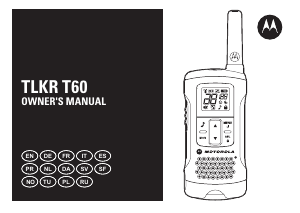
TLKR T40
Owner’s Manual
English
TLKR T40 Owner’s Manual
Product Safety and RF Exposure for Portable
Two-Way Radios
Attention!
Before using this product, read the RF energy awareness
information and operating instructions in the Product Safety
and RF Exposure booklet to ensure compliance with RF
energy exposure limits.
Package Contents
• TLKR T40 Radio* (2 units)
• Belt Clip (2 units)
• TLKR T40 Owner's Manual
EN
Before using this product, read the operating
instructions for safe usage contained in the
Product Safety and RF Exposure booklet
enclosed with your radio.
Caution
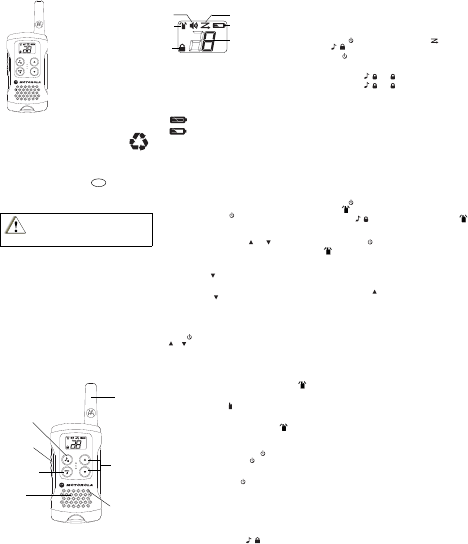
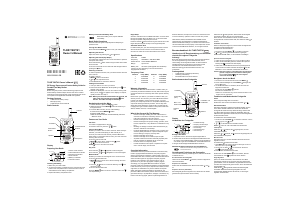
Radio Controls
Antenna
Volume/
Channel
Buttons
Call Button
Speaker
Microphone
Menu/Power
button
PTT
Button
Display
Preparing Your Radio
Installing the Battery
1. Make sure your radio is OFF.
2. To remove the battery compartment door, by pressing the
tab at the bottom of the compartment door. Remove the
door. Insert 3 AAA batteries into the battery compartment.
3. Replace the battery compartment door.
Battery Level and Low Battery Alert
1. Volume Level Indicator
2. Transmit/Receive
Indicator
3. Keypad Lock Indicator
4. Scan Indicator
5. Battery Level Meter
6. Channel Indicator
Indicates that the battery is fully charged.
Blinks when battery is low; replace batteries
immediately.
1
2
3
4
5
6
Basic Radio Operations
Read this reference guide completely before attempting to
operate the unit.
Turning Your Radio On/Off
Press and hold the MENU/ button to turn your radio ON/
OFF.
Adjusting the Volume
Adjust the volume by pressing the and buttons.
Adjusting the Sound (Key Beeps)
Your radio emits a beep each time one of the buttons is
pressed (except the PTT button).
Press and hold the button while turning the radio ON to
switch the sound OFF.
To turn this sound ON, turn the radio OFF and ON again
without pressing the
button.
Selecting a Channel
In order to speak to someone, both your radios must be set to
the same channel.
To select a channel:
1. MENU/ button to enter Menu.
2. or to the required channel.
3. Press PTT button to confirm the selection.
Talking on Your Radio
1. Hold your radio 5–8 cm from your mouth.
2. Press and hold the PTT button while speaking. The
appears on the display.
3. Release the PTT button. You can now receive incoming
calls. When you do, the appears on the display. To
respond, repeat procedure from step 1.
Note: When you continue to transmit for 60 seconds, the
radio emits TX Time Out tone and the icon
flashes. The radio will stop transmitting.
Navigating through the Menu
1. To enter the Menu, press the MENU/ button.
2. Additional presses of the MENU/ buttonwill advance you
through the Menu.
3. To exit the Menu function, do one of the following:
a. Press and hold the MENU/ button.
b.Press the PTT button.
c.Wait 10 seconds until the unit automatically returns to
“Normal” mode.
Features on Your Radio
Call Tone
Your radio is equipped with a call tone.
To transmit a call tone, press the / button.
Channel Scan Mode
Enables your radio to scan for active channels. When activity
is detected, your radio lands (stays) on that channel (for 2
seconds). To transmit on that channel, press the PTT button.
When activity on the landed channel ends, your radio
continues scanning other channels.
To turn the channel scan ON:
1. MENU/ to enter Menu. Advance until
blinks.
2. / to turn ON channel scan.
MENU/ or PTT to turn OFF Scan mode.
Key Lock
Press and hold / until appears to lock the keypad.
Press and hold / until disappears to unlock the
keypad.
Monitor Mode
Enables you to listen for weak signals on the current channel.
To turn the Monitor Mode ON:
1. MENU/ button to enter menu.Advance through the menu
until icon blinks.
2. Press the / button for continuous listening. The
icon continues to blink.
To turn the Monitor Mode OFF:
Press the MENU/ button to return to “Normal” mode. The
icon stops blinking.
Roger Beep
Sounds to indicate the end of a PTT transmission. It can be
heard through the speaker when Key Beep is on. It cannot be
heard through the speaker if Key Beep is turned off.
Press and hold the button while turning the radio ON to
turn the Roger Beep ON. Repeat the step to turn Roger Beep
OFF.
Automatic Power Save
For better battery life, your radio is designed to switch to
Power Save mode when there has been no transmissions
after 3 seconds. The radio can receive transmissions in this
mode.
Specifications
Channels 8 PMR
Frequency 446.00625 - 446.09375 MHz
Power Source 3 AAA Alkaline Batteries
Range Up to 4 km*
Battery Life 16 Hours (under typical use conditions)
*Range may vary depending on environmental and/or topographical
conditions.
Frequency Chart
Channel Freq. (MHz) Channel Freq. (MHz)
1 446.00625 5 446.05625
2 446.01875 6 446.06875
3 446.03125 7 446.08125
4 446.04375 8 446.09375
Warranty Information
The authorized Motorola dealer or retailer where you
purchased your Motorola two-way radio and/or original
accessories will honour a warranty claim and/or provide
warranty service.
Please return your radio to your dealer or retailer to claim
your warranty service. Do not return your radio to Motorola.
In order to be eligible to receive warranty service, you must
present your receipt of purchase or a comparable substitute
proof of purchase bearing the date of purchase. The two-way
radio should also clearly display the serial number. The
warranty will not apply if the type or serial numbers on the
product have been altered, deleted, removed, or made
illegible.
What Is Not Covered By The Warranty
Defects or damage resulting from use of the Product in other
than its normal and customary manner or by not following the
instructions in this user manual.
Defects or damage from misuse, accident or neglect.
Defects of damage from improper testing, operation,
maintenance, adjustment, or any alteration or modification of
any kind.
Breakage or damage to aerials unless caused directly by
defects in material or workmanship.
Products disassembled or repaired in such a manner as to
adversely affect performance or prevent adequate inspection
and testing to verify any warranty claim.
Defects or damage due to range.
Defects or damage due to moisture, liquid or spills.
All plastic surfaces and all other externally exposed parts that
are scratched or damaged due to normal use.
Products rented on a temporary basis.
Periodic maintenance and repair or replacement of parts due
to normal usage, wear and tear.
Copyright Information
The Motorola products described in this manual may include
copyrighted Motorola computer programs stored in
semiconductor memories or other media. Laws in the United
States and other countries preserve for Motorola certain
exclusive rights for copyrighted computer programs including,
but not limited to, the exclusive right to copy or reproduce in
any form the copyrighted computer program. Accordingly,
any copyrighted Motorola computer programs contained in
the Motorola products described in this manual may not be
copied, reproduced, modified, reverse-engineered, or
distributed in any manner without the express written
permission of Motorola. Furthermore, the purchase of
Motorola products shall not be deemed to grant either directly
or by implication, estoppel, or otherwise, any license under
the copyrights, patents or patent applications of Motorola,
except for the normal non-exclusive license to use that arises
by operation of law in the sale of a product.
Notes
Notes
*68015000921*
68015000921-A(EN)
U01UT070ZZA
Printed in China
MOTOROLA, MOTO, MOTOROLA SOLUTIONS and the
Stylized M logo are trademarks or registered trademarks of
Motorola Trademark Holdings, LLC and are used under
license. All other trademarks are the property of their
respective owners.
© 2012 Motorola Solutions, Inc. All rights reserved.


Joignez-vous à la conversation sur ce produit
Ici, vous pouvez partager ce que vous pensez du Motorola TLKR T40 Talkie-walkie. Si vous avez une question, lisez d’abord attentivement le mode d’emploi. La demande d’un mode d’emploi peut être effectuée en utilisant notre formulaire de contact.
répondre | Cela a été utile (6) (Traduit par google)
répondre | Cela a été utile (3) (Traduit par google)
répondre | Cela a été utile (1)
répondre | Cela a été utile (0)
répondre | Cela a été utile (0) (Traduit par google)
répondre | Cela a été utile (0)
répondre | Cela a été utile (0) (Traduit par google)
répondre | Cela a été utile (0) (Traduit par google)