Mode d’emploi Parrot CK3400 LS-GPS Kit mains-libres

Besoin d'un mode d’emploi pour votre Parrot CK3400 LS-GPS Kit mains-libres ? Ci-dessous, vous pouvez consulter et télécharger gratuitement le mode d’emploi PDF en français. Ce produit a actuellement 0 questions fréquemment posées, 0 commentaires et 0 votes. Si ce n'est pas le mode d’emploi que vous souhaitez, veuillez nous contacter.

Votre produit est défectueux et le mode d’emploi n’offre aucune solution ? Rendez-vous à un Repair Café pour obtenir des services de réparation gratuits.

Mode d’emploi

Loading…

4
INTRODUCTION
The Bluetooth® technology enables voice and data communications via a
short-distance radio link. It allows several electronic devices to
communicate with each other, particularly telephones and hands-free kits.
Parrot is drawing on its long years of experience in signal processing and
voice recognition technology to introduce a hands-free kit offering superior
audio quality during calls.
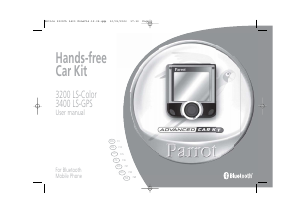
Thank you for buying a Parrot hands-free kit. With the Parrot 3200 LS-Color, you
will be able to make telephone calls from your car while keeping your hands on
the wheel.
With its colour interface and customisable wallpaper, the Parrot 3200 LS-Color
is the most user-friendly hands-free kit. It acts as a real extension of your mobile
phone. We hope that the kit will give you complete satisfaction.
KIT CONTENTS
Colour LCD screen
Installation cable
Electronic control unit
Directions for use
Fitting accessories
Microphone
FITTING
First of all, choose the place for the colour screen inside your vehicle.
We would advise you to fit it in the centre of the dashboard or near you.
Make sure that you can view the screen at a good angle and that it does not obs-
truct your view of the road. Once the hands-free kit is fully installed and switched
on, you can adjust the screen's brightness.
There are two places where you can choose to fit the microphone connection:
either directly at the side of the screen or on the cable connected to the bottom
of the screen. Place the microphone to the left of the rear-view mirror to ensure
optimum audio quality.
The installation cable is equipped with ISO connectors and a line-out jack for
connecting directly to your amplifier, if applicable.
Car stereo with line-in jacks:
Preferably use this type of connection by connecting the brown and white wires
(or red and black), along with the yellow mute wire to the back of your car ste-
reo.
Car stereo with ISO connectors:
Disconnect the car stereo's audio and power leads. Join the female connectors of
the kit's cable to the car stereo. Join the vehicle's audio and power supply cables
to the male connectors. If the car stereo features a mute jack, connect the yellow
wire of the kit's cable to one of the "mute-in" jacks (1, 2 or 3).
Car stereo without ISO connectors:
You must purchase an ISO adapter cable.
Fitting the kit's cable:
. The red wire of the kit's cable must be connected to the constant 12V supply,
the orange wire to the ignition 12V and the black wire to earth.
. Check the wiring diagram of the car stereo's ISO lead.
On some vehicles, the red and orange wires may need to be reversed.
This can easily be done by reversing the two fuse holders.
. Do not connect the orange wire to the constant 12V supply, as you could run
down the vehicle's battery.
Checking the installation:
.
If your 3200 LS-Color is correctly fitted, you should see the message
"Goodbye" on the screen when you switch off your car's ignition.
Otherwise, the ignition 12V and the constant 12V supply have been reversed. In
this case, reverse the two fuse holders on the kit's power supply lead.
Notice 3200CL 3400 ZoneC14.12.05.qxp 10/01/2006 17:13 Page 4
Télécharger mode d’emploi en Français (PDF, 2.48 MB)
(Tenez compte de l’environnement et imprimez ce manuel uniquement si c’est vraiment nécessaire)

Loading…

Évaluation

Dites-nous ce que vous pensez du Parrot CK3400 LS-GPS Kit mains-libres en laissant une note de produit. Vous voulez partager vos expériences avec ce produit ou poser une question ? Veuillez laisser un commentaire au bas de la page.
Etes-vous satisfait du Parrot CK3400 LS-GPS Kit mains-libres ?
Oui Non
Soyez le premier à évaluer ce produit
0 évaluations

Joignez-vous à la conversation sur ce produit

Ici, vous pouvez partager ce que vous pensez du Parrot CK3400 LS-GPS Kit mains-libres. Si vous avez une question, lisez d’abord attentivement le mode d’emploi. La demande d’un mode d’emploi peut être effectuée en utilisant notre formulaire de contact.

En savoir plus sur ce mode d’emploi

Nous comprenons qu’il est agréable d’avoir un mode d’emploi papier pour vos Parrot CK3400 LS-GPS Kit mains-libres. Vous pouvez toujours télécharger le mode d’emploi depuis notre site Web et l’imprimer vous-même. Si vous souhaitez disposer d’un mode d’emploi original, nous vous recommandons de contacter Parrot. Ils pourront peut-être fournir un mode d’emploi original. Recherchez-vous le mode d’emploi de votre Parrot CK3400 LS-GPS Kit mains-libres dans une autre langue ? Choisissez votre langue préférée sur notre page d’accueil et recherchez le numéro de modèle pour voir si nous l’avons disponible.

Caractéristiques

Marque Parrot
Modèle CK3400 LS-GPS
Catégorie Kits mains-libres
Type de fichier PDF
Taille du fichier 2.48 MB

Tous les modes d’emploi pour Parrot Kits mains-libres
Plus de modes d’emploi de Kits mains-libres

Mode d’emploi Parrot CK3400 LS-GPS Kit mains-libres

Produits connexes

Catégories associées

×
Download