Thank you for buying this Pioneer product. Please read through these operating instructions so you will know how to operate your model properly. After you have finished reading the instructions, put them away in a safe place for future
reference.
Safety cautions
WARNING
To prevent a fire hazard, do not place any naked flame sources (such as a
lighted candle) on the equipment. D3-4-2-1-7a_A1_En
POWER-CORD CAUTION
Handle the power cord by the plug. Do not pull out the plug by tugging
the cord and never touch the power cord when your hands are wet as this
could cause a short circuit or electric shock. Do not place the unit, a piece
of furniture, etc., on the power cord, or pinch the cord. Never make a knot
in the cord or tie it with other cords. The power cords should be routed
such that they are not likely to be stepped on. A damaged power cord can
cause a fire or give you an electrical shock. Check the power cord once in
a while. When you find it damaged, ask your nearest PIONEER authorized
service center or your dealer for a replacement. S002*_A1_En
Operating Environment
Operating environment temperature and humidity:
+5 °C to +35 °C (+41 °F to +95 °F); less than 85 %RH (cooling vents not
blocked)
Do not install this unit in a poorly ventilated area, or in locations exposed to
high humidity or direct sunlight (or strong artificial light)
D3-4-2-1-7c*_A1_En
CAUTION
The STANDBY/ON switch on this unit will not completely shut off all
power from the AC outlet. Since the power cord serves as the main
disconnect device for the unit, you will need to unplug it from the AC
outlet to shut down all power. Therefore, make sure the unit has been
installed so that the power cord can be easily unplugged from the
AC outlet in case of an accident. To avoid fire hazard, the power cord
should also be unplugged from the AC outlet when left unused for a
long period of time (for example, when on vacation).
D3-4-2-2-2a*_A1_En
This product is for general household purposes. Any failure due to use
for other than household purposes (such as long-term use for business
purposes in a restaurant or use in a car or ship) and which requires
repair will be charged for even during the warranty period.
K041_A1_En
VENTILATION CAUTION
When installing this unit, make sure to leave space around the unit for
ventilation to improve heat radiation (at least 10 cm at top, 10 cm at rear,
and 10 cm at each side).
WARNING
Slots and openings in the cabinet are provided for ventilation to ensure
reliable operation of the product, and to protect it from overheating. To
prevent fire hazard, the openings should never be blocked or covered with
items (such as newspapers, table-cloths, curtains) or by operating the
equipment on thick carpet or a bed. D3-4-2-1-7b*_A1_En
WARNING
This equipment is not waterproof. To prevent a fire or shock hazard, do not
place any container filled with liquid near this equipment (such as a vase
or flower pot) or expose it to dripping, splashing, rain or moisture.
D3-4-2-1-3_A1_En
CAUTION
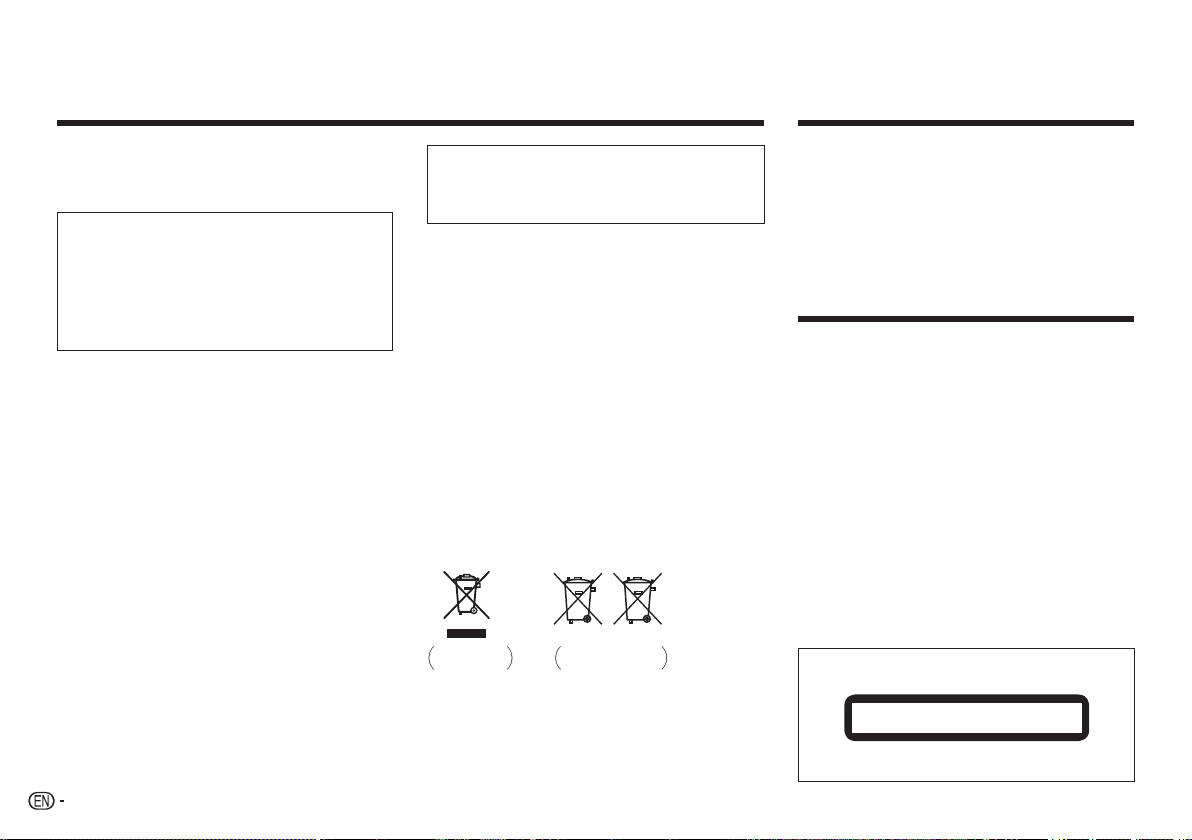
This product is a class 1 laser product classified under the Safety of
laser products, IEC 60825-1:2007.
D58-5-2-2a_A1_En
CLASS 1 LASER PRODUCT
Contents
Before you start ............................................................................................3
Part names and functions.............................................................................3
Playable discs and files ................................................................................5
Convenient functions ....................................................................................6
Changing the settings ..................................................................................7
Troubleshooting ............................................................................................ 8
Additional information...................................................................................9
Specifications ............................................................................................. 11
What’s in the box
• Remote Control
• AAA batteries (R03) x 2
• Warranty card
• Operating instructions (This document)
CAUTION
TO PREVENT THE RISK OF ELECTRIC SHOCK, DO NOT REMOVE COVER
(OR BACK). NO USER-SERVICEABLE PARTS INSIDE. REFER SERVICING
TO QUALIFIED SERVICE PERSONNEL. D3-4-2-1-1_B1_En
Information for users on collection and disposal of old
equipment and used batteries
These symbols on the products, packaging, and/or accompanying
documents mean that used electrical and electronic products and batteries
should not be mixed with general household waste.
For proper treatment, recovery and recycling of old products and used
batteries, please take them to applicable collection points in accordance
with your national legislation.
By disposing of these products and batteries correctly, you will help to
save valuable resources and prevent any potential negative effects on
human health and the environment which could otherwise arise from
inappropriate waste handling.
For more information about collection and recycling of old products and
batteries, please contact your local municipality, your waste disposal
service or the point of sale where you purchased the items.
These symbols are only valid in the European Union.
For countries outside the European Union:
If you wish to discard these items, please contact your local authorities or
dealer and ask for the correct method of disposal.
Pb
K058a_A1_En
Symbol for
equipment
Symbol examples
for batteries
2


Joignez-vous à la conversation sur ce produit
Ici, vous pouvez partager ce que vous pensez du Pioneer DV-2240 Lecteur DVD. Si vous avez une question, lisez d’abord attentivement le mode d’emploi. La demande d’un mode d’emploi peut être effectuée en utilisant notre formulaire de contact.