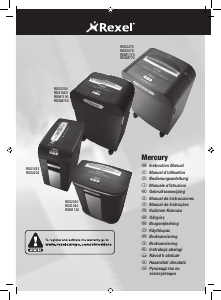
Mode d’emploi Rexel Mercury RSS1627 Destructeur

Besoin d'un mode d’emploi pour votre Rexel Mercury RSS1627 Destructeur ? Ci-dessous, vous pouvez consulter et télécharger gratuitement le mode d’emploi PDF en français. Ce produit a actuellement 2 questions fréquemment posées, 0 commentaires et 0 votes. Si ce n'est pas le mode d’emploi que vous souhaitez, veuillez nous contacter.

Votre produit est défectueux et le mode d’emploi n’offre aucune solution ? Rendez-vous à un Repair Café pour obtenir des services de réparation gratuits.

Mode d’emploi

Loading…
4
Mercury Anti-Jam Technology
Mercury Shredders will only shred stacks of paper that are within the
shredders sheet capacity. Eg. A shredder with a capacity between 20 and
22 sheets will not allow the shredding of more sheets than this.
Sensors in the paper feed area measure the thickness of paper about to
be shredded. The ability to shred or not is communicated through red and
green lighting. Green means that the stack of paper is within the shredders
sheet capacity and OK to shred. Red means that you have too much paper,
remove some sheets in order to shred.
Given that you are unable to shred more sheets of paper than the shredder
is capable of shredding, paper jams are prevented.
This prevents time wasted through reversing paper and unblocking jams not
to mention the mess it can create.
IMPORTANT! Do not attempt to shred more paper while paper is already
being shredded. By attempting to force paper down the front or back of
a batch of paper that is being pulled into the machine, you can jam the
shredder. The anti-jam technology will work reliably if used as instructed.
Guarantee
ACCO Brands warrants its products and their parts against defects in
materials and workmanship under normal use for a period of 24 months
from the original date of purchase.
During this period we will repair or replace a defective product or part
subject to the following warranty conditions:
The warranty applies only to defects in materials and workmanship under
normal use and does not extend to damage to the Product or parts which
result from:-
alteration, repair, modification or service carried out by anyone other
than an authorised ACCO service centre.
accident, neglect, abuse or misuse owing to failure to comply with the
normal operating procedures for a product of this type.
Nothing in this Warranty shall have the effect of excluding the liability of
ACCO in respect of death and personal injury caused by the negligence of
ACCO. This Warranty is offered (subject to these terms and conditions) in
addition to, and does not affect your statutory rights.
Additional Guarantee
ACCO Brands guarantees the cutting blades of the shredder to be free from
defects in material and workmanship for 5 years from the date of purchase
by the original consumer.
* Please note that the cutter blades will be progressively worn down by
shredding fastened sheets (staples and paperclips) - this is not covered in
the warranty. With regards to CD shredding, Rexel departmental and small
office shredders have been designed to shred up to 500 and 300 CDs
respectively during the warranty period. Excessive cd shredding will wear
the cutters and is not covered within the warranty.
These conditions shall in all respects be governed and construed in
accordance with English Law and subject to the exclusive jurisdiction of the
English Courts.
Safety First
Shredders are safe to use as long as you take a few safety precautions.
Ensure the machine is plugged into an easily accessible power outlet, and
ensure the cable is not likely to trip up a passer by.
Any attempt to repair this unit by unqualied personnel will invalidate the
warranty. Please return to supplier.
Unplug your shredder before moving it or when it is not in use for an
extended period of time.
Do not operate with a damaged power supply cord or plug, after it
malfunctions, or after it has been damaged in any manner.
Do not overload electrical outlets beyond capacity as this can result in re
or electrical shock.
The socket-outlet should be installed near the equipment and shall be
easily accessible.
Do not alter the attachment plug. The plug is congured for the
appropriate electrical supply.
Do not use near water.
Do not use aerosol dusters or cleaners.
Do NOT Spray anything into the shredder.
Although this shredder has been designed to be child safe, it is not advised
to operate the machine near children.
m
Introduction
Thank you for choosing this shredder from Rexel. We are sure it will serve
you well, but please take a little time to study these instructions to ensure
you get the best out of your machine.
Lights and Icons Explained
Illumination Cool down Bin full
Colour of LED Green Red Blue Red
Power on button pushed flash
Auto button (green triangle) pushed light
Bin full light
Bin Removed flash
Empty Bin Reinserted flash (6 seconds)
Motor overheat flash
Anti Jam (too much paper) light
Reverse mode light
After 10 mins no use
a Indicator Panel
b Power On Button
c On/Auto Button
d Reverse Button
e Anti-jam Indicator
f CD Safety Feed Guide
g Pull-out Bin
Télécharger mode d’emploi en Français (PDF, 3.59 MB)
(Tenez compte de l’environnement et imprimez ce manuel uniquement si c’est vraiment nécessaire)

Loading…

Évaluation

Dites-nous ce que vous pensez du Rexel Mercury RSS1627 Destructeur en laissant une note de produit. Vous voulez partager vos expériences avec ce produit ou poser une question ? Veuillez laisser un commentaire au bas de la page.
Etes-vous satisfait du Rexel Mercury RSS1627 Destructeur ?
Oui Non
Soyez le premier à évaluer ce produit
0 évaluations

Joignez-vous à la conversation sur ce produit

Ici, vous pouvez partager ce que vous pensez du Rexel Mercury RSS1627 Destructeur. Si vous avez une question, lisez d’abord attentivement le mode d’emploi. La demande d’un mode d’emploi peut être effectuée en utilisant notre formulaire de contact.

En savoir plus sur ce mode d’emploi

Nous comprenons qu’il est agréable d’avoir un mode d’emploi papier pour vos Rexel Mercury RSS1627 Destructeur. Vous pouvez toujours télécharger le mode d’emploi depuis notre site Web et l’imprimer vous-même. Si vous souhaitez disposer d’un mode d’emploi original, nous vous recommandons de contacter Rexel. Ils pourront peut-être fournir un mode d’emploi original. Recherchez-vous le mode d’emploi de votre Rexel Mercury RSS1627 Destructeur dans une autre langue ? Choisissez votre langue préférée sur notre page d’accueil et recherchez le numéro de modèle pour voir si nous l’avons disponible.

Caractéristiques

Marque Rexel
Modèle Mercury RSS1627
Catégorie Destructeurs
Type de fichier PDF
Taille du fichier 3.59 MB

Tous les modes d’emploi pour Rexel Destructeurs
Plus de modes d’emploi de Destructeurs

Foire aux questions sur Rexel Mercury RSS1627 Destructeur

Notre équipe d’assistance recherche des informations utiles sur les produits et des réponses aux questions fréquemment posées. Si vous trouvez une inexactitude dans notre foire aux questions, veuillez nous le faire savoir en utilisant notre formulaire de contact.

Pourquoi ma déchiqueteuse s’arrête-t-elle après un certain temps ? Vérifié

Les déchiqueteuses de papier ont besoin de refroidir après un certain temps pour éviter la surchauffe. Le temps pendant lequel l’appareil peut fonctionner avant d’avoir besoin de refroidir varie selon les marques et les modèles.

Cela a été utile (914) En savoir plus

À quelle fréquence dois-je huiler ma déchiqueteuse à papier? Vérifié

En cas d'utilisation occasionnelle, il suffit de huiler le destructeur de papier une fois tous les deux mois. Avec une utilisation (très) régulière, vous remarquerez peut-être que la machine a des difficultés à déchiqueter ou que le papier se coince facilement. Ce sont des signes que la machine doit être huilée.

Cela a été utile (575) En savoir plus
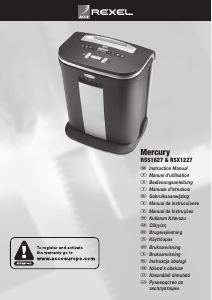
Mode d’emploi Rexel Mercury RSS1627 Destructeur

Produits connexes

Catégories associées

×
Download