Mode d’emploi Sunstech NSX100BTDVD Stéréo

Besoin d'un mode d’emploi pour votre Sunstech NSX100BTDVD Stéréo ? Ci-dessous, vous pouvez consulter et télécharger gratuitement le mode d’emploi PDF en français. Ce produit a actuellement 0 questions fréquemment posées, 0 commentaires et 0 votes. Si ce n'est pas le mode d’emploi que vous souhaitez, veuillez nous contacter.

Votre produit est défectueux et le mode d’emploi n’offre aucune solution ? Rendez-vous à un Repair Café pour obtenir des services de réparation gratuits.

Mode d’emploi

Loading…

Basic Functions
Preparation
If you want to watch the disk
contents, turn on the TV, select
the video mode and connect TV
to the DVD Player.
Playing
1. Press the Power button to start
the device. At the time, directions
will appear on the screen, and LED
illuminated. If the disk is not inserted,
words “no disk” will appear on the
screen. If inserted with the tray, the
device will play the disk automatically.
2. Press ON/OFF to withdraw the disk
tray. The device can accept two types
of disks. Follow the indications on the
disk to insert it. Failure to follow such
indication may cause damage to the
disk and malfunction of the player.
Do not put incompatible disks into
the device.
3. Press ON/OFF to move in the disk
tray, and the device will start playing
automatically. Some disks might not
be played automatically, and the user
should manually make selections in
the main interface to start the playing.
You can press Enter/Play on the remote
control or select the corresponding
number for that purpose.
Stop Playing
1. Press Stop to enter the stop mode.
At the time, the “start-up” icons will
appear on the TV screen. The Player
can memorize the stopped place.
2. Press Enter/Play, and the device
will play the disk from the stopped
placed or from the beginning.
3.Press Stop twice to stop playing
completely.
Previous/Next Track
In playing mode, you can press
Previous to go back to the beginning
of the chapter. Each time you press
Previous, the system will jump back
one chapter till it reaches the starting
chapter.
In playing mode, you can press
Next to play the next chapter.
Fast Forward/Reverse
1. Press Fast Forward (FF) to fast
play the contents of the disk. The
playing speed changes each time
you press this button.
2. Press Enter/Play to restore the
normal playing state.
3. Press Fast Reverse (FR) to fast
reverse the contents of the disk.
The playing speed changes each
time you press this button.
4. Press Enter/Play to restore the
normal playing state.
Pause/Stop
1. In playing mode, press Pause/Stop
to make the playing pause. In pause
mode, the system is in mute state.
2. Press Pause/Stop again, and the
system will show the next interface
of the contents.
3. Press Enter/Play to restore the
normal playing state.
Note:
1. If the mark appears on the screen,
it means this operation is forbidden in
this device or disk.
2.The device is controlled by CPU with
settings, and the Screensaver mode
might be activated. You can press any
key to start the device.
6
Télécharger mode d’emploi en Français (PDF, 41.06 MB)
(Tenez compte de l’environnement et imprimez ce manuel uniquement si c’est vraiment nécessaire)

Loading…

Évaluation

Dites-nous ce que vous pensez du Sunstech NSX100BTDVD Stéréo en laissant une note de produit. Vous voulez partager vos expériences avec ce produit ou poser une question ? Veuillez laisser un commentaire au bas de la page.
Etes-vous satisfait du Sunstech NSX100BTDVD Stéréo ?
Oui Non
Soyez le premier à évaluer ce produit
0 évaluations

Joignez-vous à la conversation sur ce produit

Ici, vous pouvez partager ce que vous pensez du Sunstech NSX100BTDVD Stéréo. Si vous avez une question, lisez d’abord attentivement le mode d’emploi. La demande d’un mode d’emploi peut être effectuée en utilisant notre formulaire de contact.

En savoir plus sur ce mode d’emploi

Nous comprenons qu’il est agréable d’avoir un mode d’emploi papier pour vos Sunstech NSX100BTDVD Stéréo. Vous pouvez toujours télécharger le mode d’emploi depuis notre site Web et l’imprimer vous-même. Si vous souhaitez disposer d’un mode d’emploi original, nous vous recommandons de contacter Sunstech. Ils pourront peut-être fournir un mode d’emploi original. Recherchez-vous le mode d’emploi de votre Sunstech NSX100BTDVD Stéréo dans une autre langue ? Choisissez votre langue préférée sur notre page d’accueil et recherchez le numéro de modèle pour voir si nous l’avons disponible.

Caractéristiques

Marque Sunstech
Modèle NSX100BTDVD
Catégorie Stéréos
Type de fichier PDF
Taille du fichier 41.06 MB

Tous les modes d’emploi pour Sunstech Stéréos
Plus de modes d’emploi de Stéréos
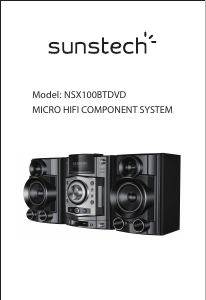
Mode d’emploi Sunstech NSX100BTDVD Stéréo

Produits connexes

Catégories associées

×
Download