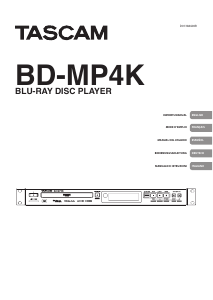
Mode d’emploi Tascam BD-MP4K Lecteur de blu-ray

Besoin d'un mode d’emploi pour votre Tascam BD-MP4K Lecteur de blu-ray ? Ci-dessous, vous pouvez consulter et télécharger gratuitement le mode d’emploi PDF en français. Ce produit a actuellement 3 questions fréquemment posées, 0 commentaires et 0 votes. Si ce n'est pas le mode d’emploi que vous souhaitez, veuillez nous contacter.

Votre produit est défectueux et le mode d’emploi n’offre aucune solution ? Rendez-vous à un Repair Café pour obtenir des services de réparation gratuits.

Mode d’emploi

Loading…

2 TASCAM BD-MP4K
Trademarks and copyrights
p It is forbidden by law to copy, broadcast,
show, broadcast on cable, play in public,
or rent copyrighted material without
permission. Commercial BD-video/DVD-
video discs are copy-protected, and any
recordings made from these discs will be
distorted. This item incorporates copy
protection technology that is protected
by U.S. patents and other intellectual
property rights of Rovi Corporation.
Reverse engineering and disassembly are
prohibited.
p This product incorporates copy protection
technology that is protected by U.S.
patents and other intellectual property
rights of Rovi Corporation. The use of Rovi
Corporation's copy protection technology
in the product must be authorized by Rovi
Corporation. Reverse engineering and
disassembly are prohibited.
p THIS PRODUCT IS LICENSED UNDER THE
AVC PATENT PORTFOLIO LICENSE FOR
THE PERSONAL USE OF A CONSUMER
OR OTHER USES IN WHICH IT DOES NOT
RECEIVE REMUNERATION TO (i) ENCODE
VIDEO IN COMPLIANCE WITH THE AVC
STANDARD (“AVC VIDEO”) AND/OR (ii)
DECODE AVC VIDEO THAT WAS ENCODED
BY A CONSUMER ENGAGED IN A PERSONAL
ACTIVITY AND/OR WAS OBTAINED FROM
A VIDEO PROVIDER LICENSED TO PROVIDE
AVC VIDEO. NO LICENSE IS GRANTED
OR SHALL BE IMPLIED FOR ANY OTHER
USE. ADDITIONAL INFORMATION MAY
BE OBTAINED FROM MPEG LA, L.L.C. SEE
HTTP://WWW.MPEGLA.COM
p THIS PRODUCT IS LICENSED UNDER THE
VC-1 PATENT PORTFOLIO LICENSE FOR THE
PERSONAL AND NON-COMMERCIAL USE
OF A CONSUMER TO (i) ENCODE VIDEO IN
COMPLIANCE WITH THE VC-1 STANDARD
(“VC-1 VIDEO”) AND/OR (ii) DECODE
VC-1 VIDEO THAT WAS ENCODED BY A
CONSUMER ENGAGED IN A PERSONAL
AND NON-COMMERCIAL ACTIVITY AND/OR
WAS OBTAINED FROM A VIDEO PROVIDER
LICENSED TO PROVIDE VC-1 VIDEO. NO
LICENSE IS GRANTED OR SHALL BE IMPLIED
FOR ANY OTHER USE. ADDITIONAL
INFORMATION MAY BE OBTAINED FROM
MPEG LA, L.L.C. SEE HTTP://WWW.MPEGLA.
COM
p Cinavia™
Cinavia Notice
This product uses Cinavia technology to
limit the use of unauthorized copies of some
commercially-produced film and videos and
their soundtracks. When a prohibited use of
an unauthorized copy is detected, a message
will be displayed and playback or copying
will be interrupted. More information about
Cinavia technology is provided at the Cinavia
Online Consumer Information Center at
http://www.cinavia.com
To request additional information about
Cinavia by mail, send a postcard with your
mailing address to: Cinavia Consumer
Information Center, P.O. Box 86851, San
Diego, CA, 92138, USA.
This product incorporates proprietary
technology under license from Verance
Corporation and is protected by U.S.
Patent 7,369,677 and other U.S. and
worldwide patents issued and pending
as well as copyright and trade secret
protection for certain aspects of such
technology. Cinavia is a trademark of Verance
Corporation. Copyright 2004-2016 Verance
Corporation. All rights reserved by Verance.
Reverse engineering or disassembly is
prohibited.
p Dolby, Dolby Vision, Dolby Audio, and
the double-D symbol are trademarks of
Dolby Laboratories Licensing Corporation.
Manufactured under license from Dolby
Laboratories.
p For DTS patents, see http://patents.dts.com.
Manufactured under license from
DTS Licensing Limited. DTS, DTS-HD,
the Symbol, & DTS and the Symbol
together are registered trademarks,
and DTS-HD Master Audio | Essential is
a trademark of DTS, Inc. © DTS, Inc. All
Rights Reserved.
p Blu-ray Disc™, Blu-ray™, BD-Live™,
BONUSVIEW™, Ultra HD Blu-ray™ word
marks and logos are trademarks of the Blu-
ray Disc Association.
p “DVD Logo" is a trademark of DVD Format/
Logo Licensing Corporation.
p HDMI, the HDMI logo and High-Definition
Multimedia Interface are trademarks or
registered trademarks of HDMI LLC in the
USA and other countries.
p Oracle and Java are registered trademarks
of Oracle Corporation and its subsidiary
and affiliated companies in the USA and
other countries. Names, including those of
companies and products, in this document
might be trademarks or registered
trademarks.
p AVCHD and the AVCHD logo are trademarks
of Panasonic Corporation and Sony
Corporation.
p “x.v.Color and “x.v.Color” logo are
trademarks of Sony Corporation.
p Supply of this product does not convey a
license nor imply any right to distribute
MPEG Layer-3 compliant content created
with this product in revenue-generating
broadcast systems (terrestrial, satellite,
cable and/or other distribution channels),
streaming applications (via Internet,
intranets and/or other networks), other
content distribution systems (pay-audio
or audio-on-demand applications and
the like) or on physical media (compact
discs, digital versatile discs, semiconductor
chips, hard drives, memory cards and the
like). An independent license for such use
is required. For details, please visit http://
mp3licensing.com.
p TASCAM is a registered trademark of TEAC
Corporation.
p Other company names, product names and
logos in this document are the trademarks
or registered trademarks of their respective
owners.
Télécharger mode d’emploi en Français (PDF, 8.4 MB)
(Tenez compte de l’environnement et imprimez ce manuel uniquement si c’est vraiment nécessaire)

Loading…

Évaluation

Dites-nous ce que vous pensez du Tascam BD-MP4K Lecteur de blu-ray en laissant une note de produit. Vous voulez partager vos expériences avec ce produit ou poser une question ? Veuillez laisser un commentaire au bas de la page.
Etes-vous satisfait du Tascam BD-MP4K Lecteur de blu-ray ?
Oui Non
Soyez le premier à évaluer ce produit
0 évaluations

Joignez-vous à la conversation sur ce produit

Ici, vous pouvez partager ce que vous pensez du Tascam BD-MP4K Lecteur de blu-ray. Si vous avez une question, lisez d’abord attentivement le mode d’emploi. La demande d’un mode d’emploi peut être effectuée en utilisant notre formulaire de contact.

En savoir plus sur ce mode d’emploi

Nous comprenons qu’il est agréable d’avoir un mode d’emploi papier pour vos Tascam BD-MP4K Lecteur de blu-ray. Vous pouvez toujours télécharger le mode d’emploi depuis notre site Web et l’imprimer vous-même. Si vous souhaitez disposer d’un mode d’emploi original, nous vous recommandons de contacter Tascam. Ils pourront peut-être fournir un mode d’emploi original. Recherchez-vous le mode d’emploi de votre Tascam BD-MP4K Lecteur de blu-ray dans une autre langue ? Choisissez votre langue préférée sur notre page d’accueil et recherchez le numéro de modèle pour voir si nous l’avons disponible.

Caractéristiques

Marque Tascam
Modèle BD-MP4K
Catégorie Lecteurs de blu-ray
Type de fichier PDF
Taille du fichier 8.4 MB

Tous les modes d’emploi pour Tascam Lecteurs de blu-ray
Plus de modes d’emploi de Lecteurs de blu-ray

Foire aux questions sur Tascam BD-MP4K Lecteur de blu-ray

Notre équipe d’assistance recherche des informations utiles sur les produits et des réponses aux questions fréquemment posées. Si vous trouvez une inexactitude dans notre foire aux questions, veuillez nous le faire savoir en utilisant notre formulaire de contact.

Un lecteur Blu-ray peut-il également lire des DVD ? Vérifié

Oui, la plupart des lecteurs Blu-ray sont en mesure de lire des DVD.

Cela a été utile (138) En savoir plus

Est-il important de savoir sur quel port HDMI je connecte mon lecteur Blu-ray ? Vérifié

En général, il est possible de connecter un lecteur Blu-ray à n’importe quel port HDMI. L’appareil peut alors être utilisé en sélectionnant la chaîne HDMI correspondante sur votre téléviseur.

Cela a été utile (94) En savoir plus

Puis-je moi-même réparer les rayures sur un Blu-ray ? Vérifié

Les rayures empêchent le laser de lire le disque correctement. Lorsque les rayures ne sont que superficielles, il est possible de les réparer soi-même en polissant le disque avec un composé légèrement abrasif. Idéalement, vous utilisez un composé abrasif professionnel, mais vous pouvez également utiliser un dentifrice ordinaire. Après avoir poli le disque, il faut le laver et laisser sécher. Il existe des entreprises spécialisées qui peuvent le faire.

Cela a été utile (37) En savoir plus
Mode d’emploi Tascam BD-MP4K Lecteur de blu-ray

Produits connexes

Catégories associées

×
Download