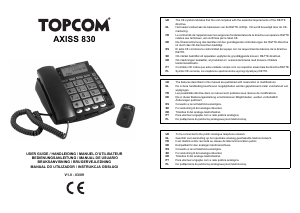
Mode d’emploi Topcom Axiss 830 Téléphone

Besoin d'un mode d’emploi pour votre Topcom Axiss 830 Téléphone ? Ci-dessous, vous pouvez consulter et télécharger gratuitement le mode d’emploi PDF en français. Ce produit contient actuellement 0 de questions fréquemment posées, 1 de commentaire et 0 votes. Si ce n'est pas le mode d’emploi que vous souhaitez, veuillez nous contacter.

Votre produit est défectueux et le mode d’emploi n’offre aucune solution ? Rendez-vous à un Repair Café pour obtenir des services de réparation gratuits.

Mode d’emploi

Loading…
Topcom Axiss 830 3
Topcom Axiss 830
ENGLISH
1 Before initial use
Thank you for purchasing this high featured
telephone.
1.1 Intended purpose
This product is intended to be connected indoor to
an analogue PSTN telephone line.
This model is specially designed for elderly
people :
It comes with a pendant that can be used in
case of an emergency.
It has big buttons for better visibility.
11 selectable display languages : English,
Dutch, French, German, Spanish, Italian,
Polish, Portuguese, Danish, Swedish and
Finish.
Voice guidance in 6 languages : English,
Dutch, French, German, Spanish and Swedish.
Talking Caller ID
Large display
Hearing aid compatible
High volume ringer
High quality hands-free operation
Two direct memory keys
Phonebook for 30 entries
Caller ID list
The emergency feature will operate as follow :
1. To activate an emergency call, someone
presses the SOS key on the wireless
pendant or the SOS key on the phone.
2. A loud local alarm will go off during 15
seconds.
3. If no one arrives to deactivate the alarm, the
phone will dial the first pre-programmed
emergency number from the phonebook.
4. The receiving party of this emergency call will
hear a recorded voice message indicating
that there is an emergency.
If the receiving party does not answer or
ignores the emergency call, the phone will
call the next pre-programmed emergency
number 3 minutes later.
5. The receiver who answers the emergency
call will press “0” to accept the call.
6. Now a speakerphone conversation will be
activated.
7. After 3 minutes the call will be disconnected
and the phone will dial the next emergency
number unless the receiving party presses
“15” to continue the conversation and to
deactivate the emergency feature.
1.2 Caller ID
1.3 Connection
This device has been designed and manufactured
to comply with the 98/482/EC rule, referent to the
Pan European connection of a terminal to the
Public Switching Telephone Network (PSTN) and
following the established guidelines by the 1999/
5/EC Directive about radio electric equipments
and the reciprocal acknowledge of their
conformity. However, due to the fact that there are
some differences in the PSTNs from one country
to another, the verifying measurements by
themselves do not set up an unconditional
guarantee for an optimal working in every
connection point to the PSTN of any country. If
any problem comes up, get in touch firstly with the
distributor.
Each time the phone dials an emergency
number, the telephone line will be
occupied for at least 3 minutes, even
when the receiving party hung up the call.
To use ‘Caller ID’ (display caller), this
service has to be activated on your
phone line. Normally you need a separate
subscription from your telephone
company to activate this function. If you
don’t have the Caller ID function on your
phone line, the incoming telephone
numbers will NOT be shown on the
display of your telephone.
The CE symbol indicates that the unit
complies with the essential
requirements of the R&TTE directive.
Télécharger mode d’emploi en Français (PDF, 1.31 MB)
(Tenez compte de l’environnement et imprimez ce manuel uniquement si c’est vraiment nécessaire)

Loading…

Évaluation

Dites-nous ce que vous pensez du Topcom Axiss 830 Téléphone en laissant une note de produit. Vous voulez partager vos expériences avec ce produit ou poser une question ? Veuillez laisser un commentaire au bas de la page.
Etes-vous satisfait du Topcom Axiss 830 Téléphone ?
Oui Non
Soyez le premier à évaluer ce produit
0 évaluations

Joignez-vous à la conversation sur ce produit

Ici, vous pouvez partager ce que vous pensez du Topcom Axiss 830 Téléphone. Si vous avez une question, lisez d’abord attentivement le mode d’emploi. La demande d’un mode d’emploi peut être effectuée en utilisant notre formulaire de contact.

Filip Deblout 08-11-2025
je souhaiterais savoir comment changer la langue merci bien à vous

répondre | Cela a été utile (0)

En savoir plus sur ce mode d’emploi

Nous comprenons qu’il est agréable d’avoir un mode d’emploi papier pour vos Topcom Axiss 830 Téléphone. Vous pouvez toujours télécharger le mode d’emploi depuis notre site Web et l’imprimer vous-même. Si vous souhaitez disposer d’un mode d’emploi original, nous vous recommandons de contacter Topcom. Ils pourront peut-être fournir un mode d’emploi original. Recherchez-vous le mode d’emploi de votre Topcom Axiss 830 Téléphone dans une autre langue ? Choisissez votre langue préférée sur notre page d’accueil et recherchez le numéro de modèle pour voir si nous l’avons disponible.

Caractéristiques

Marque Topcom
Modèle Axiss 830
Catégorie Téléphones
Type de fichier PDF
Taille du fichier 1.31 MB

Tous les modes d’emploi pour Topcom Téléphones
Plus de modes d’emploi de Téléphones
Mode d’emploi Topcom Axiss 830 Téléphone

Produits connexes

Catégories associées

×
Download