Mode d’emploi Karlsson KA6020OR Réveil

Besoin d'un mode d’emploi pour votre Karlsson KA6020OR Réveil ? Ci-dessous, vous pouvez consulter et télécharger gratuitement le mode d’emploi PDF en français. Ce produit a actuellement 0 questions fréquemment posées, 0 commentaires et 0 votes. Si ce n'est pas le mode d’emploi que vous souhaitez, veuillez nous contacter.

Votre produit est défectueux et le mode d’emploi n’offre aucune solution ? Rendez-vous à un Repair Café pour obtenir des services de réparation gratuits.

Mode d’emploi

Loading…
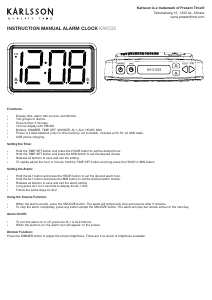
INSTRUCTION MANUAL ALARM CLOCK KA6020
Time Setting:
In normal mode, long press the “Time” key to enter the
Hour setting.
Short press the “+” or “-” buttons to increase or decrease
the digits.
Press the “Time” key again to enter the Minute setting.
Short press “+” or “-” to adjust the minutes.
Finally, press the “Time” key to exit and save the setting.
Note:
If there is no operation during setting, it will auto-save and
exit after 10 seconds.
Long pressing the “+” or “-” keys will change the digits
faster.
In normal mode, short pressing the “Time” key switches
between 12-hour and 24-hour time format.
Date Setting:
In normal mode, long press the “Date” key to enter the date
setting. The year will appear (e.g., 2023) and start ashing.
Use the “+” or “-” buttons to adjust the year.
Press the “Date” key again to move to the Month setting
(which will then ash). Adjust with “+” or “-”.
Press the “Date” key again to move to the Day setting.
Adjust as needed.
Press the “Date” key one nal time to exit and save the
date setting.
Note:
If there is no operation during setting, it will auto-save and
exit after 10 seconds.
Long pressing the “+” or “-” keys will change the digits
faster. There is no need to set the day of the week.
Alarm Setting
Check Alarm / Turn Alarm On:
In normal display mode, short press the “Alarm” key to
activate the alarm function and view the alarm time.
The alarm time will display for 5 seconds, then return to
normal mode.
Within those 5 seconds, you can press any button (except
the Alarm button) to return to the main time display
immediately.
Turn Alarm Off:
When the alarm is active, short press the “Alarm” key to
deactivate it. The alarm icon will disappear.
Set Alarm Time:
When the alarm is on, long press the “Alarm” key to enter
alarm time setting.
The hour will ash — use the “+” and “-” buttons to set
the hour.
Press the “Alarm” key again to move to the minute setting
and adjust in the same way.
Press the “Alarm” key again to save and exit.
Alarm Sound:
When the alarm is sounding, it will stop automatically after
3 minutes if no button is pressed.
You can also stop the sound immediately by pressing any
button.
Temperature Unit Switch
While the temperature is displayed, short press the “+”
button to switch between °C and °F.
The default unit is °C.
Short press the “-” button to select the display mode.
DST (Daylight Saving Time) Function
The time will automatically increase by 1 hour on the rst
Sunday of March, and decrease by 1 hour on the rst
Sunday of November each year. During this period, the
icon “Auto DST” will be shown on the display.
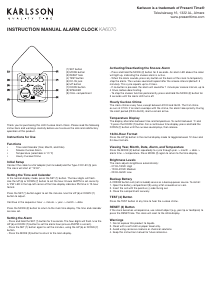
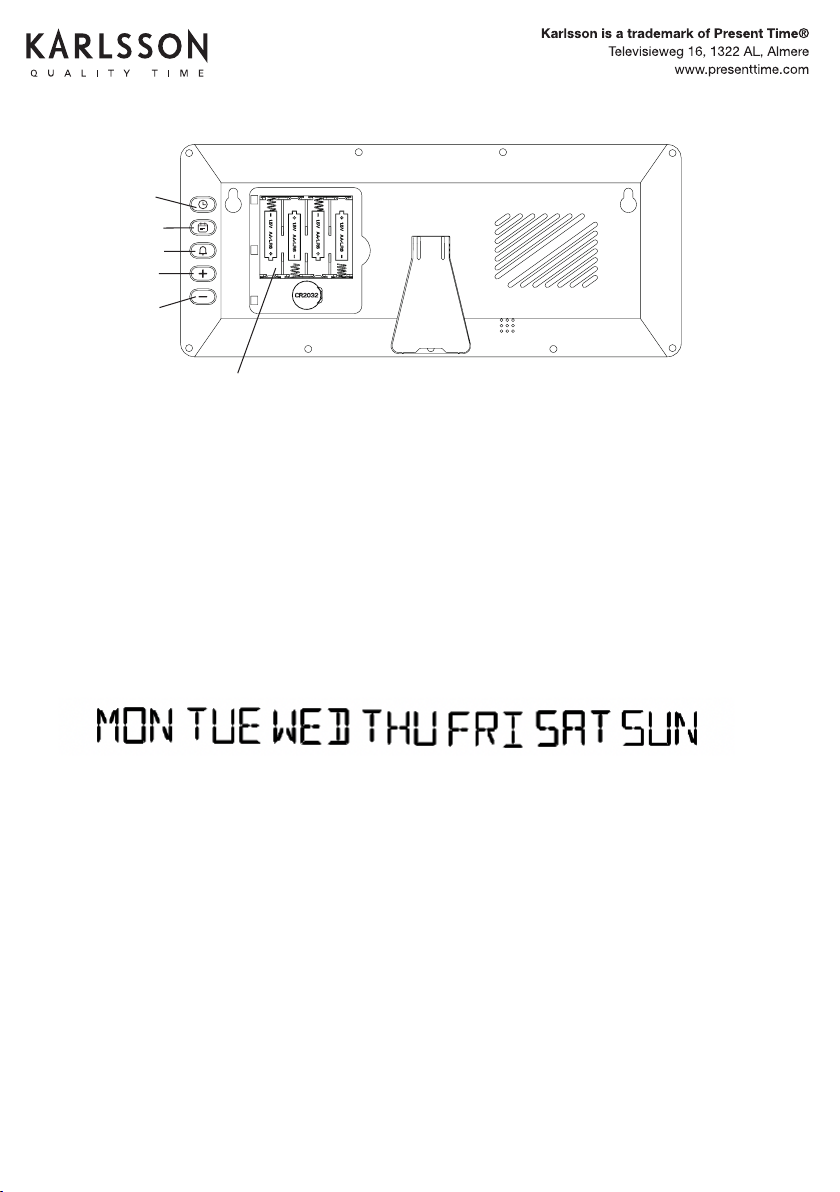
Time key
Date key
Alarm key
Up key
Down key
Battery holder
Télécharger mode d’emploi en Français (PDF, 0.81 MB)
(Tenez compte de l’environnement et imprimez ce manuel uniquement si c’est vraiment nécessaire)

Loading…

Évaluation

Dites-nous ce que vous pensez du Karlsson KA6020OR Réveil en laissant une note de produit. Vous voulez partager vos expériences avec ce produit ou poser une question ? Veuillez laisser un commentaire au bas de la page.
Etes-vous satisfait du Karlsson KA6020OR Réveil ?
Oui Non
Soyez le premier à évaluer ce produit
0 évaluations

Joignez-vous à la conversation sur ce produit

Ici, vous pouvez partager ce que vous pensez du Karlsson KA6020OR Réveil. Si vous avez une question, lisez d’abord attentivement le mode d’emploi. La demande d’un mode d’emploi peut être effectuée en utilisant notre formulaire de contact.

En savoir plus sur ce mode d’emploi

Nous comprenons qu’il est agréable d’avoir un mode d’emploi papier pour vos Karlsson KA6020OR Réveil. Vous pouvez toujours télécharger le mode d’emploi depuis notre site Web et l’imprimer vous-même. Si vous souhaitez disposer d’un mode d’emploi original, nous vous recommandons de contacter Karlsson. Ils pourront peut-être fournir un mode d’emploi original. Recherchez-vous le mode d’emploi de votre Karlsson KA6020OR Réveil dans une autre langue ? Choisissez votre langue préférée sur notre page d’accueil et recherchez le numéro de modèle pour voir si nous l’avons disponible.

Caractéristiques

Marque Karlsson
Modèle KA6020OR
Catégorie Réveils
Type de fichier PDF
Taille du fichier 0.81 MB

Tous les modes d’emploi pour Karlsson Réveils
Plus de modes d’emploi de Réveils
Mode d’emploi Karlsson KA6020OR Réveil

Produits connexes

Catégories associées

×
Download