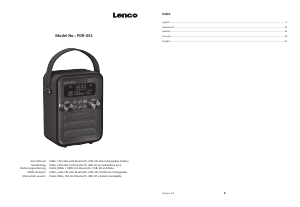
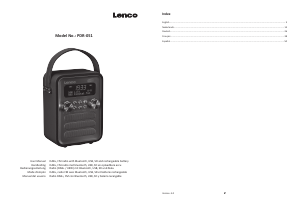
Mode d’emploi Lenco PDR-051PKWH Radio

Besoin d'un mode d’emploi pour votre Lenco PDR-051PKWH Radio ? Ci-dessous, vous pouvez consulter et télécharger gratuitement le mode d’emploi PDF en français. Ce produit a actuellement 2 questions fréquemment posées, 0 commentaires et 0 votes. Si ce n'est pas le mode d’emploi que vous souhaitez, veuillez nous contacter.

Votre produit est défectueux et le mode d’emploi n’offre aucune solution ? Rendez-vous à un Repair Café pour obtenir des services de réparation gratuits.

Mode d’emploi

Loading…

11 12
What can you do if you do not have direct DAB+ recepon.
Always point the antenna straight up vercally rst.
Do not place the radio too close to potenal sources of interference such as, baery chargers, rotang machinery,
computers, large metal surfaces, etc.
Move the radio a few meters.
Turn on the radio and acvate a full scan in the DAB+ menu
In the display of the radio you will
see the progress of the scan and the number of staons found in the current
posion of the radio.
Important
With DAB+ recepon, there can be a very big dierence in recepon level between one locaon and "a few meters
away". In case of a local weak DAB+ signal, move the radio to nd a stronger signal.
If you take the radio to another locaon, perform a full scan again. This will show you whic
h DAB+ staons can be
received there.
FM Funcon
Turn the PDR-051 on and switch to FM Radio mode
Long press the enter buon to start autoscan, which searches and stores the radio staons found. Rotate skip to highlight the
saved radio staons and press ENTER to play the desired staon
Short press INFO/MENU buon to view informaon about the current staon, Text informaon, program type, set nam
e,
channel informaon, EQ type, baery level, me and date.
Saving a FM staon as Preset
Press and hold the PRESET buon to enter the radio staon preset-store interface. Rotate SKIP to move the preset-store
posion up and down. Rotate "SKIP buon and ENTER to store the radio staon to the current posion
.
Short press the
PRESET buon to enter the radio staon recall interface and then Rotate SK
IP to select a preset-stored radio staon. press
the ENTER buon to conrm and play.
You also use the 0-9 number buons on the remote control to select the preset-stored radio staon for play.
Note: A total of 40 staons are available.
AUX mode
You can connect any audio device through the 3.5mm AUX in connector by the 3.5mm audio cable.
Playback USB/SD card
Power the PDR-051 on and press "MODE"
buon several mes unl USB (or SD) appears on the display and then you can
play music by inserng USB sck or Micro SD card songs with MP3, WAV, FLAC, WMA, APE.
Rotate VOLUME to adjust the volume Short press VOLUME to toggle mute on and mute o.
Rotate SKIP to switch Previous or next track rotate and hold skip buon to rewind and fast forward the song short press the
ENTER to play or pause.
You
also use the 0-9 number buons on the remote control to select songs for playback.
During playback, Short press INFO/MENU to view the currently playing song informaon (song name, current track/total
track, current playing
me/total current track me date, etc)
Bluetooth mode
1. Short press the MODE buon several times unl “BT” appears on the display. Aer a few seconds it will display the text
“Disconnected”. (if no device was paired before). The unit
is ready for Bluetooth connecons.
2. To connect your Bluetooth device, The rst open the Bluetooth conguraon on your smartphone or other Bluetooth
device, Then scan or search the device “Lenco PDR-051”, click to connect with “Lenco PDR-051”. The Bluetooth
connecon will be made and your smartphone or other Bluetooth device can be used with your Lenco PDR-051.
3. Now you can use your favorite s
treaming service app or local music app on your smartphone or other connected
Bluetooth device to play music through the Lenco PDR-051 speakers.
4. You can short press ENTER to pause/play and use the SKIP+/SKIP- to play the next or previous song.
5. The volume can be adjusted with the VOLUME+/VOLUME- buon. (please note that in most cases you rst need to turn
up the volume to max on the connecte
d smartphone or other connected bluetooth device)
Bluetooth hands-free call.
When receiving a phone call while Bluetooth music is playing, the music will stop. A ring sound will be heart and a message
will be displayed on the screen. Short press SKIP or the ENTER buon to answer the call. The display will show ‘HFP RUN’.
You can speak trough the internal microphone on the front of the PDR-051
To
end the conversaon, Short press SKIP or the ENTER buon.
To reject an incoming call, long presses “SKIP” or “ENTER” when the call comes in.
NOTE:
This product has a bluetooth recepon funcon, you can not transmit any bluetooth sound with it: this means
that you can receive wirelessly a bluetooth sound signal from an external source like a smartphone.
Power supply adaptor (For EU only)
Use only the power supply listed in the user instrucons.
Informaon Value and and precision
Manufacturers name or trade mark, commercial
registraon and address
Shenzhen Fushigang
Technology Co., Ltd
Model Idenfier AS0601A-0500600EUU
Input voltage 100V~240V AC
Input AC frequency 50Hz/60Hz
Output voltage DC 5,0V +/-5%
Output current 0,6A
Output Power 3,0W
Average acve eciency 69,64%
Eciency at low load (10%) 61,05%
No load Power consumpon 0,1W
Product Specicaon
Output power Max: 6W
S/N rao: 70dBA
Distoron: 1%
Frequency Response: 100HZ-18KHZ
Audio input mode: DAB, FM, BT, USB, TF, AUX
Driver unit: 52mm internal magnesm (4Ω/3W*2)
Baery: 18650 3.7V/1800mAh lithium-ion baery
USB/Micro SD maximum input sensivity: 0dBm
DAB receive input sensivity: -95dBm
FM receive input sensivity: -105dBm
Working temperatu
re: -10ºC-50 ºC
Storage temperature: -20ºC ~ +70 ºC
Unit size: 110mm/145mm/80mm
Net weight: About 760 g
Télécharger mode d’emploi en Français (PDF, 15.18 MB)
(Tenez compte de l’environnement et imprimez ce manuel uniquement si c’est vraiment nécessaire)

Loading…

Évaluation

Dites-nous ce que vous pensez du Lenco PDR-051PKWH Radio en laissant une note de produit. Vous voulez partager vos expériences avec ce produit ou poser une question ? Veuillez laisser un commentaire au bas de la page.
Etes-vous satisfait du Lenco PDR-051PKWH Radio ?
Oui Non
Soyez le premier à évaluer ce produit
0 évaluations

Joignez-vous à la conversation sur ce produit

Ici, vous pouvez partager ce que vous pensez du Lenco PDR-051PKWH Radio. Si vous avez une question, lisez d’abord attentivement le mode d’emploi. La demande d’un mode d’emploi peut être effectuée en utilisant notre formulaire de contact.

En savoir plus sur ce mode d’emploi

Nous comprenons qu’il est agréable d’avoir un mode d’emploi papier pour vos Lenco PDR-051PKWH Radio. Vous pouvez toujours télécharger le mode d’emploi depuis notre site Web et l’imprimer vous-même. Si vous souhaitez disposer d’un mode d’emploi original, nous vous recommandons de contacter Lenco. Ils pourront peut-être fournir un mode d’emploi original. Recherchez-vous le mode d’emploi de votre Lenco PDR-051PKWH Radio dans une autre langue ? Choisissez votre langue préférée sur notre page d’accueil et recherchez le numéro de modèle pour voir si nous l’avons disponible.

Caractéristiques

Marque Lenco
Modèle PDR-051PKWH
Catégorie Radios
Type de fichier PDF
Taille du fichier 15.18 MB

Tous les modes d’emploi pour Lenco Radios
Plus de modes d’emploi de Radios

Foire aux questions sur Lenco PDR-051PKWH Radio

Notre équipe d’assistance recherche des informations utiles sur les produits et des réponses aux questions fréquemment posées. Si vous trouvez une inexactitude dans notre foire aux questions, veuillez nous le faire savoir en utilisant notre formulaire de contact.

Qu’est-ce que DAB+ ? Vérifié

DAB+ est le successeur du signal FM et signifie « Digital Audio Broadcasting. » (radiodiffusion sonore numérique). Il s’agit d'un signal numérique autorisant plusieurs chaînes dans la même bande passante et permettant un changement plus facile entre les chaînes.

Cela a été utile (302) En savoir plus

Quelle est la différence entre FM et AM ? Vérifié

FM et AM sont deux formes de modulation utilisées pour transmettre un signal. FM signifie « Frequency Modulation » (modulation de fréquence) et « AM » signifie « Amplitude Modulation » (modulation d’amplitude. AM est la plus ancienne forme de modulation. La plus grande différence réside dans le fait que le signal FM est bien plus fort que le signal AM.

Cela a été utile (243) En savoir plus
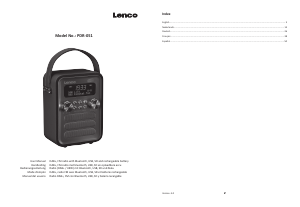
Mode d’emploi Lenco PDR-051PKWH Radio

Produits connexes

Catégories associées

×
Download