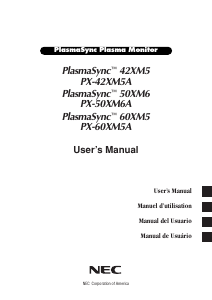
Mode d’emploi NEC PX-60XM5A PlasmaSync 60XM5 Moniteur Plasma

Besoin d'un mode d’emploi pour votre NEC PX-60XM5A PlasmaSync 60XM5 Moniteur Plasma ? Ci-dessous, vous pouvez consulter et télécharger gratuitement le mode d’emploi PDF en français. Ce produit a actuellement 2 questions fréquemment posées, 0 commentaires et 0 votes. Si ce n'est pas le mode d’emploi que vous souhaitez, veuillez nous contacter.

Votre produit est défectueux et le mode d’emploi n’offre aucune solution ? Rendez-vous à un Repair Café pour obtenir des services de réparation gratuits.

Mode d’emploi

Loading…
En-3
Warning
Not for use in a computer room as defined in the
Standard for the Protection of Electronic Computer/
Data Processing Equipment ANSI/NFPA 75.
This equipment has been tested and found to comply
with the limits for a Class B digital device, pursuant
to Part 15 of the FCC Rules. These limits are
designed to provide reasonable protection against
harmful interference in a residential installation. This
equipment generates, uses, and can radiate radio
frequency energy and, if not installed and used in
accordance with the instructions, may cause harmful
interference to radio communications. However, there
is no guarantee that interference will not occur in a
particular installation. If this equipment does cause
harmful interference to radio or television reception,
which can be determined by turning the equipment
off and on, the user is encouraged to try to correct
the interference by one or more of the following
measures:
Reorient or relocate the receiving antenna.
Increase the separation between the equipment and
receiver.
Connect the equipment into an outlet on a circuit
different from that to which the receiver is connected.
Consult the dealer or an experienced radio / TV
technician for help.
This Class B digital apparatus complies with
Canadian ICES-003.
CAUTION
When disposing of used batteries, please comply
with governmental regulations or environmental
public instruction’s rules that apply in your country/
area.
Disposing of your used
product
EU-wide legislation as implemented in
each Member State requires that used electrical
and electronic products carrying the mark (left)
must be disposed of separately from normal
household waste. This includes plasma monitors
and their electrical accessories. When you dispose
of such products, please follow the guidance of
your local authority and/or ask the shop where you
purchased the product.
After collecting the used products, they are reused
and recycled in a proper way. This effort will help
us reduce the wastes as well as the negative
impact to the human health and the environment
at the minimum level.
The mark on the electrical and electronic products
only applies to the current European Union
Member States.
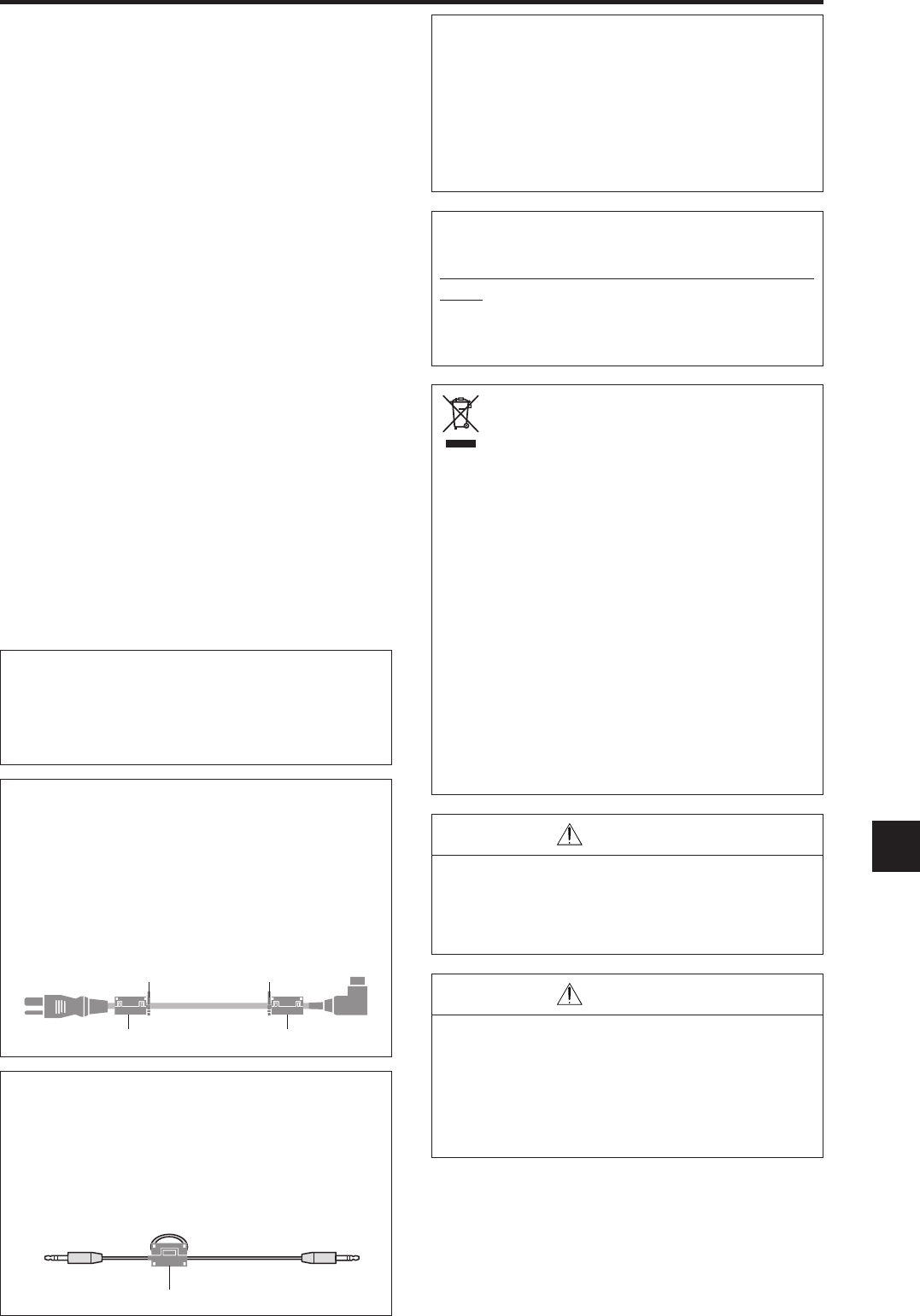
core
Remote cable (not supplied)
To plasma monitor
WARNING
This product equipped with a three-wire grounding
(earthed) plug - a plug that has a third (grounding)
pin. This plug only fits a grounding-type power
outlet. If you are unable to insert the plug into an
outlet, contact a licensed electrician to replace the
outlet with a properly grounded one. Do not defeat
the safety purpose of the grounding plug.
Operating Environment
Operating environment temperature and humidity:
0 °C to +40 °C (+32 °F to +104 °F); less than 80
%RH (cooling vents not blocked)
Do not install this unit in a poorly ventilated area,
or in locations exposed to high humidity or direct
sunlight (or strong artificial light)
NOTE:
When you use the power cable (supplied), use the supplied
ferrite cores. Set the ferrite cores (supplied) on both ends
of the power cable (supplied), and then use the bands
(supplied) to fasten the ferrite cores (supplied) to the power
cable (supplied). If you do not this, this monitor will not
conform to mandatory FCC standards.
Po
w
e
r
cable
(
su
pp
lie
d
)
ba
n
d
ba
n
d
NOTE:
When you use a remote cable (not supplied), use the
supplied ferrite core. Wind the remote cable (not supplied)
around the ferrite core (supplied) once, and then fasten
the catch. If you do not this, this monitor will not conform
to mandatory FCC standards.
NOTE:
When you use an RGB cable (not supplied), use an RGB
cable including the ferrite core (not supplied) on both ends
of the cable. If you do not this, this monitor will not
conform to mandatory FCC standards.
CAUTION
When changing batteries, use only conventional
non-rechageable alkaline or manganese batteries
(2).
Risk of explosion if battery is replaced by an
incorrect type. Dispose of used batteries according
to the institutions.
Télécharger mode d’emploi en Français (PDF, 6.86 MB)
(Tenez compte de l’environnement et imprimez ce manuel uniquement si c’est vraiment nécessaire)

Loading…

Évaluation

Dites-nous ce que vous pensez du NEC PX-60XM5A PlasmaSync 60XM5 Moniteur Plasma en laissant une note de produit. Vous voulez partager vos expériences avec ce produit ou poser une question ? Veuillez laisser un commentaire au bas de la page.
Etes-vous satisfait du NEC PX-60XM5A PlasmaSync 60XM5 Moniteur Plasma ?
Oui Non
Soyez le premier à évaluer ce produit
0 évaluations

Joignez-vous à la conversation sur ce produit

Ici, vous pouvez partager ce que vous pensez du NEC PX-60XM5A PlasmaSync 60XM5 Moniteur Plasma. Si vous avez une question, lisez d’abord attentivement le mode d’emploi. La demande d’un mode d’emploi peut être effectuée en utilisant notre formulaire de contact.

En savoir plus sur ce mode d’emploi

Nous comprenons qu’il est agréable d’avoir un mode d’emploi papier pour vos NEC PX-60XM5A PlasmaSync 60XM5 Moniteur Plasma. Vous pouvez toujours télécharger le mode d’emploi depuis notre site Web et l’imprimer vous-même. Si vous souhaitez disposer d’un mode d’emploi original, nous vous recommandons de contacter NEC. Ils pourront peut-être fournir un mode d’emploi original. Recherchez-vous le mode d’emploi de votre NEC PX-60XM5A PlasmaSync 60XM5 Moniteur Plasma dans une autre langue ? Choisissez votre langue préférée sur notre page d’accueil et recherchez le numéro de modèle pour voir si nous l’avons disponible.

Caractéristiques

Marque NEC
Modèle PX-60XM5A PlasmaSync 60XM5
Catégorie Moniteurs Plasma
Type de fichier PDF
Taille du fichier 6.86 MB

Tous les modes d’emploi pour NEC Moniteurs Plasma
Plus de modes d’emploi de Moniteurs Plasma

Foire aux questions sur NEC PX-60XM5A PlasmaSync 60XM5 Moniteur Plasma

Notre équipe d’assistance recherche des informations utiles sur les produits et des réponses aux questions fréquemment posées. Si vous trouvez une inexactitude dans notre foire aux questions, veuillez nous le faire savoir en utilisant notre formulaire de contact.

Puis-je réparer moi-même un pixel mort ? Vérifié

Il y a une différence entre un pixel mort et un pixel coincé. Un pixel bloqué est toujours coloré et peut être fixé en appliquant une pression lumineuse exactement sur le pixel jusqu’à ce qu’il se rétablisse. Un pixel mort est toujours noir ou blanc et ne peut pas être réparé par vous-même.

Cela a été utile (0) En savoir plus

Comment puis-je nettoyer correctement mon écran plasma ? Vérifié

Éteignez le téléviseur et essuyez la poussière et la saleté de l’écran avec un chiffon en microfibre. N’utilisez pas de papier, cela peut causer des égratignures. N’appliquez pas trop de pression, sinon vous risquez d’endommager les pixels. Utilisez un détergent spécialisé ou faites-en un en mélangeant 1 volume de vinaigre à 1 volume d’eau. Humidifiez le chiffon avec le détergent et nettoyez l’écran. Assurez-vous que le chiffon n’est pas trop humide. Enlevez les taches en effectuant des mouvements de rotation. Séchez l’écran avec un second chiffon en microfibre pour éviter les rayures.

Cela a été utile (0) En savoir plus
Mode d’emploi NEC PX-60XM5A PlasmaSync 60XM5 Moniteur Plasma

Produits connexes

Catégories associées

×
Download