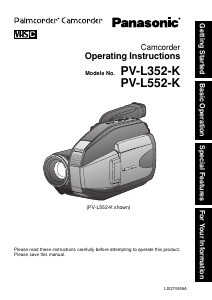
Mode d’emploi Panasonic PV-L552 Caméscope

Besoin d'un mode d’emploi pour votre Panasonic PV-L552 Caméscope ? Ci-dessous, vous pouvez consulter et télécharger gratuitement le mode d’emploi PDF en français. Ce produit contient actuellement 5 de questions fréquemment posées, 1 de commentaire et 0 votes. Si ce n'est pas le mode d’emploi que vous souhaitez, veuillez nous contacter.

Votre produit est défectueux et le mode d’emploi n’offre aucune solution ? Rendez-vous à un Repair Café pour obtenir des services de réparation gratuits.

Mode d’emploi

Loading…
4
1. Read Instructions – All the safety and
operating instructions should be read before
the unit is operated.
2. Retain Instructions – The safety and
operating instructions should be retained for
future reference.
3. Heed Warnings – All warnings on the unit
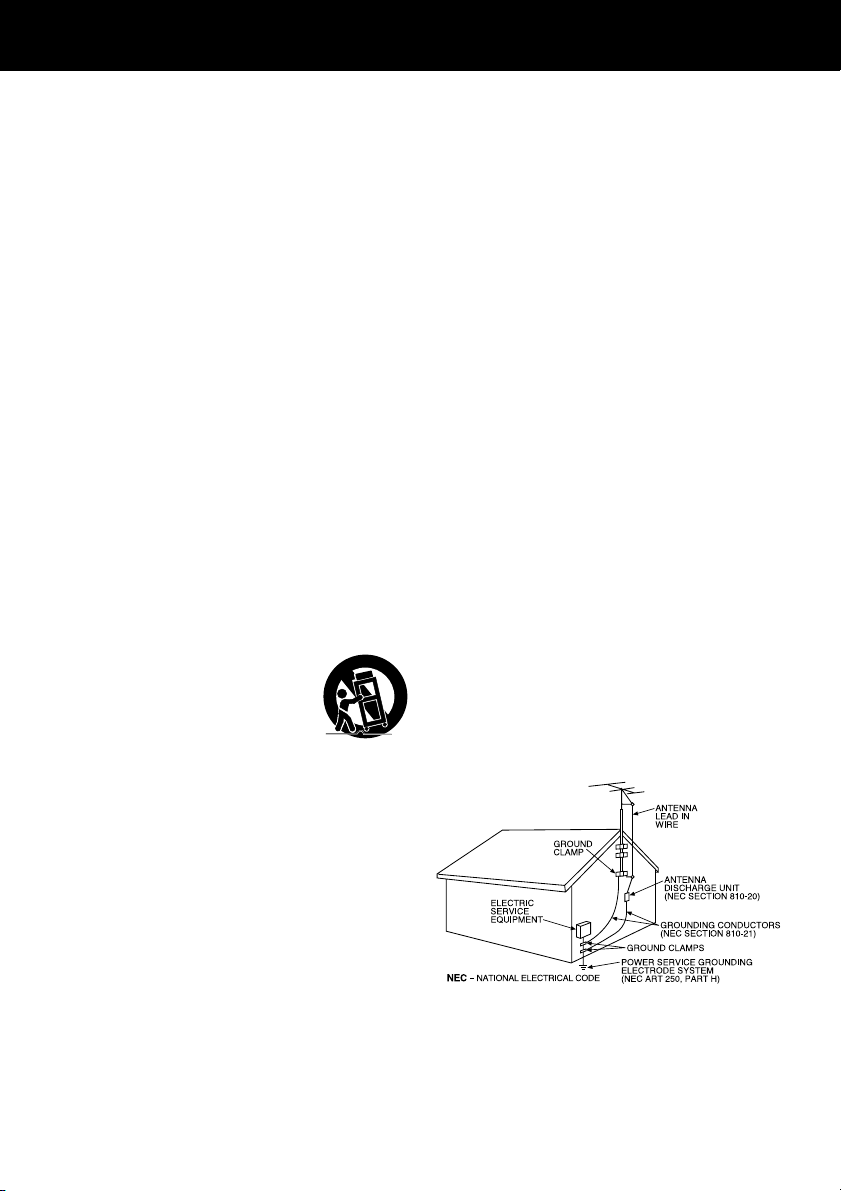
and in the operating instructions should be
adhered to.
4. Follow Instructions – All operating and
maintenance instructions should be followed.
5. Cleaning – Unplug this video unit from the
wall outlet before cleaning. Do not use liquid
or aerosol cleaners. Use a dry cloth for
cleaning.
6. Attachments – Do not use attachments not
recommended by the video product
manufacturer as they may be hazardous.
7. Water and Moisture – Do not use this video
unit near water – for example near a bath tub,
wash bowl, kitchen sink, or laundry tub, in a
wet basement, or near a swimming pool, and
the like.
8. Accessories – Do not place this video unit
on an unstable cart, stand, tripod, bracket, or
table. The video unit may fall, causing serious
injury to a child or adult, and serious damage
to the unit. Use only with a cart, stand, tripod,
bracket, or table recommended by the
manufacturer, or sold with the video unit. Any
mounting of the unit should follow the
manufacturer’s instructions and should use a
mounting accessory recommended by the
manufacturer. An appliance and cart
combination should be moved
with care. Quick stops,
excessive force, and uneven
surfaces may cause the
appliance and cart combination
to overturn.
9. Ventilation – Slots and openings in the
cabinet are provided for ventilation and to
ensure reliable operation of the video unit
and to protect it from overheating. These
openings must not be blocked or covered.
Never place the video unit on a bed, sofa,
rug, or other similar surface, or near or over a
radiator or heat register. This video unit
should not be placed in a built-in installation
such as a bookcase or rack unless proper
ventilation is provided or the manufacturer’s
instructions have been adhered to.
10. Power Sources – This video unit should be
operated only from the type of power source
indicated on the marking label. If you are not
sure of the type of power supply to your
home, consult your appliance dealer or local
power company. For video units intended to
be operated from battery power, or other
sources, refer to the operating instructions.
Important Safeguards
11. Grounding or Polarization – This video unit
may be equipped with either a polarized
2-wire AC (Alternating Current) line plug (a
plug having one blade wider than the other)
or 3-wire grounding type plug, a plug having a
third (grounding) pin.
The 2-wire polarized plug will fit into the
power outlet only one way. This is a safety
feature. If you are unable to insert the plug
fully into the outlet, try reversing the plug. If
the plug still fails to fit, contact your electrician
to replace your obsolete outlet.
Do not defeat the safety purpose of the
polarized plug.
The 3-wire grounding type plug will fit into a
grounding type power outlet. This is a safety
feature. If you are unable to insert the plug
into the outlet, contact your electrician to
replace your obsolete outlet. Do not defeat
the safety purpose of the grounding type plug.
12. Power-Cord Protection – Power-supply
cords should be routed so that they are not
likely to be walked on or pinched by items
placed upon or against them. Paying
particular attention to cords of plugs,
convenience receptacles, and the point where
they exit from the unit.
13. Outdoor Antenna Grounding – If an outside
antenna or cable system is connected to the
video unit, be sure the antenna or cable
system is grounded so as to provide some
protection against voltage surges and built-up
static charges. Part 1 of the Canadian
Electrical Code, in USA Section 810 of the
National Electrical Code, provides information
with respect to proper grounding of the mast
and supporting structure, grounding of the
lead-in wire to an antenna discharge unit, size
of grounding conductors, location of antenna
discharge unit, connection to grounding
electrodes, and requirements for the
grounding electrode.
14. Lightning – For added protection of this
video unit receiver during a lightning storm, or
when it is left unattended and unused for long
periods of time, unplug it from the wall outlet
and disconnect the antenna or cable system.
This will prevent damage to the video unit due
to lightning and power-line surges.
Télécharger mode d’emploi en Français (PDF, 4.13 MB)
(Tenez compte de l’environnement et imprimez ce manuel uniquement si c’est vraiment nécessaire)

Loading…

Évaluation

Dites-nous ce que vous pensez du Panasonic PV-L552 Caméscope en laissant une note de produit. Vous voulez partager vos expériences avec ce produit ou poser une question ? Veuillez laisser un commentaire au bas de la page.
Etes-vous satisfait du Panasonic PV-L552 Caméscope ?
Oui Non
Soyez le premier à évaluer ce produit
0 évaluations

Joignez-vous à la conversation sur ce produit

Ici, vous pouvez partager ce que vous pensez du Panasonic PV-L552 Caméscope. Si vous avez une question, lisez d’abord attentivement le mode d’emploi. La demande d’un mode d’emploi peut être effectuée en utilisant notre formulaire de contact.

antelmo 13-07-2022
Comment puis-je retirer le boîtier de la batterie rechargeable de mon caméscope pv-l558d puisque je l'ai mis pour regarder une cassette et que je ne peux pas le retirer ?

répondre | Cela a été utile (0) (Traduit par google)

En savoir plus sur ce mode d’emploi

Nous comprenons qu’il est agréable d’avoir un mode d’emploi papier pour vos Panasonic PV-L552 Caméscope. Vous pouvez toujours télécharger le mode d’emploi depuis notre site Web et l’imprimer vous-même. Si vous souhaitez disposer d’un mode d’emploi original, nous vous recommandons de contacter Panasonic. Ils pourront peut-être fournir un mode d’emploi original. Recherchez-vous le mode d’emploi de votre Panasonic PV-L552 Caméscope dans une autre langue ? Choisissez votre langue préférée sur notre page d’accueil et recherchez le numéro de modèle pour voir si nous l’avons disponible.

Caractéristiques

Marque Panasonic
Modèle PV-L552
Catégorie Caméscopes
Type de fichier PDF
Taille du fichier 4.13 MB

Tous les modes d’emploi pour Panasonic Caméscopes
Plus de modes d’emploi de Caméscopes

Foire aux questions sur Panasonic PV-L552 Caméscope

Notre équipe d’assistance recherche des informations utiles sur les produits et des réponses aux questions fréquemment posées. Si vous trouvez une inexactitude dans notre foire aux questions, veuillez nous le faire savoir en utilisant notre formulaire de contact.

Combien de vidéo puis-je stocker sur ma carte SD ? Vérifié

Ceci dépend fortement des paramètres, mais en général, on peut dire que 1 Go de stockage peut contenir environ 5 minutes de vidéo HD ou 1 minute de vidéo 4K.

Cela a été utile (104) En savoir plus

Que signifie SD ? Vérifié

SD réfère à Secure Digital. Les cartes SD sont le support de stockage standard pour de nombreux appareils photo numériques.

Cela a été utile (57) En savoir plus

Une pile de mon appareil est oxydée, puis-je quand même l’utiliser en toute sécurité ? Vérifié

Oui, l’appareil peut toujours être utilisé en toute sécurité. Tout d’abord, retirez la batterie oxydée. N’utilisez jamais les mains nues pour ce faire. Nettoyez ensuite le compartiment de batterie avec un coton-tige trempé dans du vinaigre ou du jus de citron. Laissez sécher et insérez des piles neuves.

Cela a été utile (43) En savoir plus

Qu'est-ce qu'un mégapixel ? Vérifié

Un mégapixel (MP) est égal à un million de pixels. Les mégapixels sont, entre autres, utilisés pour indiquer la résolution des appareils photo numériques et des caméscopes. Par exemple, un appareil photo qui produit des images de 1280 x 960 pixels a une résolution d’environ 1, 3MP. Bien qu’il existe de nombreux facteurs qui influencent la qualité d’une image, on peut dire qu’en général un nombre plus élevé de mégapixels se traduit par une meilleure image.

Cela a été utile (34) En savoir plus

Comment puis-je éviter « les yeux rouges » sur mes photos ? Vérifié

Le phénomène des yeux rouges est causé par une lumière trop importante atteignant trop vite les yeux des personnes photographiées. Cet effet est encore plus marqué dans une atmosphère sombre. Ce qui suit peut être fait pour éviter ce phénomène : ne laissez pas les gens regarder directement dans l’appareil photo, créez plus de lumière, prenez la photo plus près du sujet ou diminuez l'utilisation de la fonction zoom.

Cela a été utile (32) En savoir plus
Mode d’emploi Panasonic PV-L552 Caméscope

Produits connexes

Catégories associées

×
Download