
Mode d’emploi Pioneer MVH-X360BT Autoradio
Besoin d'un mode d’emploi pour votre Pioneer MVH-X360BT Autoradio ? Ci-dessous, vous pouvez consulter et télécharger gratuitement le mode d’emploi PDF en français. Ce produit a actuellement 4 questions fréquemment posées, 0 commentaires et 0 votes. Si ce n'est pas le mode d’emploi que vous souhaitez, veuillez nous contacter.
Votre produit est défectueux et le mode d’emploi n’offre aucune solution ? Rendez-vous à un Repair Café pour obtenir des services de réparation gratuits.
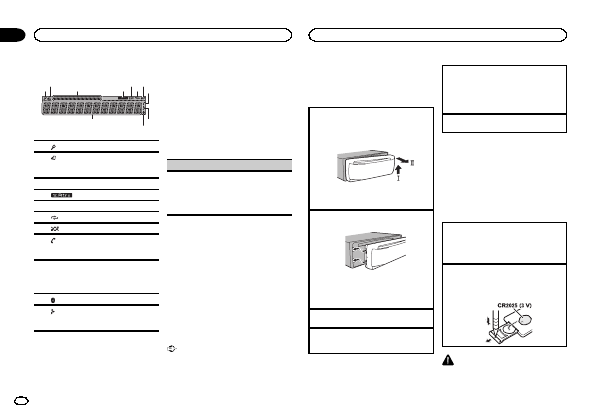
Mode d’emploi
Loading…

Loading…
Évaluation
Dites-nous ce que vous pensez du Pioneer MVH-X360BT Autoradio en laissant une note de produit. Vous voulez partager vos expériences avec ce produit ou poser une question ? Veuillez laisser un commentaire au bas de la page.En savoir plus sur ce mode d’emploi
Nous comprenons qu’il est agréable d’avoir un mode d’emploi papier pour vos Pioneer MVH-X360BT Autoradio. Vous pouvez toujours télécharger le mode d’emploi depuis notre site Web et l’imprimer vous-même. Si vous souhaitez disposer d’un mode d’emploi original, nous vous recommandons de contacter Pioneer. Ils pourront peut-être fournir un mode d’emploi original. Recherchez-vous le mode d’emploi de votre Pioneer MVH-X360BT Autoradio dans une autre langue ? Choisissez votre langue préférée sur notre page d’accueil et recherchez le numéro de modèle pour voir si nous l’avons disponible.
Caractéristiques
| Marque | Pioneer |
| Modèle | MVH-X360BT |
| Catégorie | Autoradios |
| Type de fichier | |
| Taille du fichier | 3.01 MB |
Tous les modes d’emploi pour Pioneer Autoradios
Plus de modes d’emploi de Autoradios
Foire aux questions sur Pioneer MVH-X360BT Autoradio
Notre équipe d’assistance recherche des informations utiles sur les produits et des réponses aux questions fréquemment posées. Si vous trouvez une inexactitude dans notre foire aux questions, veuillez nous le faire savoir en utilisant notre formulaire de contact.
Qu’est-ce que DAB+ ? Vérifié
DAB+ est le successeur du signal FM et signifie « Digital Audio Broadcasting. » (radiodiffusion numérique). Il s’agit d'un signal numérique autorisant plusieurs chaînes dans la même bande passante et permettant un changement plus facile entre les chaînes.
Cela a été utile (641) En savoir plusQuelle est la différence entre FM et AM ? Vérifié
FM et AM sont deux formes de modulation utilisées pour transmettre un signal. FM signifie « Frequency Modulation » (modulation de fréquence) et « AM » signifie « Amplitude Modulation » (modulation d’amplitude. AM est la plus ancienne forme de modulation. La plus grande différence réside dans le fait que le signal FM est bien plus fort que le signal AM.
Cela a été utile (412) En savoir plusUn CD est coincé dans mon autoradio, que dois-je faire ? Vérifié
Certains autoradios ont une fonction pour éjecter les CD coincés. Éteignez la voiture et appuyez simultanément sur les boutons « marche » et « éjection » pendant 10 secondes. Si cela ne fonctionne pas, démarrez la voiture et réessayez.
Cela a été utile (395) En savoir plusQuelle taille d’autoradio convient à ma voiture ? Vérifié
Il existe deux tailles standard d’autoradio, 1-DIN et 2-DIN. 1-DIN est la version mince standard et 2-DIN est le double de cette hauteur. Les autoradios 2-DIN disposent souvent d’un écran pour afficher des informations de navigation ou lire des films.
Cela a été utile (331) En savoir plus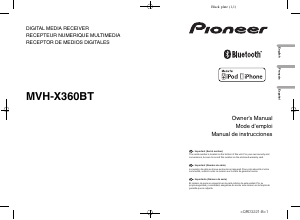
Joignez-vous à la conversation sur ce produit
Ici, vous pouvez partager ce que vous pensez du Pioneer MVH-X360BT Autoradio. Si vous avez une question, lisez d’abord attentivement le mode d’emploi. La demande d’un mode d’emploi peut être effectuée en utilisant notre formulaire de contact.