Mode d’emploi Pioneer MVH-X360BT Autoradio

Besoin d'un mode d’emploi pour votre Pioneer MVH-X360BT Autoradio ? Ci-dessous, vous pouvez consulter et télécharger gratuitement le mode d’emploi PDF en français. Ce produit a actuellement 4 questions fréquemment posées, 0 commentaires et 0 votes. Si ce n'est pas le mode d’emploi que vous souhaitez, veuillez nous contacter.

Votre produit est défectueux et le mode d’emploi n’offre aucune solution ? Rendez-vous à un Repair Café pour obtenir des services de réparation gratuits.

Mode d’emploi

Loading…
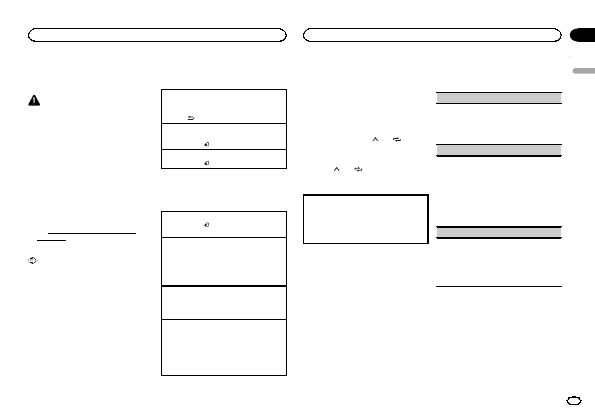
Black plate (5,1)
! Batteries (battery pack or batteries installed)
must not be exposed to excessive heat such
as sunshine, fire or the like.
CAUTION
! Remove the battery if the remote control is
not used for a month or longer.
! There is a danger of explosion if the battery is
incorrectly replaced. Replace only with the
same or equivalent type.
! Do not handle the battery with metallic tools.
! Do not store the battery with metallic ob-
jects.
! If the battery leaks, wipe the remote control
completely clean and install a new battery.
! When disposing of used batteries, comply
with governmental regulations or environ-
mental public institutions rules that apply in
your country/area.
! Perchlorate Material special handling may
apply.
See
www.dtsc.ca.gov/hazardouswaste/
perchlorate. (Applicable to California,
U.S.A.)
Important
! Do not store the remote control in high tem-
peratures or direct sunlight.
! The remote control may not function properly
in direct sunlight.
! Do not let the remote control fall onto the
floor, where it may become jammed under
the brake or accelerator pedal.
Frequently used menu
operations
Returning to the previous display
Returning to the previous list (the folder one level
higher)
1 Press
/DIMMER.
Returning to the ordinary display
Canceling the main menu
1 Press BAND/
.
Returning to the ordinary display from the list
1 Press BAND/
.
Radio
Basic operations
Selecting a band
1 Press BAND/
until the desired band (FM1,
FM2, FM3 for FM or AM) is displayed.
Switching preset stations
1 Press c or d.
! Select PCH (preset channel) under SEEK to
use this function.
! Use the a and b on the remote control to
switch between preset stations.
Manual tuning (step by step)
1 Press c or d.
! Select MAN (manual tuning) under SEEK to
use this function.
Seeking
1 Press and hold c or d, and then release.
You can cancel seek tuning by briefly pressing
c or d.
While pressing and holding c or d, you can
skip stations. Seek tuning starts as soon as
you release c or d.
Note
For details about SEEK, refer to SEEK (left/right
key setting) on page 5.
Storing and recalling stations
for each band
Using preset tuning buttons
1 To store: Press and hold down one of the
preset tuning buttons (1/
to 6/ ) until
the number stops flashing.
2 To recall: Press one of the preset tuning
buttons (1/
to 6/ ).
Switching the display
Selecting the desired text information
1 Press DISP to cycle between the following:
! FREQUENCY (program service name or
frequency)
! BRDCST INFO (song title/artist name)
! CLOCK (source name and clock)
Notes
! If the program service name cannot be ac-
quired in FREQUENCY, the broadcast fre-
quency is displayed instead. If the program
service name is detected, the program serv-
ice name will be displayed.
! Depending on the band, text information can
be changed.
! Text information items that can be changed
depend on the area.
Function settings
1 Press M.C. to display the main menu.
2 Turn M.C. to change the menu option
and press to select FUNCTION.
3 Turn M.C. to select the function.
Once selected, the following functions can be
adjusted.
BSM (best stations memory)
BSM (best stations memory) automatically stores
the six strongest stations in the order of their sig-
nal strength.
1 Press M.C. to turn BSM on.
To cancel, press M.C. again.
LOCAL (local seek tuning)
Local seek tuning allows you to tune in to only
those radio stations with sufficiently strong sig-
nals for good reception.
1 Press M.C. to select the desired setting.
FM: OFFLV1LV2LV3LV4
AM: OFFLV1LV2
The highest level setting allows reception of
only the strongest stations, while lower levels
allow the reception of weaker stations.
SEEK (left/right key setting)
You can assign a function to the left and right keys
of the unit.
Select MAN (manual tuning) to tune up or down
manually or select PCH (preset channel) to switch
between preset channels.
1 Press M.C. to select MAN or PCH.
USB storage device
MTP connection
MTP-compatible Android devices (running
Android OS 4.0 or higher) can be connected by
MTP connection using the USB source. To con-
nect an Android device, use the cable that came
with the device.
Notes
! This function is not compatible with MIX-
TRAX.
English
Using this unit
5
Section
Using this unit
En
02
<QRD3221-B>5
Télécharger mode d’emploi en Français (PDF, 3.01 MB)
(Tenez compte de l’environnement et imprimez ce manuel uniquement si c’est vraiment nécessaire)

Loading…

Évaluation

Dites-nous ce que vous pensez du Pioneer MVH-X360BT Autoradio en laissant une note de produit. Vous voulez partager vos expériences avec ce produit ou poser une question ? Veuillez laisser un commentaire au bas de la page.
Etes-vous satisfait du Pioneer MVH-X360BT Autoradio ?
Oui Non
Soyez le premier à évaluer ce produit
0 évaluations

Joignez-vous à la conversation sur ce produit

Ici, vous pouvez partager ce que vous pensez du Pioneer MVH-X360BT Autoradio. Si vous avez une question, lisez d’abord attentivement le mode d’emploi. La demande d’un mode d’emploi peut être effectuée en utilisant notre formulaire de contact.

En savoir plus sur ce mode d’emploi

Nous comprenons qu’il est agréable d’avoir un mode d’emploi papier pour vos Pioneer MVH-X360BT Autoradio. Vous pouvez toujours télécharger le mode d’emploi depuis notre site Web et l’imprimer vous-même. Si vous souhaitez disposer d’un mode d’emploi original, nous vous recommandons de contacter Pioneer. Ils pourront peut-être fournir un mode d’emploi original. Recherchez-vous le mode d’emploi de votre Pioneer MVH-X360BT Autoradio dans une autre langue ? Choisissez votre langue préférée sur notre page d’accueil et recherchez le numéro de modèle pour voir si nous l’avons disponible.

Caractéristiques

Marque Pioneer
Modèle MVH-X360BT
Catégorie Autoradios
Type de fichier PDF
Taille du fichier 3.01 MB

Tous les modes d’emploi pour Pioneer Autoradios
Plus de modes d’emploi de Autoradios

Foire aux questions sur Pioneer MVH-X360BT Autoradio

Notre équipe d’assistance recherche des informations utiles sur les produits et des réponses aux questions fréquemment posées. Si vous trouvez une inexactitude dans notre foire aux questions, veuillez nous le faire savoir en utilisant notre formulaire de contact.

Qu’est-ce que DAB+ ? Vérifié

DAB+ est le successeur du signal FM et signifie « Digital Audio Broadcasting. » (radiodiffusion numérique). Il s’agit d'un signal numérique autorisant plusieurs chaînes dans la même bande passante et permettant un changement plus facile entre les chaînes.

Cela a été utile (641) En savoir plus

Quelle est la différence entre FM et AM ? Vérifié

FM et AM sont deux formes de modulation utilisées pour transmettre un signal. FM signifie « Frequency Modulation » (modulation de fréquence) et « AM » signifie « Amplitude Modulation » (modulation d’amplitude. AM est la plus ancienne forme de modulation. La plus grande différence réside dans le fait que le signal FM est bien plus fort que le signal AM.

Cela a été utile (412) En savoir plus

Un CD est coincé dans mon autoradio, que dois-je faire ? Vérifié

Certains autoradios ont une fonction pour éjecter les CD coincés. Éteignez la voiture et appuyez simultanément sur les boutons « marche » et « éjection » pendant 10 secondes. Si cela ne fonctionne pas, démarrez la voiture et réessayez.

Cela a été utile (395) En savoir plus

Quelle taille d’autoradio convient à ma voiture ? Vérifié

Il existe deux tailles standard d’autoradio, 1-DIN et 2-DIN. 1-DIN est la version mince standard et 2-DIN est le double de cette hauteur. Les autoradios 2-DIN disposent souvent d’un écran pour afficher des informations de navigation ou lire des films.

Cela a été utile (331) En savoir plus
Mode d’emploi Pioneer MVH-X360BT Autoradio

Produits connexes

Catégories associées

×
Download