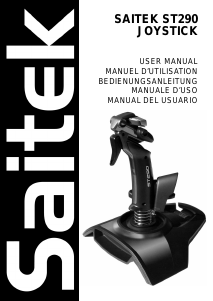
Mode d’emploi Saitek X45 Contrôleur de jeu

Besoin d'un mode d’emploi pour votre Saitek X45 Contrôleur de jeu ? Ci-dessous, vous pouvez consulter et télécharger gratuitement le mode d’emploi PDF en français. Ce produit a actuellement 2 questions fréquemment posées, 1 commentaire et a 1 vote avec une note moyenne du produit de 100/100. Si ce n'est pas le mode d’emploi que vous souhaitez, veuillez nous contacter.

Votre produit est défectueux et le mode d’emploi n’offre aucune solution ? Rendez-vous à un Repair Café pour obtenir des services de réparation gratuits.

Mode d’emploi

Loading…

B) Drivers and Programming Software For Advanced Users
1 Follow points 1 – 7 of the install procedure in A), then at the Software Setup screen, select Install the SST Programming Software and click
Next.
2 In the following Software Setup screen, click Next and follow the on-screen instructions. At this point you will be asked to install such features as
the Saitek Magic Mouse, HID-compliant mouse, Saitek Magic Keyboard and HID Keyboard Device (these are what XP calls the various
elements of your Saitek controller). Continue to click on Next and Finish to accept the installation until the Registration screen appears.
3 At the Registration screen, select Check this box to register now and follow the on-screen instructions, or do not select this option and register
later.
4 Upon completion of the installation, you have the option to Run Profile Editor, which will give you a view of the 3D programming environment. If
you do not wish to see the Profile Editor at this point, just uncheck the box and click on Finish to complete the installation.
INSTALLATION FOR USERS OF WINDOWS® 2000
A) Drivers Only For Typical Users
1 With your computer switched on, close down any programs that are currently running and insert the Saitek Smart Technology CD into your CD-
ROM drive.
2 When the Introduction Screen appears, click Install Software to continue.
3 When the Welcome screen appears, click Next to continue. (If the CD does not run automatically, select Start from the Windows® Taskbar, then
Run and type D:\Setup.exe and click OK - where D:\ is letter of your CD-ROM drive).
4 After reading the Disclaimer, select the I accept the terms of the Disclaimer option and click Next to continue.
5 At the Device Driver Installation screen, click on Next and follow the on-screen instructions.
6 When prompted, plug your controllers USB connector into your computer, then click on Configure.
7 When the Controller Properties screen appears, click Next to view the Test screen.
8 Now try out all your controllers buttons and controls to show that it is working properly. When you have finished, click OK.
9 At the Programming Software screen, select Typical User and click Next.
10 At the Registration screen, select Register and follow the on-screen instructions or select Register Later and click Next.
11 Click on Finish to complete the installation.
B) Drivers and Programming Software For Advanced Users
1 Follow points 1 – 7 of the install procedure in A), then at the Programming Software screen, select Advanced User and click Next.
2 At the Programmable Controller Drivers screen, click Update and follow the on-screen instructions.
PS1U+ - X45 Manual SD3.qxd 30/01/2004 08:42 Page 4
Télécharger mode d’emploi en Français (PDF, 0.37 MB)
(Tenez compte de l’environnement et imprimez ce manuel uniquement si c’est vraiment nécessaire)

Loading…

Évaluation

Dites-nous ce que vous pensez du Saitek X45 Contrôleur de jeu en laissant une note de produit. Vous voulez partager vos expériences avec ce produit ou poser une question ? Veuillez laisser un commentaire au bas de la page.
Etes-vous satisfait du Saitek X45 Contrôleur de jeu ?
Oui Non
100%
0%
1 évaluation

Joignez-vous à la conversation sur ce produit

Ici, vous pouvez partager ce que vous pensez du Saitek X45 Contrôleur de jeu. Si vous avez une question, lisez d’abord attentivement le mode d’emploi. La demande d’un mode d’emploi peut être effectuée en utilisant notre formulaire de contact.

Miguel Angel 02-10-2024
comment obtenir les pilotes pour que les contrôles fonctionnent

répondre | Cela a été utile (0) (Traduit par google)

En savoir plus sur ce mode d’emploi

Nous comprenons qu’il est agréable d’avoir un mode d’emploi papier pour vos Saitek X45 Contrôleur de jeu. Vous pouvez toujours télécharger le mode d’emploi depuis notre site Web et l’imprimer vous-même. Si vous souhaitez disposer d’un mode d’emploi original, nous vous recommandons de contacter Saitek. Ils pourront peut-être fournir un mode d’emploi original. Recherchez-vous le mode d’emploi de votre Saitek X45 Contrôleur de jeu dans une autre langue ? Choisissez votre langue préférée sur notre page d’accueil et recherchez le numéro de modèle pour voir si nous l’avons disponible.

Caractéristiques

Marque Saitek
Modèle X45
Catégorie Contrôleurs de jeu
Type de fichier PDF
Taille du fichier 0.37 MB

Tous les modes d’emploi pour Saitek Contrôleurs de jeu
Plus de modes d’emploi de Contrôleurs de jeu

Foire aux questions sur Saitek X45 Contrôleur de jeu

Notre équipe d’assistance recherche des informations utiles sur les produits et des réponses aux questions fréquemment posées. Si vous trouvez une inexactitude dans notre foire aux questions, veuillez nous le faire savoir en utilisant notre formulaire de contact.

Une pile de mon appareil est oxydée, puis-je quand même l’utiliser en toute sécurité ? Vérifié

Oui, l’appareil peut toujours être utilisé en toute sécurité. Tout d’abord, retirez la batterie oxydée. N’utilisez jamais les mains nues pour ce faire. Nettoyez ensuite le compartiment de batterie avec un coton-tige trempé dans du vinaigre ou du jus de citron. Laissez sécher et insérez des piles neuves.

Cela a été utile (194) En savoir plus

Puis-je enrouler le cordon autour de l'appareil après utilisation ? Vérifié

Il vaut mieux ne pas le faire, car cela peut endommager le cordon. La meilleure chose à faire est d'enrouler le cordon comme il l'était lorsque le produit a été emballé.

Cela a été utile (173) En savoir plus
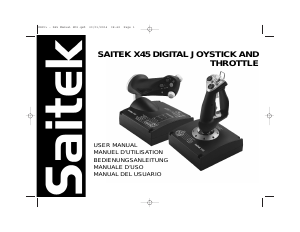
Mode d’emploi Saitek X45 Contrôleur de jeu

Produits connexes

Catégories associées

×
Download