
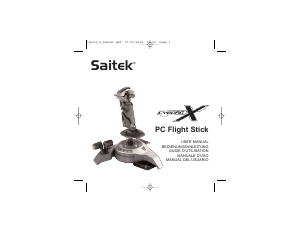
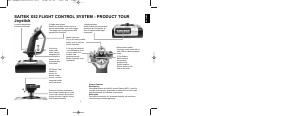
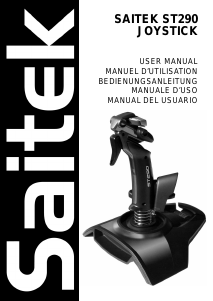
Mode d’emploi Saitek X45 Contrôleur de jeu
Besoin d'un mode d’emploi pour votre Saitek X45 Contrôleur de jeu ? Ci-dessous, vous pouvez consulter et télécharger gratuitement le mode d’emploi PDF en français. Ce produit a actuellement 2 questions fréquemment posées, 1 commentaire et a 1 vote avec une note moyenne du produit de 100/100. Si ce n'est pas le mode d’emploi que vous souhaitez, veuillez nous contacter.
Votre produit est défectueux et le mode d’emploi n’offre aucune solution ? Rendez-vous à un Repair Café pour obtenir des services de réparation gratuits.
Mode d’emploi
Loading…


Loading…
Évaluation
Dites-nous ce que vous pensez du Saitek X45 Contrôleur de jeu en laissant une note de produit. Vous voulez partager vos expériences avec ce produit ou poser une question ? Veuillez laisser un commentaire au bas de la page.En savoir plus sur ce mode d’emploi
Nous comprenons qu’il est agréable d’avoir un mode d’emploi papier pour vos Saitek X45 Contrôleur de jeu. Vous pouvez toujours télécharger le mode d’emploi depuis notre site Web et l’imprimer vous-même. Si vous souhaitez disposer d’un mode d’emploi original, nous vous recommandons de contacter Saitek. Ils pourront peut-être fournir un mode d’emploi original. Recherchez-vous le mode d’emploi de votre Saitek X45 Contrôleur de jeu dans une autre langue ? Choisissez votre langue préférée sur notre page d’accueil et recherchez le numéro de modèle pour voir si nous l’avons disponible.
Caractéristiques
| Marque | Saitek |
| Modèle | X45 |
| Catégorie | Contrôleurs de jeu |
| Type de fichier | |
| Taille du fichier | 0.37 MB |
Tous les modes d’emploi pour Saitek Contrôleurs de jeu
Plus de modes d’emploi de Contrôleurs de jeu
Foire aux questions sur Saitek X45 Contrôleur de jeu
Notre équipe d’assistance recherche des informations utiles sur les produits et des réponses aux questions fréquemment posées. Si vous trouvez une inexactitude dans notre foire aux questions, veuillez nous le faire savoir en utilisant notre formulaire de contact.
Une pile de mon appareil est oxydée, puis-je quand même l’utiliser en toute sécurité ? Vérifié
Oui, l’appareil peut toujours être utilisé en toute sécurité. Tout d’abord, retirez la batterie oxydée. N’utilisez jamais les mains nues pour ce faire. Nettoyez ensuite le compartiment de batterie avec un coton-tige trempé dans du vinaigre ou du jus de citron. Laissez sécher et insérez des piles neuves.
Cela a été utile (194) En savoir plusPuis-je enrouler le cordon autour de l'appareil après utilisation ? Vérifié
Il vaut mieux ne pas le faire, car cela peut endommager le cordon. La meilleure chose à faire est d'enrouler le cordon comme il l'était lorsque le produit a été emballé.
Cela a été utile (174) En savoir plus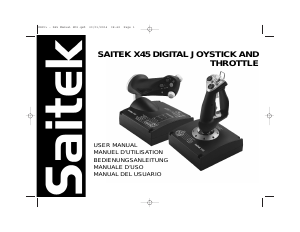
Joignez-vous à la conversation sur ce produit
Ici, vous pouvez partager ce que vous pensez du Saitek X45 Contrôleur de jeu. Si vous avez une question, lisez d’abord attentivement le mode d’emploi. La demande d’un mode d’emploi peut être effectuée en utilisant notre formulaire de contact.
répondre | Cela a été utile (0) (Traduit par google)