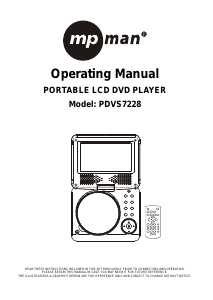
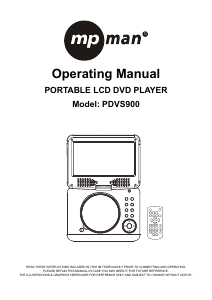
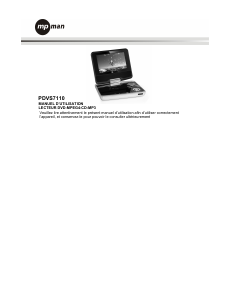
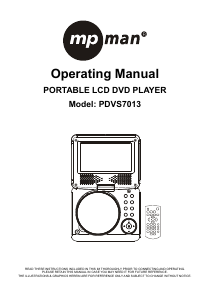
Mode d’emploi Mpman PDVS7013 Lecteur DVD

Besoin d'un mode d’emploi pour votre Mpman PDVS7013 Lecteur DVD ? Ci-dessous, vous pouvez consulter et télécharger gratuitement le mode d’emploi PDF en français. Ce produit a actuellement 2 questions fréquemment posées, 0 commentaires et 0 votes. Si ce n'est pas le mode d’emploi que vous souhaitez, veuillez nous contacter.

Votre produit est défectueux et le mode d’emploi n’offre aucune solution ? Rendez-vous à un Repair Café pour obtenir des services de réparation gratuits.

Mode d’emploi

Loading…

GB-3
SKIP AHEAD OR BACK
Press PREV button during play to skip previous
chapter (DVD) or a track (CD), Press NEXT button
during play to skip next chapter (DVD) or a track (CD).
BRIGHTNESS AND COLOR ADJUSTMENT
During playback, press SCREEN ON/OFF&BRI/COL
button repeatedly to adjust brightness and color
respectively via navigation right/left button. Press and
hold this button to turn on/off the screen.
RAPID ADVANCE/REVERSE
During playback, press and hold F_FWD button or
F_BWD button to scan the disc forward or backward at
X2, X4, X8, X20 of normal speed.
Press PLAY/PAUSE button to resume normal play.
STOP PLAYBACK
Press STOP button during playback to stop playback;
the player activates its resume function when STOP is
pressed in STOP mode; press PLAY/PAUSE button
again, playback resumes at the point it stopped
previously; open the disc tray or press the STOP
button one more time to clear the resume function.
SLOW-MOTION PLAY (DVD)
Press and hold SLOW button during playback, the
disc will be played at 1/2 of normal speed at first, each
time this button is pressed, the play speed becomes
slower (down to 1/7 of normal speed.)
Press PLAY/PAUSE button, normal play will resume.
REPEAT
Press REPEAT button during play, it will repeat play
one chapter/title or repeat all (for DVD disc), or repeat
play a track or all tracks (for CD), or repeat the
sections between two specific points (A-B).
SEARCH FOR PREFERRED SCENE
1. Press SEARCH button during play and highlight the
item to be played (Title, Chapter, or Chapter time)
by navigation buttons.
2. Input the desired number or time via the numeric
buttons.
3. Press OK button to confirm and the playback from
the located scene starts.
4. To exit search menu, press SEARCH button directly.
PROGRAM PLAY (UP TO 16 MEMORIES)
1. Press PROGRAM during playback to display the
program menu.
2. Select location(s) to be memorized via navigation
buttons and then enter desired Titles/Chapters
numbers via numeric buttons.
Example: Track 3, press "3"
Track 12, press "1" and then "2"
Track 21, press "2" and then "1"
3. To start programmed playback, select PLAY on the
menu; pressing PROGRAM button again to exit
programming.
4. To change programmed items, scroll the navigation
button to the item to be changed and enter the
desired track number on the screen, the selected
Item will be changed. To clear all items, select the
<CLEAR> on the menu, and then press OK button
on remote control.
5. You can also cancel program mode by clearing all
the items in the program menu.
ZOOM PLAY
Press ZOOM button continuously to zoom in the
picture by2,3, and 4 times, zoom out by 1/2,1/3,1/4 of
normal size.
Press this button once more when the picture is at 1/4
size to return to the normal size display.
Scroll to view the enlarged picture using Navigation
buttons.
ON SCREEN DISPLAY INFORMATION
When the player is in operation, press DISPLAY
button continuously, the screen will display parts of
information (current disc type, title number, chapter
number, playtime, audio language, audio type, subtitle
language and multi angle, etc) in a sequence.
CHANGING AUDIO SOUNDTRACK LANGUAGE
(DVD DISC)
It is possible to change the audio soundtrack language
to a different language from the one selected at the
initial settings (This operation works only with discs on
which multiple audio soundtrack languages are
recorded).
Press AUDIO button during DVD disc play, the sound
track will be changed with a selected sound track
showing on the screen.
NOTE: When no soundtrack languages are recorded,
pressing this button will not work.
MULTI-ANGLE VIEWING (DVD ONLY)
Press and hold ANGLE button repeatedly to select
your desired angle to view the scene.
Note: only the DVDs shot with multi-angle scenes
have this function.
CHANGING SUBTITLE LANGUAGE (DVD ONLY)
Press SUBTITLE button several times during DVD
playback, the subtitle language will be changed with
the selected subtitle language showing on the screen;
When the desired language appears, release the
button to view the subtitle in that language.
Note: this function only works on the DVDs recorded
with multi-language subtitles.
RETURN TO MAIN MENU AND PLAY THE TITLE
(DVD)
During playback, press MENU button to return to main
menu and press TITLE button to play the title.
MP3/MPEG 4 PLAYBACK
1. Load the MP3/MPEG 4 disc onto the disc tray. A
media menu shows on the screen, select a
corresponding media type (picture, audio, video) to
play the disc with navigation left/right button and
press OK Button to confirm. Then the TV screen will
Télécharger mode d’emploi en Français (PDF, 1.95 MB)
(Tenez compte de l’environnement et imprimez ce manuel uniquement si c’est vraiment nécessaire)

Loading…

Évaluation

Dites-nous ce que vous pensez du Mpman PDVS7013 Lecteur DVD en laissant une note de produit. Vous voulez partager vos expériences avec ce produit ou poser une question ? Veuillez laisser un commentaire au bas de la page.
Etes-vous satisfait du Mpman PDVS7013 Lecteur DVD ?
Oui Non
Soyez le premier à évaluer ce produit
0 évaluations

Joignez-vous à la conversation sur ce produit

Ici, vous pouvez partager ce que vous pensez du Mpman PDVS7013 Lecteur DVD. Si vous avez une question, lisez d’abord attentivement le mode d’emploi. La demande d’un mode d’emploi peut être effectuée en utilisant notre formulaire de contact.

En savoir plus sur ce mode d’emploi

Nous comprenons qu’il est agréable d’avoir un mode d’emploi papier pour vos Mpman PDVS7013 Lecteur DVD. Vous pouvez toujours télécharger le mode d’emploi depuis notre site Web et l’imprimer vous-même. Si vous souhaitez disposer d’un mode d’emploi original, nous vous recommandons de contacter Mpman. Ils pourront peut-être fournir un mode d’emploi original. Recherchez-vous le mode d’emploi de votre Mpman PDVS7013 Lecteur DVD dans une autre langue ? Choisissez votre langue préférée sur notre page d’accueil et recherchez le numéro de modèle pour voir si nous l’avons disponible.

Caractéristiques

Marque Mpman
Modèle PDVS7013
Catégorie Lecteurs DVD
Type de fichier PDF
Taille du fichier 1.95 MB

Tous les modes d’emploi pour Mpman Lecteurs DVD
Plus de modes d’emploi de Lecteurs DVD

Foire aux questions sur Mpman PDVS7013 Lecteur DVD

Notre équipe d’assistance recherche des informations utiles sur les produits et des réponses aux questions fréquemment posées. Si vous trouvez une inexactitude dans notre foire aux questions, veuillez nous le faire savoir en utilisant notre formulaire de contact.

Un lecteur DVD peut-il également lire des CD ? Vérifié

Oui, la plupart des lecteurs DVD sont en mesure de lire des CD.

Cela a été utile (196) En savoir plus

Puis-je moi-même réparer des rayures sur un DVD ? Vérifié

Les rayures empêchent le laser de lire le disque correctement. Lorsque les rayures ne sont que superficielles, il est possible de les réparer soi-même en polissant le disque avec un composé légèrement abrasif. Idéalement, vous utilisez un composé abrasif professionnel, mais vous pouvez également utiliser un dentifrice ordinaire. Après avoir poli le disque, il faut le laver et laisser sécher. Il existe des entreprises spécialisées qui peuvent le faire.

Cela a été utile (90) En savoir plus
Mode d’emploi Mpman PDVS7013 Lecteur DVD

Produits connexes

Catégories associées

×
Download