-2- -3-
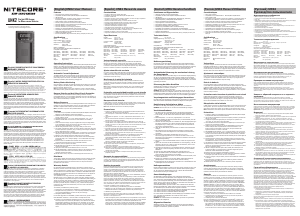
(English) UMS4 User Manual
Operating Instructions
Connect to power source: connect the UMS4 to an external power source (a USB adapter, a computer or other
USB charging devices) via the USB charging cable.
Insert batteries: The UMS4 features 4 independently controlled charging slots. Insert batteries of supported types
into each slot according to the polarity marks on the slot. After battery installation, the UMS4 begins charging and
presents Battery Health by “Good” or “Poor”, Internal Resistance, Charging Current, Battery Voltage, Charged Volume
and Charging Time on the LCD screen.
Battery Inspection and Error Report: The UMS4 has reverse polarity protection and anti-short circuit function. If
there are batteries inserted with polar reversed or short-circuited, the LCD screen of relevant slot will indicate “EE EE”
and the power level display will ash to notify the user of an error.
Smart charging: The UMS4 can choose appropriate charging currents based on intelligent detection about battery
types and capacities. Manual charging current selection is also available. The UMS4 is compatible with:
1) 3.6V/3.7V Li-ion rechargeable batteries
2) 3.8V Li-ion rechargeable batteries (4.35V±1% when fully charged)
3) 1.2V Ni-MH/Ni-Cd rechargeable batteries
4) 3.2V LiFePO4 batteries
Default Settings
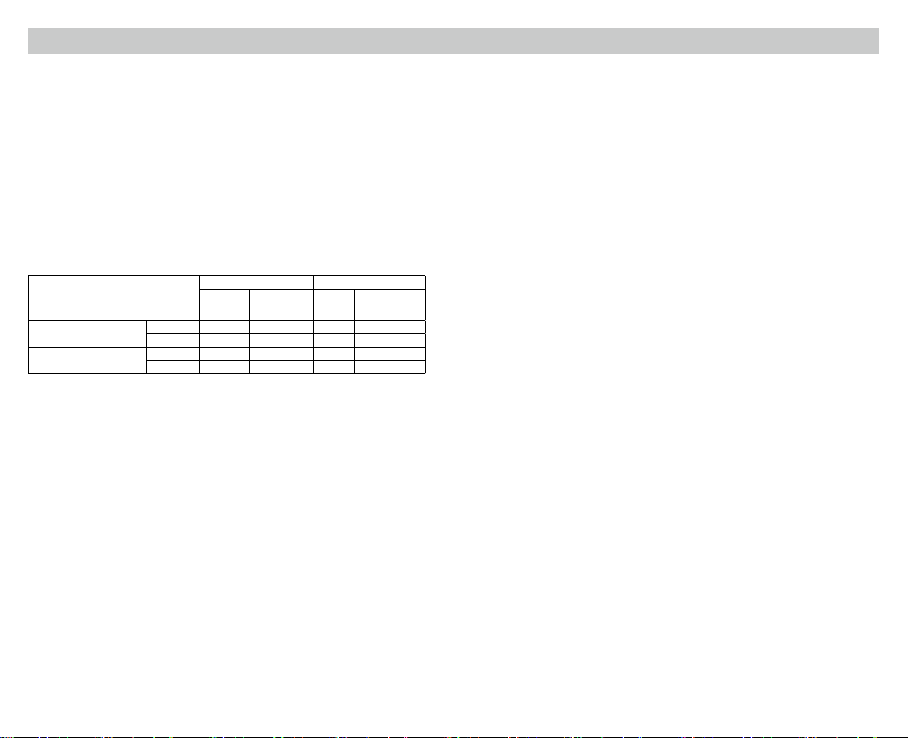
The default settings (not manually congured) for the UMS4 are:
Battery Type and Capacity
Standard Mode QC Mode
Default
Charging
Current
Selectable Range
of Charging
Current
Default
Charging
Current
Selectable Range of
Charging Current
Li-ion batteries
(4.2V±1% when fully charged)
>1,200 mAh 2,000mA* 300mA-2,000mA 2,000mA 300mA-3,000mA**
<1,200 mAh 1,000mA 300mA-2,000mA 1,000mA 300mA-2,000mA
Ni-MH/Ni-Cd batteries
(1.48V±1% when fully charged)
AA/AAA 1,000mA 300mA-2,000mA 1,000mA 300mA-2,000mA
C/D 1,000mA 300mA-2,000mA 1,000mA 300mA-2,000mA
* When charging 1 or 2 batteries, it is recommended to put them into Slot 1 and Slot 3, or into Slot 2 and Slot 4, to
achieve a higher default charging current of 2,000mA. Otherwise the default charging current is 1,000mA.
** When charging 1 or 2 batteries, it is recommended to put them into Slot 1 and Slot 3, or into Slot 2 and Slot 4,
to achieve a wider selectable range of charging current of 300mA-3,000mA. Otherwise the selectable range of
charging current is 300mA-2,000mA.
Note: The UMS4 can automatically select charging modes for Ni-MH/Ni-Cd batteries and 3.7V Li-ion batteries.
LiFePO4 batteries and 3.8V Li-ion batteries require manual settings on charging cut-o voltages. For the battery
whose length is >60mm (2.4”), the UMS4 automatically identies its capacity as >1,200mAh.
Button Operations
During the charging process:
Short press the C button to cycle through the charging status of the 4 slots.
Short press the V button to cycle through Battery Health, Internal Resistance, Charging Current, Battery Voltage,
Charged Volume and Charging time on the LCD screen.
Long press the C button to enter the Charging Setting Mode.
Long press the V button to enter Restoration Mode. (Only eective to over-discharged IMR batteries)
After entering the Charging Setting Mode:
Short press the C button to switch to dierent setting parameters (Charging Current and Cut-O Voltage).
Short press the V button to increase with a 100mA increment each time when setting the Charging Current; or to
switch to dierent battery types and voltage readings when setting the Cut-O Voltage.
Long press the V button to directly access the maximum setting when setting the Charging Current.
Long press the C button to save and exit the Charging Setting Mode.
Note: Perform no action in 10 seconds to exit the Charging Setting Mode without saving and return to the previous
settings.
Charging Voltage Settings
The UMS4 is compatible with 3.6V/3.7V Li-ion and Ni-MH/Ni-Cd batteries with automatic detection and adoption of the
suitable charging voltage. For LiFePO4 batteries and 3.8V Li-ion batteries, please follow the steps below for charging
voltage settings:
1. After the battery is inserted and the charging process begins, short press the C button to select the correct slot
and long press the C button to enter Charging Setting Mode.
2. After entering Charging Setting Mode, short press the C button. When the screen shows the ashing text “CHG.
MODE”, short press the V button to select the correct charging voltage (3.7V/4.2V/4.3V).
3. For LiFePO4 batteries, the voltage needs to be set to 3.7V. For 3.8V Li-ion batteries, the voltage needs to be set to
4.3V.
4. When the setting is nalized, long press the C button to save and exit the Charging Setting Mode.
Charging Current Settings
Please follow the steps below for charging current settings:
1. After the battery is inserted and the charging process begins, short press the C button to select the correct slot
and long press the C button to enter Charging Setting Mode.
2. After entering Charging Setting Mode, the screen will show the ashing text “CHG. STATUS”. Short press the V
button to increase the charging current with a 100mA increment each time. Long press the V button to directly
access the maximum setting.
3. When the setting is nalized, long press the C button to save and exit the Charging Setting Mode.
Note: When the input power is insucient and a large charging current is set, the charger will automatically adopt
the intelligent current distribution according to the input power.
QC Charging Mode
The UMS4 is QC 2.0 input available. When the charger is powered by a QC supportive device or connected to a QC
adapter, the screen will show “Quick Charge” and the single slot max output will achieve 3,000mA.
Automatic Battery Internal Resistance Detection
When the UMS4 is on and the battery is installed, it will automatically detect and display the Internal Resistance
below the “CHG. STATUS”. When the Internal Resistance is below 250mΩ, it will show “Good” on the screen. When it
is above 250mΩ, it will show “Poor” on the screen to indicate that the battery should be replaced.
Charged Volume Calculation
During the charging process, the system will automatically calculate and display the Charged Volume below the “CHG.
STATUS”.
Anti-short Circuiting and Reverse Polarity Protection
If there are batteries inserted with polar reversed or short-circuited, the screen will ash to show “EE EE”.
Energy Saving Function
If there is no action to the buttons or batteries in 3 minutes, the screen will automatically go dim to save energy.
Perform any action to light up the screen.
Over-Discharged Li-ion Battery Activation
The UMS4 is capable of activating over-discharged Li-ion batteries with a protective circuit. After battery installation,
UMS4 will test and activate the battery before charging. When a battery is detected as damaged, the screen will show
“EE EE”.
Over-Discharged IMR Battery Restoration
When an over-discharged IMR battery is inserted, the screen will show “EE EE”. In this case, long press the V button
to enter Restoration Mode. After that, the charging process will continue. The battery should be replaced if it fails to
be restored after several attempts.
NOTE: When attempting to restore an IMR battery, reverse polarity protection is temporarily disabled. Please ensure
batteries are correctly inserted. Failing to do so may result in re or explosion.
Overtime Charging Protection
The UMS4 will separately calculate the charging time of each battery. When the charging time exceeds 20 hours in
one slot, it will automatically cease the charging process of this slot and display “END” below the “CHG. STATUS”. This
is to prevent possible overheat or even explosion due to battery quality issue.
Precautions
1. The charger is restricted to charging Li-ion, IMR, LiFePO4, Ni-MH/Ni-Cd rechargeable batteries only. DO NOT use
the charger with other types of batteries as this could result in battery explosion, cracking or leaking, causing
property damage and/or personal injury.
2. Moderate heat from this product is to be expected during the charging process, which is normal.
3. Ambient Temperature of Usage: -10~40℃ (14~104℉); Temperature of Storage: -20~60℃ (-4~140℉)


Joignez-vous à la conversation sur ce produit
Ici, vous pouvez partager ce que vous pensez du Nitecore UMS4 Chargeur de batterie. Si vous avez une question, lisez d’abord attentivement le mode d’emploi. La demande d’un mode d’emploi peut être effectuée en utilisant notre formulaire de contact.